#Vector Search

0 Followers · 111 Posts

Vector search is a method used in information retrieval and machine learning to find similar items based on their mathematical representations as vectors. In this approach, each item is represented as a high-dimensional vector, with each dimension corresponding to a feature or characteristic of the item. Vector search algorithms then compare these vectors to find similar items, such as having similar features or being close together in the vector space. Read more here.

InterSystems staff + admins Hide everywhere
Hidden post for admin
Article Luis Angel Pérez Ramos · Oct 31, 2025 5m read

Yes, yes! Welcome! You haven't made a mistake, you are in your beloved InterSystems Developer Community in Spanish.

You may be wondering what the title of this article is about, well it's very simple, today we are gathered here to honor the Inquisitor and praise the great work he performed. 

So, who or what is the Inquisitor?

Perfect, now that I have your attention, it's time to explain what the Inquisitor is. The Inquisitor is a solution developed with InterSystems technology to subject public contracts published daily on the platform  https://contrataciondelestado.es/ to scrutiny.

0
0 41
Discussion Benjamin De Boe · Oct 29, 2025

Hi, 

We very much appreciate the interest in the Developer Community for IRIS Vector Search and hope our technology has helped many of you build innovative applications or advanced your R&D efforts. With a dedicated index, integrated embeddings generation, and deep integration with our SQL engine now available in InterSystems IRIS, we're looking at the next frontier, and would love to hear your feedback on the technology to prioritize our investments.

0
0 38
Article Pietro Di Leo · Oct 9, 2025 4m read

Introduction

In a previous article, I presented the IRIStool module, which seamlessly integrates the pandas Python library with the IRIS database. Now, I'm explaining how we can use IRIStool to leverage InterSystems IRIS as a foundation for intelligent, semantic search over healthcare data in FHIR format.

This article covers what I did to create the database for another of my projects, the FHIR Data Explorer. Both projects are candidates in the current InterSystems contest, so please vote for them if you find them useful.

You can find them at the Open Exchange:

In this article we'll cover:

  • Connecting to InterSystems IRIS database through Python
  • Creating a FHIR-ready database schema
  • Importing FHIR data with vector embeddings for semantic search
0
0 46
Article Pietro Di Leo · Oct 6, 2025 4m read
2
0 73
Article Yu Han Eng · Oct 5, 2025 2m read

With the rapid adoption of telemedicine, remote consultations, and digital dictation, healthcare professionals are communicating more through voice than ever before. Patients engaging in virtual conversations generate vast amounts of unstructured audio data, so how can clinicians or administrators search and extract information from hours of voice recordings?

Enter IRIS Audio Query - a full-stack application that transforms audio into a searchable knowledge base. With it, you can:

1
0 48
Announcement Anastasia Dyubaylo · Sep 24, 2025

Hi Community,

We’re excited to share a brand-new Instruqt tutorial: 

🧑‍🏫 RAG using InterSystems IRIS Vector Search

This hands-on lab walks you through building a Retrieval Augmented Generation (RAG) AI chatbot powered by InterSystems IRIS Vector Search. You’ll see how vector search can be leveraged to deliver up-to-date and accurate responses, combining the strengths of IRIS with generative AI.

✨ Why try it?

7
3 170
Article sween · Mar 31, 2025 8m read

Vanna.AI - Personalized AI InterSystems OMOP Agent

Along this OMOP Journey, from the OHDSI book to Achilles, you can begin to understand the power of the OMOP Common Data Model when you see the mix of well written R and SQL deriving results for large scale analytics that are shareable across organizations. I however do not have a third normal form brain and about a month ago on the Journey we employed Databricks Genie to generate sql for us utilizing InterSystems OMOP and Python interoperability. This was fantastic, but left some magic under the hood in Databricks on how the RAG "model" was being constructed and the LLM in use to pull it off.

This point in the OMOP Journey we met Vanna.ai on the same beaten path...

Vanna is a Python package that uses retrieval augmentation to help you generate accurate SQL queries for your database using LLMs. Vanna works in two easy steps - train a RAG “model” on your data, and then ask questions which will return SQL queries that can be set up to automatically run on your database. image

Vanna exposes all the pieces to do it ourselves with more control and our own stack against the OMOP Common Data Model.

The approach from the Vanna camp I found particularly fantastic, and conceptually it felt like a magic trick was being performed, and one could certainly argue that was exactly what was happening.

Vanna needs 3 choices to pull of its magic trick, a sql database, a vector database, and an LLM. Just envision a dealer handing you out three piles and making you choose from each one.

image

So if its not obvious, our sql database is InterSystems OMOP implementing the Common Data Model, our LLM of choice is Gemini, and for the quick and dirty evaluation we are using Chroma DB for a vector to get to the point quickly in python.

Gemini

So I cut a quick key and grew up a little bit and actually paid for it, I tried the free route with the rate limits of 50 prompts a day, and 1 per minute and it was unsettling... I may be happier being completely broke anyway, so we will see.

image

InterSystems OMOP

I am using my same fading trial as the [other posts](https://community.intersystems.com/smartsearch?search=OMOP+Journey). The CDM is loaded with about 100 patient pop per United State region with the pracs and orgs to boot.

image

Vanna

Let's turn the letters (get it?) notebook style and spin the wheel (get it again?) and put Vanna to work...
pip3 install 'vanna[chromadb,gemini,sqlalchemy-iris]'

Lets organize our pythons.

from vanna.chromadb import ChromaDB_VectorStore
from vanna.google import GoogleGeminiChat
from sqlalchemy import create_engine

import pandas as pd
import ssl
from sqlalchemy import create_engine
import time

Initialize the star of our show and introduce her to our model. Kind of weird right, Vanna (White) is a model.

class MyVanna(ChromaDB_VectorStore, GoogleGeminiChat):
    def __init__(self, config=None):
        ChromaDB_VectorStore.__init__(self, config=config)
        GoogleGeminiChat.__init__(self, config={'api_key': "shaazButt", 'model': "gemini-2.0-flash"})

vn = MyVanna()

Let's connect to our InterSystems OMOP Cloud deployment using sqlalchemy-iris from @caretdev. The work done with this dialect is quickly becoming the key ingredient for modern data interoperability of iris products in the data world.

engine = create_engine("iris://SQLAdmin:LordFauntleroy!!!@k8s-0a6bc2ca-adb040ad-c7bf2ee7c6-e6b05ee242f76bf2.elb.us-east-1.amazonaws.com:443/USER", connect_args={"sslcontext": context})

context = ssl.SSLContext(ssl.PROTOCOL_TLS_CLIENT)
context.verify_mode=ssl.CERT_OPTIONAL
context.check_hostname = False
context.load_verify_locations("vanna-omop.pem")

conn = engine.connect()

You define a function that takes in a SQL query as a string and returns a pandas dataframe. This gives Vanna a function that it can use to run the SQL on the OMOP Common Data Model.

def run_sql(sql: str) -> pd.DataFrame:
    df = pd.read_sql_query(sql, conn)
    return df

vn.run_sql = run_sql
vn.run_sql_is_set = True

Feeding the Model with a Menu

The information schema query may need some tweaking depending on your database. This is a good starting point. This will break up the information schema into bite-sized chunks that can be referenced by the LLM... If you like the plan, then uncomment this and run it to train Vanna.

df_information_schema = vn.run_sql("SELECT * FROM INFORMATION_SCHEMA.COLUMNS")

plan = vn.get_training_plan_generic(df_information_schema)
plan

vn.train(plan=plan)

Training

The following are methods for adding training data. Make sure you modify the examples to match your database. DDL statements are powerful because they specify table names, column names, types, and potentially relationships. These ddl's are generated with the now supported DataBaseConnector as outlined in this [post](https://community.intersystems.com/post/omop-odyssey-celebration-house-hades).
vn.train(ddl="""
--iris CDM DDL Specification for OMOP Common Data Model 5.4
--HINT DISTRIBUTE ON KEY (person_id)
CREATE TABLE omopcdm54.person (
			person_id integer NOT NULL,
			gender_concept_id integer NOT NULL,
			year_of_birth integer NOT NULL,
			month_of_birth integer NULL,
			day_of_birth integer NULL,
			birth_datetime datetime NULL,
			race_source_concept_id integer NULL,
			ethnicity_source_value varchar(50) NULL,
			ethnicity_source_concept_id integer NULL );
--HINT DISTRIBUTE ON KEY (person_id)
CREATE TABLE omopcdm54.observation_period (
			observation_period_id integer NOT NULL,
			person_id integer NOT NULL,
			observation_period_start_date date NOT NULL,
			observation_period_end_date date NOT NULL,
			period_type_concept_id integer NOT NULL );
--HINT DISTRIBUTE ON KEY (person_id)
CREATE TABLE omopcdm54.visit_occurrence (
			visit_occurrence_id integer NOT NULL,
			discharged_to_source_value varchar(50) NULL,
			preceding_visit_occurrence_id integer NULL );
--HINT DISTRIBUTE ON KEY (person_id)
CREATE TABLE omopcdm54.visit_detail (
			visit_detail_id integer NOT NULL,
			person_id integer NOT NULL,
			visit_detail_concept_id integer NOT NULL,
			provider_id integer NULL,
			care_site_id integer NULL,
			visit_detail_source_value varchar(50) NULL,
			visit_detail_source_concept_id Integer NULL,

--HINT DISTRIBUTE ON KEY (person_id)
CREATE TABLE omopcdm54.condition_occurrence (
			condition_occurrence_id integer NOT NULL,
			person_id integer NOT NULL,
			visit_detail_id integer NULL,
			condition_source_value varchar(50) NULL,
			condition_source_concept_id integer NULL,
			condition_status_source_value varchar(50) NULL );
--HINT DISTRIBUTE ON KEY (person_id)
CREATE TABLE omopcdm54.drug_exposure (
			drug_exposure_id integer NOT NULL,
			person_id integer NOT NULL,
			dose_unit_source_value varchar(50) NULL );
--HINT DISTRIBUTE ON KEY (person_id)
CREATE TABLE omopcdm54.procedure_occurrence (
			procedure_occurrence_id integer NOT NULL,
			person_id integer NOT NULL,
			procedure_concept_id integer NOT NULL,
			procedure_date date NOT NULL,
			procedure_source_concept_id integer NULL,
			modifier_source_value varchar(50) NULL );
--HINT DISTRIBUTE ON KEY (person_id)
CREATE TABLE omopcdm54.device_exposure (
			device_exposure_id integer NOT NULL,
			person_id integer NOT NULL,
			device_concept_id integer NOT NULL,
			unit_source_value varchar(50) NULL,
			unit_source_concept_id integer NULL );
--HINT DISTRIBUTE ON KEY (person_id)
CREATE TABLE omopcdm54.observation (
			observation_id integer NOT NULL,
			person_id integer NOT NULL,
			observation_concept_id integer NOT NULL,
			observation_date date NOT NULL,
			observation_datetime datetime NULL,
<SNIP>

""")

Sometimes you may want to add documentation about your business terminology or definitions, here I like to add the resource names from FHIR that were transformed to OMOP.

vn.train(documentation="Our business is to provide tools for generating evicence in the OHDSI community from the CDM")
vn.train(documentation="Another word for care_site is organization.")
vn.train(documentation="Another word for provider is practitioner.")

Now lets add all the data from the InterSystems OMOP Common Data Model, probably a better way to do this, but I get paid by the byte.

cdmtables = ["care_site", "cdm_source", "cohort", "cohort_definition", "concept", "concept_ancestor", "concept_class", "concept_relationship", "concept_synonym", "condition_era", "condition_occurrence", "cost", "death", "device_exposure", "domain", "dose_era", "drug_era", "drug_exposure", "drug_strength", "episode", "episode_event", "fact_relationship", "location", "measurement", "metadata", "note", "note_nlp", "observation", "observation_period", "payer_plan_period", "person", "procedure_occurrence", "provider", "relationship", "source_to_concept_map", "specimen", "visit_detail", "visit_occurrence", "vocabulary"]
for table in cdmtables:
    vn.train(sql="SELECT * FROM  WHERE OMOPCDM54." + table)
    time.sleep(60)

I added the ability for Gemini to see the data here, ensure you want to do this in your travels or give Google your OMOP data with slight of hand.

Lets do our best Pat Sajak, and boot the shiny Vanna app.

from vanna.flask import VannaFlaskApp
app = VannaFlaskApp(vn,allow_llm_to_see_data=True, debug=False)
app.run()

image

Skynet!

This is a bit hackish, but really where I want to go with AI future forward integrating with apps, here we ask in natural language a question, which returns a sql query, then we immediately use that query against the InterSystems OMOP deployment using sqlalchemy-iris.

while True:
    import io
    import sys
    old_stdout = sys.stdout
    sys.stdout = io.StringIO()  # Redirect stdout to a dummy stream

    question = 'How Many Care Sites are there in Los Angeles?'
    sys.stdout = old_stdout

    sql_query = vn.ask(question)
    print("Ask Vanna to generate a query from a question of the OMOP database...")
    #print(type(sql_query))
    raw_sql_to_send_to_sqlalchemy_iris = sql_query[0]
    print("Vanna returns the query to use against the database.")
    gar = raw_sql_to_send_to_sqlalchemy_iris.replace("FROM care_site","FROM OMOPCDM54.care_site")
    print(gar)
    print("Now use sqlalchemy-iris with the generated query back to the OMOP database...")

    result = conn.exec_driver_sql(gar)
    #print(result)
    for row in result:
        print(row[0])
    time.sleep(3)

Utilities

At any time you can inspect what OMOP data the Vanna package is able to reference. You can also remove training data if there's obsolete/incorrect information (you can do this through the UI too).
training_data = vn.get_training_data()
training_data
vn.remove_training_data(id='omop-ddl')

About Using IRIS Vectors

Wish me luck here, if I manage to crush all the things to crush and resist the sun coming out, Ill implement iris vectors in vanna with the following repo.

image

1
0 195
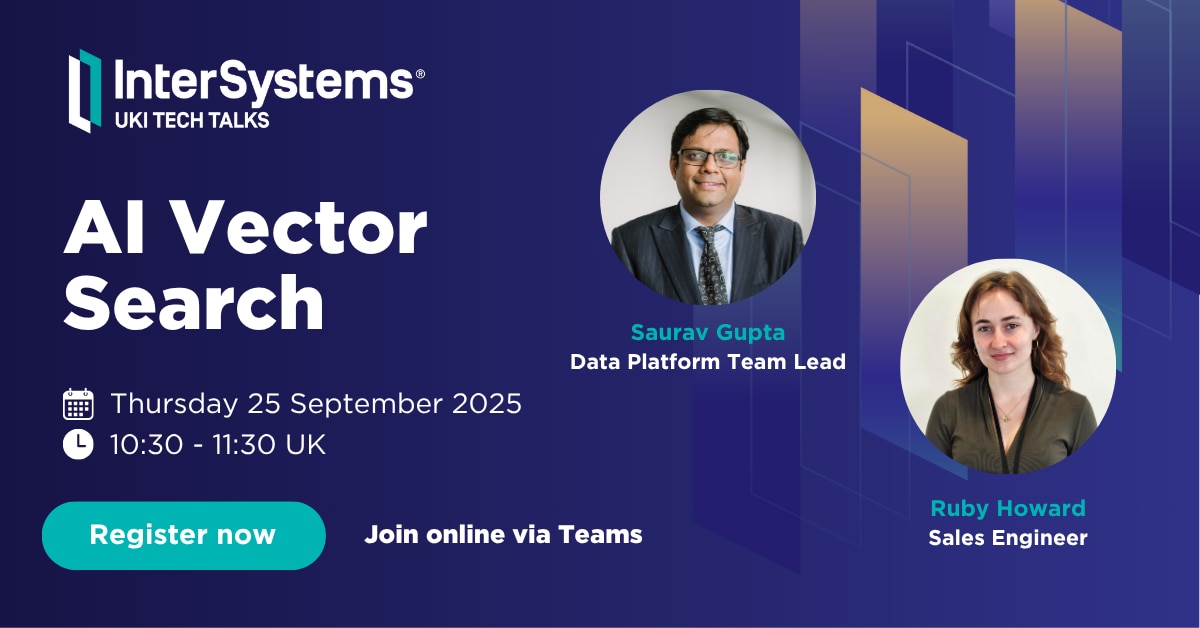
Announcement Anastasia Dyubaylo · Sep 18, 2025

Hey Community,

We're excited to invite you to the next InterSystems UKI Tech Talk webinar: 

👉AI Vector Search Technology in InterSystems IRIS

⏱ Date & Time: Thursday, September 25, 2025 10:30-11:30 UK

Speakers:
👨‍🏫 @Saurav Gupta, Data Platform Team Leader, InterSystems
👨‍🏫 @Ruby Howard, Sales Engineer, InterSystems

2025 Upcoming Tech Talk Social Tile template (6).png

0
0 47
Article Alberto Fuentes · Sep 16, 2025 4m read

In the previous article, we saw how to build a customer service AI agent with smolagents and InterSystems IRIS, combining SQL, RAG with vector search, and interoperability.

In that case, we used cloud models (OpenAI) for the LLM and embeddings.

This time, we’ll take it one step further: running the same agent, but with local models thanks to Ollama.


Why run models locally?

Using LLMs in the cloud is the simplest option to get started:

  • ✅ Models already optimized and maintained
  • ✅ Easy access with a simple API
  • Serverless service: no need to worry about hardware or maintenance
  • ❌ Usage costs
  • ❌ Dependency on external services
  • ❌ Privacy restrictions when sending data

On the other hand, running models locally gives us:

  • ✅ Full control over data and environment
  • ✅ No variable usage costs
  • ✅ Possibility to fine-tune or adapt models with techniques such as LoRA (Low-Rank Adaptation), which allows training certain layers of the model to adapt it to your specific domain without retraining the entire model
  • ❌ Higher resource consumption on your server
  • ❌ Limitations on model size depending on your hardware

That’s where Ollama comes into play.


What is Ollama?

Ollama is a tool that makes it easy to run language models and embeddings on your own computer with a very simple experience:

  • Download models with an ollama pull
  • Run them locally, exposed as an HTTP API
  • Integrate them directly into your applications, just like you would with OpenAI

In short: the same API you’d use in the cloud, but running on your laptop or server.


Basic Ollama setup

First, install Ollama from its website and verify that it works:

ollama --version

Then, download a couple of models:

# Download an embeddings model
ollama pull nomic-embed-text:latest

# Download a language model
ollama pull llama3.1:8b

# See all available models
ollama list

You can test embeddings directly with a curl:

curl http://localhost:11434/api/embeddings -d '{
  "model": "nomic-embed-text:latest",
  "prompt": "Ollama makes it easy to run LLMs locally."
}'

Using Ollama in the IRIS agent

The Customer Support Agent Demo repository already includes the configuration for Ollama. You just need to:

  1. Download the models needed to run them in Ollama I used nomic-embed-text for vector search embeddings and devstral as the LLM.

  2. Configure IRIS to use Ollama embeddings with the local model:

INSERT INTO %Embedding.Config (Name, Configuration, EmbeddingClass, VectorLength, Description)
  VALUES ('ollama-nomic-config', 
          '{"apiBase":"http://host.docker.internal:11434/api/embeddings", 
            "modelName": "nomic-embed-text:latest"}',
          'Embedding.Ollama', 
          768,  
          'embedding model in Ollama');
  1. Adjust the column size to store vectors in the sample tables (the local model has a different vector size than the original OpenAI one).
ALTER TABLE Agent_Data.Products DROP COLUMN Embedding;
ALTER TABLE Agent_Data.Products ADD COLUMN Embedding VECTOR(FLOAT, 768);

ALTER TABLE Agent_Data.DocChunks DROP COLUMN Embedding;
ALTER TABLE Agent_Data.DocChunks ADD COLUMN Embedding VECTOR(FLOAT, 768);
  1. Configure the .env environment file to specify the models we want to use:
OPENAI_MODEL=devstral:24b-small-2505-q4_K_M
OPENAI_API_BASE=http://localhost:11434/v1
EMBEDDING_CONFIG_NAME=ollama-nomic-config
  1. Update the embeddings

Since we have a different embedding model than the original, we need to update the embeddings using the local nomic-embed-text:

python scripts/embed_sql.py
  1. Run the agent so that it uses the new configuration

The code will now use the configuration so that both embeddings and the LLM are served from the local endpoint.

With this configuration, you can ask questions such as:

  • “Where is my order #1001?”
  • “What is the return period?”

And the agent will use:

  • IRIS SQL for structured data
  • Vector search with Ollama embeddings (local)
  • Interoperability to simulate external API calls
  • A local LLM to plan and generate code that calls the necessary tools to obtain the answer

Conclusion

Thanks to Ollama, we can run our Customer Support Agent with IRIS without relying on the cloud:

  • Privacy and control of data
  • Zero cost per token
  • Total flexibility to test and adapt models (LoRA)

The challenge? You need a machine with enough memory and CPU/GPU to run large models. But for prototypes and testing, it’s a very powerful and practical option.


Useful references

0
5 92
Article Alberto Fuentes · Sep 1, 2025 7m read

Customer support questions span structured data (orders, products 🗃️), unstructured knowledge (docs/FAQs 📚), and live systems (shipping updates 🚚). In this post we’ll ship a compact AI agent that handles all three—using:

  • 🧠 Python + smolagents to orchestrate the agent’s “brain”
  • 🧰 InterSystems IRIS for SQL, Vector Search (RAG), and Interoperability (a mock shipping status API)

⚡ TL;DR (snack-sized)

  • Build a working AI Customer Support Agent with Python + smolagents orchestrating tools on InterSystems IRIS (SQL, Vector Search/RAG, Interoperability for a mock shipping API).
  • It answers real questions (e.g., “Was order #1001 delivered?”“What’s the return window?”) by combining tables, documents, and interoperability calls.
  • You’ll spin up IRIS in Docker, load schema and sample data, embed docs for RAG, register tools (SQL/RAG/API), and run the agent via CLI or Gradio UI.

image


🧭 What you’ll build

An AI Customer Support Agent that can:

  • 🔎 Query structured data (customers, orders, products, shipments) via SQL
  • 📚 Retrieve unstructured knowledge (FAQs & docs) via RAG on IRIS Vector Search
  • 🔌 Call a (mock) shipping API via IRIS Interoperability, with Visual Trace to inspect every call

Architecture (at a glance)

User ➜ Agent (smolagents CodeAgent)
               ├─ SQL Tool ➜ IRIS tables
               ├─ RAG Tool ➜ IRIS Vector Search (embeddings + chunks)
               └─ Shipping Tool ➜ IRIS Interoperability (mock shipping) ➜ Visual Trace

New to smolagents? It’s a tiny agent framework from Hugging Face where the model plans and uses your tools—other alternatives are LangGraph and LlamaIndex.


🧱 Prerequisites

  • 🐍 Python 3.9+
  • 🐳 Docker to run IRIS in a container
  • 🧑‍💻 VS Code handy to checkout the code
  • 🔑 OpenAI API key for the LLM + embeddings — or run locally with Ollama if you prefer

1) 🧩 Clone & set up Python

git clone https://github.com/intersystems-ib/customer-support-agent-demo
cd customer-support-agent-demo

python -m venv .venv
# macOS/Linux
source .venv/bin/activate
# Windows (PowerShell)
# .venv\Scripts\Activate.ps1

pip install -r requirements.txt
cp .env.example .env   # add your OpenAI key

2) 🐳 Start InterSystems IRIS (Docker)

docker compose build
docker compose up -d

Open the Management Portal (http://localhost:52773 in this demo).


3) 🗃️ Load the structured data (SQL)

From SQL Explorer (Portal) or your favorite SQL client:

LOAD SQL FROM FILE '/app/iris/sql/schema.sql' DIALECT 'IRIS' DELIMITER ';';
LOAD SQL FROM FILE '/app/iris/sql/load_data.sql' DIALECT 'IRIS' DELIMITER ';';

This is the schema you have just loaded: image

Run some queries and get familiar with the data. The agent will use this data to resolve questions:

-- List customers
SELECT * FROM Agent_Data.Customers;

-- Orders for a given customer
SELECT o.OrderID, o.OrderDate, o.Status, p.Name AS Product
FROM Agent_Data.Orders o
JOIN Agent_Data.Products p ON o.ProductID = p.ProductID
WHERE o.CustomerID = 1;

-- Shipment info for an order
SELECT * FROM Agent_Data.Shipments WHERE OrderID = 1001;

✅ If you see rows, your structured side is ready.


4) 📚 Add unstructured knowledge with Vector Search (RAG)

Create an embedding config (example below uses an OpenAI embedding model—tweak to taste):

INSERT INTO %Embedding.Config
  (Name, Configuration, EmbeddingClass, VectorLength, Description)
VALUES
  ('my-openai-config',
   '{"apiKey":"YOUR_OPENAI_KEY","sslConfig":"llm_ssl","modelName":"text-embedding-3-small"}',
   '%Embedding.OpenAI',
   1536,
   'a small embedding model provided by OpenAI');

Need the exact steps and options? Check the documentation

Then embed the sample content:

python scripts/embed_sql.py

Check the embeddings are already in the tables:

SELECT COUNT(*) AS ProductChunks FROM Agent_Data.Products;
SELECT COUNT(*) AS DocChunks     FROM Agent_Data.DocChunks;

🔎 Bonus: Hybrid + vector search directly from SQL with EMBEDDING()

A major advantage of IRIS is that you can perform semantic (vector) search right inside SQL and mix it with classic filters—no extra microservices needed. The EMBEDDING() SQL function generates a vector on the fly for your query text, which you can compare against stored vectors using operations like VECTOR_DOT_PRODUCT.

Example A — Hybrid product search (price filter + semantic ranking):

SELECT TOP 3
    p.ProductID,
    p.Name,
    p.Category,
    p.Price,
    VECTOR_DOT_PRODUCT(p.Embedding, EMBEDDING('headphones with ANC', 'my-openai-config')) score
FROM Agent_Data.Products p
WHERE p.Price < 200
ORDER BY score DESC

Example B — Semantic doc-chunk lookup (great for feeding RAG answers):

SELECT TOP 3
    c.ChunkID  AS chunk_id,
    c.DocID      AS doc_id,
    c.Title         AS title,
    SUBSTRING(c.ChunkText, 1, 400) AS snippet,
    VECTOR_DOT_PRODUCT(c.Embedding, EMBEDDING('warranty coverage', 'my-openai-config')) AS score
FROM Agent_Data.DocChunks c
ORDER BY score DESC

Why this is powerful: you can pre-filter by price, category, language, tenant, dates, etc., and then rank by semantic similarity—all in one SQL statement.


5) 🔌 Wire a live (mock) shipping API with Interoperability

The project exposes a tiny /api/shipping/status endpoint through IRIS Interoperability—perfect to simulate “real world” calls:

curl -H "Content-Type: application/json" \
  -X POST \
  -d '{"orderStatus":"Processing","trackingNumber":"DHL7788"}' \
  http://localhost:52773/api/shipping/status

Now open Visual Trace in the Portal to watch the message flow hop-by-hop (it’s like airport radar for your integration ✈️).


6) 🤖 Meet the agent (smolagents + tools)

Peek at these files:

  • agent/customer_support_agent.py — boots a CodeAgent and registers tools
  • agent/tools/sql_tool.py — parameterized SQL helpers
  • agent/tools/rag_tool.py — vector search + doc retrieval
  • agent/tools/shipping_tool.py — calls the Interoperability endpoint

The CodeAgent plans with short code steps and calls your tools. You bring the tools; it brings the brains using a LLM model


7) ▶️ Run it!

One-shot (quick tests)

python -m cli.run --email alice@example.com --message "Where is my order #1001?"
python -m cli.run --email alice@example.com --message "Show electronics that are good for travel"
python -m cli.run --email alice@example.com --message "Was my headphones order delivered, and what’s the return window?"

Interactive CLI

python -m cli.run --email alice@example.com

Web UI (Gradio)

python -m ui.gradio
# open http://localhost:7860

🛠️ Under the hood

The agent’s flow (simplified):

  1. 🧭 Plan how to resolve the question and what available tools must be used: e.g., “check order status → fetch returns policy ”.

  2. 🛤️ Call tools as needed

    • 🗃️ SQL for customers/orders/products
    • 📚 RAG over embeddings for FAQs/docs (and remember, you can prototype RAG right inside SQL using EMBEDDING() + vector ops as shown above)
    • 🔌 Interoperability API for shipping status
  3. 🧩 Synthesize: stitch results into a friendly, precise answer.

Add or swap tools as your use case grows: promotions, warranties, inventory, you name it.


🎁 Wrap-up

You now have a compact AI Customer Support Agent that blends:

  • 🧠 LLM reasoning (smolagents CodeAgent)
  • 🗃️ Structured data (IRIS SQL)
  • 📚 Unstructured knowledge (IRIS Vector Search + RAG) — with the bonus that EMBEDDING() lets you do hybrid + vector search directly from SQL
  • 🔌 Live system calls (IRIS Interoperability + Visual Trace)
0
1 101
Announcement Derek Gervais · Jul 17, 2025

Hey Community, 

Last week, the InterSystems team held our monthly Developer Meetup in a new venue for the first time ever! In the AWS Boston office location in the Seaport, over 71 attendees showed up to chat, network, and listen to talks from two amazing speakers. The event was a huge success; we had a packed house, tons of engagement and questions, and attendees lining up to chat with our speakers afterwards! 

Photo of a large audience watching the speaker Jayesh Gupta present his topic
Jayesh presents on Testing Frameworks for Agentic Systems to a full house

0
1 61
Announcement Brad Nissenbaum · Jul 14, 2025

#InterSystems Demo Games entry


⏯️ Care Compass – InterSystems IRIS powered RAG AI assistant for Care Managers

Care Compass is a prototype AI assistant that helps caseworkers prioritize clients by analyzing clinical and social data. Using Retrieval Augmented Generation (RAG) and large language models, it generates narrative risk summaries, calculates dynamic risk scores, and recommends next steps. The goal is to reduce preventable ER visits and support early, informed interventions.

Presenters:
🗣 @Brad Nissenbaum, Sales Engineer, InterSystems
🗣 @Andrew Wardly, Sales Engineer, InterSystems
🗣 @Fan Ji, Solution Developer, InterSystems
🗣 @Lynn Wu, Sales Engineer, InterSystems

0
0 76
Article Brad Nissenbaum · Jul 13, 2025 3m read

☤ Care 🩺 Compass 🧭 - Proof-of-Concept - Demo Games Contest Entry

Introducing Care Compass: AI-Powered Case Prioritization for Human Services

In today’s healthcare and social services landscape, caseworkers face overwhelming challenges. High caseloads, fragmented systems, and disconnected data often lead to missed opportunities to intervene early and effectively. This results in worker burnout and preventable emergency room visits, which are both costly and avoidable.

Care Compass was created to change that.

Disclaimer: Care Compass project is a technical demonstration developed by sales engineers and solution engineers. It is intended for educational and prototyping purposes only. We are not medical professionals, and no part of this project should be interpreted as clinical advice or used for real-world patient care without appropriate validation and consultation with qualified healthcare experts.

The Problem

Twelve percent of Medicaid beneficiaries account for 38 percent of all Medicaid emergency department (ED) visits. These visits are often driven by unmet needs related to housing instability, mental illness, and substance use. Traditional case management tools rarely account for these upstream risk factors, making it difficult for caseworkers to identify who needs help most urgently.

This data comes from a 2013 study published in The American Journal of Emergency Medicine, which highlights how a small portion of the Medicaid population disproportionately contributes to system-wide costs
(Capp et al., 2013, PMID: 23850143).

Too often, decisions are reactive and based on incomplete information.

Our Solution

Care Compass is an AI-powered assistant that helps caseworkers make better decisions based on a complete picture of a client’s medical and social needs. It combines Retrieval-Augmented Generation (RAG) and large language models to interpret data and generate actionable insights.

The assistant assesses real-time information, summarizes key risk factors, calculates dynamic risk scores, and recommends possible next steps and resources. Instead of combing through disconnected records, caseworkers get a unified view of their caseload, prioritized by urgency and context.

How It Works

The platform integrates a large language model, real-time data retrieval, and custom reasoning logic. Information from structured and unstructured sources is synthesized into readable summaries that explain not only the level of risk, but why a client is considered high-risk.

An intuitive user interface makes it easy for caseworkers to interact with the assistant, review insights, and take appropriate action. The emphasis is on transparency and trust. The system doesn’t just score risk; it explains its reasoning in plain language.

Lessons Learned

Building Care Compass has taught us that raw model accuracy is only part of the equation. We’ve learned that:

  • Small datasets limit the effectiveness of retrieval-based methods
  • Structured data is often inconsistent or incomplete
  • Fine-tuning models does not always improve performance
  • Interpretability is essential—especially for systems that guide care decisions
  • HIPAA compliance and data privacy must be built into the system from the beginning

Looking Ahead

Our next steps include expanding our dataset with more diverse and representative cases, experimenting with different embedding models, and incorporating evaluation metrics that reflect how useful and understandable the assistant’s outputs are in practice.

We’re also exploring how to better communicate uncertainty and strengthen the ethical foundations of the system, especially when working with vulnerable populations.

Care Compass is our response to a widespread need in health and human services: to prioritize what matters, before it becomes a crisis. It empowers caseworkers with the clarity and tools they need to act earlier, intervene more effectively, and deliver more equitable outcomes.

To see more about how we implemented the solution, please watch our youtube video:https://youtu.be/hjCKJxhckbs

3
1 104
Article Henry Pereira · Sep 29, 2024 3m read

sql-embedding cover

InterSystems IRIS 2024 recently introduced the vector types. This addition empowers developers to work with vector search, enabling efficient similarity searches, clustering, and a range of other applications. In this article, we will delve into the intricacies of vector types, explore their applications, and provide practical examples to guide your implementation.

At its essence, a vector type is a structured collection of numerical values arranged in a predefined order. These values serve to represent different attributes, features, or characteristics of an object.

SQL-Embedding: A Versatile Tool

To streamline the creation and utilization of embeddings for vector searches within SQL queries, we introduces SQL-Embedding tool. This feature enables to leverage a diverse range of embedding models directly within their SQL databases, tailored to their specific requirements.

Practical Example: Similarity Search

Let's consider a scenario where we aim to determine the similarity between two texts using the fastembed model and SQL-Embedding. The following SQL query showcases how this can be accomplished:

SELECT
 VECTOR_DOT_PRODUCT(
 embFastEmbedModel1,
 dc.embedding('my text', 'fastembed/BAAI/bge-small-en-v1.5')
 ) AS "Similarity between 'my text' and itself",
 VECTOR_DOT_PRODUCT(
 embFastEmbedModel1,
 dc.embedding('lorem ipsum', 'fastembed/BAAI/bge-small-en-v1.5')
 ) AS "Similarity between 'my text' and 'lorem ipsum'"
FROM testvector;

Caching

One of the significant benefits of using SQL-Embedding in InterSystems IRIS is its ability to cache repeated embedding requests. This caching mechanism significantly improves performance by reducing the computational overhead associated with generating embeddings for identical or similar inputs.

How Caching Works

When you execute a SQL-Embedding query, InterSystems IRIS checks if the embedding for the given input has already been cached. If it exists, the cached embedding is retrieved and used directly, eliminating the need to regenerate it. This is particularly advantageous in scenarios where the same embeddings are frequently requested, such as in recommendation systems or search applications.

Caching Benefits

  • Reduced Latency: By avoiding redundant embedding calculations, caching can significantly reduce query response times.
  • Improved Scalability: Caching can handle increased workloads more efficiently, as it reduces the strain on the underlying embedding models.
  • Optimized Resource Utilization: Caching helps conserve computational resources by avoiding unnecessary calculations.

In conclusion, the introduction of vector types in InterSystems IRIS presents a robust tool for working with numerical object representations. By harnessing similarity searches, SQL-Embedding, and various applications, developers can unlock new possibilities and enhance their data-driven solutions.

If you found our app interesting and contributed some insight, please vote for sql-embeddings and help us on this journey!

2
2 279
Article Henry Pereira · Jun 11, 2025 15m read

Learn how to design scalable, autonomous AI agents that combine reasoning, vector search, and tool integration using LangGraph.

cover

Too Long; Didn't Read

  • AI Agents are proactive systems that combine memory, context, and initiative to automate tasks beyond simple chatbots.
  • LangGraph is a framework that enables us to build complex AI workflows, utilizing nodes (tasks) and edges (connections) with built-in state management.
  • This guide will walk you through building an AI-powered customer support agent that classifies priorities, identifies relevant topics, and determines whether to escalate or auto-reply.

So, What Exactly Are AI Agents?

Let’s face it — “AI agents” can sound like the robots that will take over your boardroom. In reality, they are your proactive sidekicks that can streamline complex workflows and eliminate repetitive tasks. Think of them as the next evolutionary step beyond chatbots: they do not just simply wait for prompts; they initiate actions, coordinate multiple steps, and adapt as they go.

Back in the day, crafting a “smart” system meant juggling separate models for language understanding, code generation, data lookup, you name it, and then duct-taping them together. Half of your time used to vanish in integration hell, whereas the other half you spent debugging the glue.

Agents flip that script. They bundle context, initiative, and adaptability into a single orchestrated flow. It is not just automation; it is intelligence with a mission. And thanks to such frameworks as LangGraph, assembling an agent squad of your own can actually be… dare I say, fun?

image

What Is LangGraph, Exactly?

LangGraph is an innovative framework that revolutionizes the way we build complex applications involving Large Language Models (LLMs).

Imagine that you are conducting an orchestra: every instrument (or “node”) needs to know when to play, how loud, and in what sequence. LangGraph, in this case**,** is your baton, giving you the following:

  • Graph Structure: It employs a graph-like structure with nodes and edges, enabling developers to design flexible, non-linear workflows that accommodate branches and loops. It mirrors complex decision-making processes resembling the way neural pathways might work.
  • State Management: LangGraph offers built-in tools for state persistence and error recovery, simplifying the maintenance of contextual data across various stages within an application. It can effectively switch between short-term and long-term memory, enhancing interaction quality thanks to such tools as Zep.
  • Tool Integration: With LangGraph, LLM agents can easily collaborate with external services or databases to fetch real-world data, improving the functionality and responsiveness of your applications.
  • Human-in-the-Loop: Beyond automation, LangGraph accommodates human interventions in workflows, which are crucial for decision-making processes that require analytical oversight or ethical consideration.

Whether you are building a chatbot with real memory, an interactive story engine, or a team of agents tackling a complex problem, LangGraph turns headache-inducing plumbing into a clean, visual state machine.

Getting Started

To start with LangGraph, you will need a basic setup that typically involves installing such essential libraries as langgraph and langchain-openai. From there, you can define the nodes (tasks) and edges (connections) within the graph, effectively implementing checkpoints for short-term memory and utilizing Zep for more persistent memory needs.

When operating LangGraph, keep in mind the following:

  • Design with Flexibility: Leverage the powerful graph structure to account for potential workflow branches and interactions that are not strictly linear.
  • Interact with Tools Thoughtfully: Enhance but do not replace LLM capabilities with external tools. Provide each tool with comprehensive descriptions to enable precise usage.
  • Employ Rich Memory Solutions: Use memory efficiently, be mindful of the LLM's context window, and consider integrating external solutions for automatic fact management.

Now that we have covered the basics of LangGraph, let's dive into a practical example. To achieve this, we will develop an AI agent specifically designed for customer support.

This agent will receive email requests, analyze the problem description in the email body, and then determine the request's priority and appropriate topic/category/sector.

So buckle up and let's go!

buckle up

To begin, we need to define what a 'Tool' is. You can think of it as a specialized "assistant manager" for your agent, allowing it to interact with external functionalities.

The @tool decorator is essential here. LangChain simplifies custom tool creation, meaning that first, you define a Python function, and then apply the @tool decorator.

tools

Let's illustrate this by creating our first tool. This tool will help the agent classify the priority of an IT support ticket based on its email content:

    from langchain_core.tools import tool
    
    @tool
    def classify_priority(email_body: str) -> str:
        """Classify the priority of an IT support ticket based on email content."""
        prompt = ChatPromptTemplate.from_template(
            """Analyze this IT support email and classify its priority as High, Medium, or Low.
            
            High: System outages, security breaches, critical business functions down
            Medium: Non-critical issues affecting productivity, software problems
            Low: General questions, requests, minor issues
            
            Email: {email}
            
            Respond with only: High, Medium, or Low"""
        )
        chain = prompt | llm
        response = chain.invoke({"email": email_body})
        return response.content.strip()

Excellent! Now we have a prompt that instructs the AI to receive the email body, analyze it, and classify its priority as High, Medium, or Low.

That’s it! You have just composed a tool your agent can call!

Next, let's create a similar tool to identify the main topic (or category) of the support request:


    @tool
    def identify_topic(email_body: str) -> str:
        """Identify the main topic/category of the IT support request."""
        prompt = ChatPromptTemplate.from_template(
            """Analyze this IT support email and identify the main topic category.
            
            Categories: password_reset, vpn, software_request, hardware, email, network, printer, other
            
            Email: {email}
            
            Respond with only the category name (lowercase with underscores)."""
        )
        chain = prompt | llm
        response = chain.invoke({"email": email_body})
        return response.content.strip()

Now we need to create a state, and in LangGraph this little piece is, kind of, a big deal.

Think of it as the central nervous system of your graph. It is how nodes talk to each other, passing notes like overachievers in class.

According to the docs:

“A state is a shared data structure that represents the current snapshot of your application.”

In practice? The state is a structured message that moves between nodes. It carries the output of one step as the input for the next one. Basically, it is the glue that holds your entire workflow together.

Therefore, before constructing the graph, we must first define the structure of our state. In this example, our state will include the following:

  • The user’s request (email body)
  • The assigned priority
  • The identified topic (category)

It is simple and clean, so you can move through the graph like a pro.

    from typing import TypedDict

    # Define the state structure
    class TicketState(TypedDict):
        email_body: str
        priority: str
        topic: str
        
    
    # Initialize state
    initial_state = TicketState(
        email_body=email_body,
        priority="",
        topic=""
    )

Nodes vs. Edges: Key Components of LangGraph

The fundamental building blocks of LangGraph include nodes and edges.

  • Nodes: They are the operational units within the graph, performing the actual work. A node typically consists of Python code that can execute any logic, ranging from computations to interactions with language models (LLMs) or external integrations. Essentially, nodes are like individual functions or agents in traditional programming.
  • Edges: Edges define the flow of execution between nodes, determining what happens next. They act as the connectors that allow the state to transition from one node to another based on predefined conditions. In the context of LangGraph, edges are crucial in orchestrating the sequence and decision flow between nodes.

To grasp the functionality of edges, let’s consider a simple analogy of a messaging application:

  • Nodes are akin to users (or their devices) actively participating in a conversation.
  • Edges symbolize the chat threads or connections between users that facilitate communication.

When a user selects a chat thread to send a message, an edge is effectively created, linking them to another user. Each interaction, be it sending a text, voice, or video message, follows a predefined sequence, comparable to the structured schema of LangGraph’s state. It ensures uniformity and interpretability of data passed along edges.

Unlike the dynamic nature of event-driven applications, LangGraph employs a static schema that remains consistent throughout execution. It simplifies communication among nodes, enabling developers to rely on a stable state format, thereby ensuring seamless edge communication.

Designing a Basic Workflow

Flow engineering in LangGraph can be conceptualized as designing a state machine. In this paradigm, each node represents a distinct state or processing step, while edges define the transitions between those states. This approach is particularly beneficial for developers aiming to strike a balance between deterministic task sequences and the dynamic decision-making capabilities of AI. Let's begin constructing our flow by initializing a StateGraph with the TicketState class we defined earlier.

    from langgraph.graph import StateGraph, START, END
    
    workflow = StateGraph(TicketState)

Node Addition: Nodes are fundamental building blocks, defined to execute such specific tasks as classifying ticket priority or identifying its topic.

Each node function receives the current state, performs its operation, and returns a dictionary to update the state:

   def classify_priority_node(state: TicketState) -> TicketState:
        """Node to classify ticket priority."""
        priority = classify_priority.invoke({"email_body": state["email_body"]})
        return {"priority": priority}

    def identify_topic_node(state: TicketState) -> TicketState:
        """Node to identify ticket topic."""
        topic = identify_topic.invoke({"email_body": state["email_body"]})
        return {"topic": topic}
        
        
    workflow.add_node("classify_priority", classify_priority_node)
    workflow.add_node("identify_topic", identify_topic_node)

The classify_priority_node and identify_topic_node methods will change the TicketState and send the parameter input.

Edge Creation: Define edges to connect nodes:


    workflow.add_edge(START, "classify_priority")
    workflow.add_edge("classify_priority", "identify_topic")
    workflow.add_edge("identify_topic", END)

The classify_priority establishes the start, whereas the identify_topic determines the end of our workflow so far.

Compilation and Execution: Once nodes and edges are configured, compile the workflow and execute it.


    graph = workflow.compile()
    result = graph.invoke(initial_state)

Great! You can also generate a visual representation of our LangGraph flow.

graph.get_graph().draw_mermaid_png(output_file_path="graph.png")

If you were to run the code up to this point, you would observe a graph similar to the one below:

first_graph.png

This illustration visualizes a sequential execution: start, followed by classifying priority, then identifying the topic, and, finally, ending.

One of the most powerful aspects of LangGraph is its flexibility, which allows us to create more complex flows and applications. For instance, we can modify the workflow to add edges from START to both nodes with the following line:

    workflow.add_edge(START, "classify_priority")
    workflow.add_edge(START, "identify_topic")

This change will imply that the agent executes classify_priority and identify_topic simultaneously.

Another highly valuable feature in LangGraph is the ability to use conditional edges. They allow the workflow to branch based on the evaluation of the current state, enabling dynamic routing of tasks.

Let's enhance our workflow. We will create a new tool that analyzes the content, priority, and topic of the request to determine whether it is a high-priority issue requiring escalation (i.e., opening a ticket for a human team). If not, an automated response will be generated for the user.


    @tool
    def make_escalation_decision(email_body: str, priority: str, topic: str) -> str:
        """Decide whether to auto-respond or escalate to IT team."""
        prompt = ChatPromptTemplate.from_template(
            """Based on this IT support ticket, decide whether to:
            - "auto_respond": Send an automated response for simple/common or medium priority issues
            - "escalate": Escalate to the IT team for complex/urgent issues
            
            Email: {email}
            Priority: {priority}
            Topic: {topic}
            
            Consider: High priority items usually require escalation, while complex technical issues necessitate human review.
            
            Respond with only: auto_respond or escalate"""
        )
        chain = prompt | llm
        response = chain.invoke({
            "email": email_body,
            "priority": priority,
            "topic": topic
        })
        return response.content.strip()
        

Furthermore, if the request is determined to be of low or medium priority (leading to an "auto_respond" decision), we will perform a vector search to retrieve historical answers. This information will then be used to generate an appropriate automated response. However, it will require two additional tools:


    @tool
    def retrieve_examples(email_body: str) -> str:
        """Retrieve relevant examples from past responses based on email_body."""
        try:
            examples = iris.cls(__name__).Retrieve(email_body)
            return examples if examples else "No relevant examples found."
        except:
            return "No relevant examples found."

    @tool
    def generate_reply(email_body: str, topic: str, examples: str) -> str:
        """Generate a suggested reply based on the email, topic, and RAG examples."""
        prompt = ChatPromptTemplate.from_template(
            """Generate a professional IT support response based on:
            
            Original Email: {email}
            Topic Category: {topic}
            Example Response: {examples}
            
            Create a helpful, professional response that addresses the user's concern.
            Keep it concise and actionable."""
        )
        chain = prompt | llm
        response = chain.invoke({
            "email": email_body,
            "topic": topic,
            "examples": examples
        })
        return response.content.strip()

Now, let's define the corresponding nodes for those new tools:

    
    def decision_node(state: TicketState) -> TicketState:
        """Node to decide on escalation or auto-response."""
        decision = make_escalation_decision.invoke({
            "email_body": state["email_body"],
            "priority": state["priority"],
            "topic": state["topic"]
        })
        return {"decision": decision}
        
    
    def rag_node(state: TicketState) -> TicketState:
        """Node to retrieve relevant examples using RAG."""
        examples = retrieve_examples.invoke({"email_body": state["email_body"]})
        return {"rag_examples": examples}

    def generate_reply_node(state: TicketState) -> TicketState:
        """Node to generate suggested reply."""
        reply = generate_reply.invoke({
            "email_body": state["email_body"],
            "topic": state["topic"],
            "examples": state["rag_examples"]
        })
        return {"suggested_reply": reply}
        
    
    def execute_action_node(state: TicketState) -> TicketState:
        """Node to execute final action based on decision."""
        if state["decision"] == "escalate":
            action = f"&#x1f6a8; ESCALATED TO IT TEAM\nPriority: {state['priority']}\nTopic: {state['topic']}\nTicket created in system."
            print(f"[SYSTEM] Escalating ticket to IT team - Priority: {state['priority']}, Topic: {state['topic']}")
        else:
            action = f"&#x2705; AUTO-RESPONSE SENT\nReply: {state['suggested_reply']}\nTicket logged for tracking."
            print(f"[SYSTEM] Auto-response sent to user - Topic: {state['topic']}")
        
        return {"final_action": action}


    workflow.add_node("make_decision", decision_node)
    workflow.add_node("rag", rag_node)
    workflow.add_node("generate_reply", generate_reply_node)
    workflow.add_node("execute_action", execute_action_node)

The conditional edge will then use the output of the make_decision node to direct the flow:

    workflow.add_conditional_edges(
        "make_decision",
        lambda x: x.get("decision"),
        {
            "auto_respond": "rag",
            "escalate": "execute_action"
        }
    )

If the make_escalation_decision tool (via decision_node) results in "auto_respond", the workflow will proceed through the rag node (to retrieve examples), then to generate_reply (to craft the response), and finally to execute_action (to log the auto-response).

Conversely, if the decision is "escalate", the flow will bypass the RAG and take generation steps, moving directly to execute_action to handle the escalation. To complete the graph by adding the remaining standard edges, do the following:

    workflow.add_edge("rag", "generate_reply")
    workflow.add_edge("generate_reply", "execute_action")
    workflow.add_edge("execute_action", END)

Dataset Note: For this project, the dataset we used to power the Retrieval-Augmented Generation (RAG) was sourced from the Customer Support Tickets dataset on Hugging Face. The dataset was filtered to include exclusively the items categorized as 'Technical Support' and restricted to English entries. It ensured that the RAG system retrieved only highly relevant and domain-specific examples for technical support tasks.

At this point, our graph should resemble the one below:

graph.png

When you execute this graph with an email that results in a high priority classification and an "escalate" decision, you will see the following response:

image.png

At the same time, a request that is classified as low priority and results in an "auto_respond" decision will trigger a reply resembling the one below:

image.png

So... Is It All Sunshine?

Not entirely. There a few bumps to watch out for:

  • Data Privacy: Be careful with sensitive info — these agents require guardrails.
  • Compute Costs: Some advanced setups require serious resources.
  • Hallucinations: LLMs can occasionally make things up (still smarter than most interns, though).
  • Non-Determinism: The same input might return different outputs, which is great for creativity, but tricky for strict processes.

However, most of these weak spots can be managed with good planning, the right tools, and — you guessed it — a bit of reflection.

LangGraph turns AI agents from buzzwords into real, working solutions. Whether you want to automate customer support, handle IT tickets, or build autonomous apps, this framework makes it doable and, actually, enjoyable.

Have you got any questions or feedback? Let’s talk. The AI revolution needs builders like you.

4
3 458
Article Henry Pereira · May 29, 2025 6m read

image

You know that feeling when you get your blood test results and it all looks like Greek? That's the problem FHIRInsight is here to solve. It started with the idea that medical data shouldn't be scary or confusing – it should be something we can all use. Blood tests are incredibly common for checking our health, but let's be honest, understanding them is tough for most folks, and sometimes even for medical staff who don't specialize in lab work. FHIRInsight wants to make that whole process easier and the information more actionable.

FHIRInsight logo

🤖 Why We Built FHIRInsight

It all started with a simple but powerful question:

“Why is reading a blood test still so hard — even for doctors sometimes?”

If you’ve ever looked at a lab result, you’ve probably seen a wall of numbers, cryptic abbreviations, and a “reference range” that may or may not apply to your age, gender, or condition. It’s a diagnostic tool, sure — but without context, it becomes a guessing game. Even experienced healthcare professionals sometimes need to cross-reference guidelines, research papers, or specialist opinions to make sense of it all.

That’s where FHIRInsight steps in.

We didn’t build it just for patients — we built it for the people on the frontlines of care. For the doctors pulling back-to-back shifts, for the nurses catching subtle patterns in vitals, for every health worker trying to make the right call with limited time and lots of responsibility. Our goal is to make their jobs just a little bit easier — by turning dense, clinical FHIR data into something clear, useful, and grounded in real medical science. Something that speaks human.

FHIRInsight does more than just explain lab values. It also:

  • Provides contextual advice on whether a test result is mild, moderate, or severe
  • Suggests potential causes and differential diagnoses based on clinical signs
  • Recommends next steps — whether that’s follow-up tests, referrals, or urgent care
  • Leverages RAG (Retrieval-Augmented Generation) to pull in relevant scientific articles that support the analysis

Imagine a young doctor reviewing a patient’s anemia panel. Instead of Googling every abnormal value or digging through medical journals, they receive a report that not only summarizes the issue but cites recent studies or WHO guidelines that support the reasoning. That’s the power of combining AI and vector search over curated research.

And what about the patient?

They’re no longer left staring at a wall of numbers, wondering what something like “bilirubin 2.3 mg/dL” is supposed to mean — or whether they should be worried. Instead, they get a simple, thoughtful explanation. One that feels more like a conversation than a clinical report. Something they can actually understand — and bring into the discussion with their doctor, feeling more prepared and less anxious.

Because that’s what FHIRInsight is really about: turning medical complexity into clarity, and helping both healthcare professionals and patients make better, more confident decisions — together.

🔍 Under the Hood

Of course, all that simplicity on the surface is made possible by some powerful tech working quietly in the background.

Here’s what FHIRInsight is built on:

  • FHIR (Fast Healthcare Interoperability Resources) — This is the global standard for health data. It’s how we receive structured information like lab results, patient history, demographics, and encounters. FHIR is the language that medical systems speak — and we translate that language into something people can actually use.
  • Vector Search for RAG (Retrieval-Augmented Generation): FHIRInsight enhances its diagnostic reasoning by indexing scientific PDF papers and trusted URLs into a vector database using InterSystems IRIS native vector search. When a lab result looks ambiguous or nuanced, the system retrieves relevant content to support its recommendations — not from memory, but from real, up-to-date research.
  • Prompt Engineering for Medical Reasoning: We’ve fine-tuned our prompts to guide the LLM toward identifying a wide spectrum of blood-related conditions. Whether it’s iron deficiency anemia, coagulopathies, hormonal imbalances, or autoimmune triggers — the prompt guides the LLM through variations in symptoms, lab patterns, and possible causes.
  • LiteLLM Integration: A custom adapter routes requests to multiple LLM providers (OpenAI, Anthropic, Ollama, etc.) through a unified interface, enabling fallback, streaming, and model switching with ease.

All of this happens in a matter of seconds — turning raw lab values into explainable, actionable medical insight, whether you’re a doctor reviewing 30 patient charts or a patient trying to understand what your numbers mean.

🧩 Creating the LiteLLM Adapter: One Interface to Rule All Models

Behind the scenes, FHIRInsight’s AI-powered reporting is driven by LiteLLM — a brilliant abstraction layer that allows us to call over 100+ LLMs (OpenAI, Claude, Gemini, Ollama, etc.) through a single OpenAI-style interface.

But integrating LiteLLM into InterSystems IRIS required something more permanent and reusable than Python scripts tucked away in a Business Operation. So, we created our own LiteLLM Adapter.

Meet LiteLLMAdapter

This adapter class handles everything you’d expect from a robust LLM integration:

  • Accepts parameters like prompt, model, and temperature
  • Loads your environment variables (e.g., API keys) dynamically

To plug this into our interoperability production, we wrapped it in a dedicated Business Operation:

  • Handles production configuration via standard LLMModel setting
  • Integrates with the FHIRAnalyzer component for real-time report generation
  • Acts as a central “AI bridge” for any future components needing LLM access

Here’s the core flow simplified:

set response = ##class(dc.LLM.LiteLLMAdapter).CallLLM("Tell me about hemoglobin.", "openai/gpt-4o", 0.7)
write response

🧭 Conclusion

When we started building FHIRInsight, our mission was simple: make blood tests easier to understand — for everyone. Not just patients, but doctors, nurses, caregivers... anyone who’s ever stared at a lab result and thought, “Okay, but what does this actually mean?”

We’ve all been there.

By blending the structure of FHIR, the speed of InterSystems IRIS, the intelligence of LLMs, and the depth of real medical research through vector search, we created a tool that turns confusing numbers into meaningful stories. Stories that help people make smarter decisions about their health — and maybe even catch something early that would’ve gone unnoticed.

But FHIRInsight isn’t just about data. It’s about how we feel when we look at data. We want it to feel clear, supportive, and empowering. We want the experience to be... well, kind of like “vibecoding” healthcare — that sweet spot where smart code, good design, and human empathy come together.

We hope you’ll try it, break it, question it — and help us improve it.

Tell us what you’d like to see next. More conditions? More explainability? More personalization?

This is just the beginning — and we’d love for you to help shape what comes next.

2
0 95
Question Henry Pereira · May 30, 2025

Hi all!

I want to create an %Embedding.Config to use with an %Embedding property. I followed the documentation for %Embedding.OpenAI, and it works fine after setting sslConfig, modelName, and apiKey.

However, I need to use AzureOpenAI. While the embedding process is similar to OpenAI's, Azure requires additional connection parameters, like an endpoint. My question is: is it possible to configure these extra parameters with %Embedding.Config, and if so, how?

documentation reference

2
0 67
Question Fabio Care · May 27, 2025

I am testing vectorsearch, while doing so I am trying to paginate my resultset for a "next page" function to give me the first, second, third 15 entries within a table. 

For this I have two embedding classes. One with a HNSW Index (vectornomicembedtextlatest) , and one without (vectornomicembedtexttest).

Calling SELECT ID,PRIMKEY FROM SQLUser.vectornomicembedtexttest LIMIT 5 OFFSET 1 works fine with the first entry having the rowID of 486448. (I deleted old entries in the beginning and reused the table)

0
0 64
Article Jim Liu · May 14, 2025 7m read

This article presents a potential solution for semantic code search in TrakCare using IRIS Vector Search.

Here's a brief overview of results from the TrakCare Semantic code search for the query: "Validation before database object save".


  • Code Embedding model 

There are numerous embedding models designed for sentences and paragraphs, but they are not ideal for code specific embeddings.

0
0 187
Article Seisuke Nakahashi · Aug 16, 2024 1m read

There are a lot of great community articles regarding "vector search on IRIS", and samples in OpenExchange. Everytime I see these, I'm so excited to know that so many developers already try vectors on IRIS!

But if you've not tried "Vector Search on IRIS" yet, please give me one minute 😄 I create one IRIS class - and with only one IRIS class you can see how you put vector data in your IRIS database and how you compare these in your application.

2
3 317
Article Luis Angel Pérez Ramos · Apr 30, 2025 8m read

I recently had to refresh my knowledge of the HealthShare EMPI module and since I've been tinkering with IRIS's vector storage and search functionalities for a while I just had to add 1 + 1.

For those of you who are not familiar with EMPI functionality here's a little introduction:

Enterprise Master Patient Index

In general, all EMPIs work in a very similar way, ingesting information, normalizing it and comparing it with the data already present in their system. Well, in the case of HealthShare's EMPI, this process is known as NICE:

0
1 167
Article Luis Angel Pérez Ramos · Apr 18, 2025 3m read

Who hasn't been developing a beautiful example using a Docker IRIS image and had the image generation process fail in the Dockerfile because the license under which the image was created doesn't contain certain privileges?

In my case, what I was deploying in Docker is a small application that uses the Vector data type. With the Community version, this isn't a problem because it already includes Vector Search and vector storage. However, when I changed the IRIS image to a conventional IRIS (the latest-cd), I found that when I built the image, including the classes it had generated, it returned this error:

2
1 163
Article José Pereira · Aug 2, 2024 28m read

An experiment on how to use the LangChain framework, IRIS Vector Search, and LLMs to generate IRIS-compatible SQL from user prompts.

This article was based in this notebook. You can run it with a ready to use environment with this application in OpenExchange.

Setup

First, we need to install the necessary libraries:

!pip install --upgrade --quiet langchain langchain-openai langchain-iris pandas

Next, we import the required modules and set up the environment:

import os
import datetime
import hashlib
from copy import deepcopy
from sqlalchemy import create_engine
import getpass
import pandas as pd
from langchain_core.prompts import PromptTemplate, ChatPromptTemplate
from langchain_core.example_selectors import SemanticSimilarityExampleSelector
from langchain_openai import OpenAIEmbeddings, ChatOpenAI
from langchain.docstore.document import Document
from langchain_community.document_loaders import DataFrameLoader
from langchain.text_splitter import CharacterTextSplitter
from langchain_core.output_parsers import StrOutputParser
from langchain.globals import set_llm_cache
from langchain.cache import SQLiteCache
from langchain_iris import IRISVector

We will use SQLiteCache to cache the LLM calls:

# Cache for LLM calls
set_llm_cache(SQLiteCache(database_path=".langchain.db"))

Set the IRIS database connection parameters:

# IRIS database connection parameters
os.environ["ISC_LOCAL_SQL_HOSTNAME"] = "localhost"
os.environ["ISC_LOCAL_SQL_PORT"] = "1972"
os.environ["ISC_LOCAL_SQL_NAMESPACE"] = "IRISAPP"
os.environ["ISC_LOCAL_SQL_USER"] = "_system"
os.environ["ISC_LOCAL_SQL_PWD"] = "SYS"

If the OpenAI API key is not already set in the environment, prompt the user to enter it:

if not "OPENAI_API_KEY" in os.environ:
    os.environ["OPENAI_API_KEY"] = getpass.getpass()

Create the connection string for the IRIS database:

# IRIS database connection string
args = {
    'hostname': os.getenv("ISC_LOCAL_SQL_HOSTNAME"), 
    'port': os.getenv("ISC_LOCAL_SQL_PORT"), 
    'namespace': os.getenv("ISC_LOCAL_SQL_NAMESPACE"), 
    'username': os.getenv("ISC_LOCAL_SQL_USER"), 
    'password': os.getenv("ISC_LOCAL_SQL_PWD")
}
iris_conn_str = f"iris://{args['username']}:{args['password']}@{args['hostname']}:{args['port']}/{args['namespace']}"

Establish the connection to the IRIS database:

# Connection to IRIS database
engine = create_engine(iris_conn_str)
cnx = engine.connect().connection

Prepare a dictionary to hold context information for the system prompt:

# Dict for context information for system prompt
context = {}
context["top_k"] = 3

Prompt Creation

To transform user inputs into SQL queries compatible with the IRIS database, we need to create an effective prompt for the language model. We start with an initial prompt that provides basic instructions for generating SQL queries. This template is derived from LangChain's default prompts for MSSQL and customized for the IRIS database.

# Basic prompt template with IRIS database SQL instructions
iris_sql_template = """
You are an InterSystems IRIS expert. Given an input question, first create a syntactically correct InterSystems IRIS query to run and return the answer to the input question.
Unless the user specifies in the question a specific number of examples to obtain, query for at most {top_k} results using the TOP clause as per InterSystems IRIS. You can order the results to return the most informative data in the database.
Never query for all columns from a table. You must query only the columns that are needed to answer the question. Wrap each column name in single quotes ('') to denote them as delimited identifiers.
Pay attention to use only the column names you can see in the tables below. Be careful to not query for columns that do not exist. Also, pay attention to which column is in which table.
Pay attention to use CAST(CURRENT_DATE as date) function to get the current date, if the question involves "today".
Use double quotes to delimit columns identifiers.
Return just plain SQL; don't apply any kind of formatting.
"""

This basic prompt configures the language model (LLM) to function as an SQL expert with specific guidance for the IRIS database. Next, we provide an auxiliary prompt with information about the database schema to avoid hallucinations.

# SQL template extension for including tables context information
tables_prompt_template = """
Only use the following tables:
{table_info}
"""

To enhance the accuracy of the LLM's responses, we use a technique called few-shot prompting. This involves presenting some examples to the LLM.

# SQL template extension for including few shots
prompt_sql_few_shots_template = """
Below are a number of examples of questions and their corresponding SQL queries.

{examples_value}
"""

We define the template for few-shot examples:

# Few shots prompt template
example_prompt_template = "User input: {input}\nSQL query: {query}"
example_prompt = PromptTemplate.from_template(example_prompt_template)

We build the user prompt using the few-shot template:

# User prompt template
user_prompt = "\n" + example_prompt.invoke({"input": "{input}", "query": ""}).to_string()

Finally, we compose all prompts to create the final one:

# Complete prompt template
prompt = (
    ChatPromptTemplate.from_messages([("system", iris_sql_template)])
    + ChatPromptTemplate.from_messages([("system", tables_prompt_template)])
    + ChatPromptTemplate.from_messages([("system", prompt_sql_few_shots_template)])
    + ChatPromptTemplate.from_messages([("human", user_prompt)])
)
prompt

This prompt expects the variables examples_value, input, table_info, and top_k.

Here is how the prompt is structured:

ChatPromptTemplate(
    input_variables=['examples_value', 'input', 'table_info', 'top_k'], 
    messages=[
        SystemMessagePromptTemplate(
            prompt=PromptTemplate(
                input_variables=['top_k'], 
                template=iris_sql_template
            )
        ), 
        SystemMessagePromptTemplate(
            prompt=PromptTemplate(
                input_variables=['table_info'], 
                template=tables_prompt_template
            )
        ), 
        SystemMessagePromptTemplate(
            prompt=PromptTemplate(
                input_variables=['examples_value'], 
                template=prompt_sql_few_shots_template
            )
        ), 
        HumanMessagePromptTemplate(
            prompt=PromptTemplate(
                input_variables=['input'], 
                template=user_prompt
            )
        )
    ]
)

To visualize how the prompt will be sent to the LLM, we can use placeholder values for the required variables:

prompt_value = prompt.invoke({
    "top_k": "<top_k>",
    "table_info": "<table_info>",
    "examples_value": "<examples_value>",
    "input": "<input>"
})
print(prompt_value.to_string())
System: 
You are an InterSystems IRIS expert. Given an input question, first create a syntactically correct InterSystems IRIS query to run and return the answer to the input question.
Unless the user specifies in the question a specific number of examples to obtain, query for at most <top_k> results using the TOP clause as per InterSystems IRIS. You can order the results to return the most informative data in the database.
Never query for all columns from a table. You must query only the columns that are needed to answer the question. Wrap each column name in single quotes ('') to denote them as delimited identifiers.
Pay attention to use only the column names you can see in the tables below. Be careful to not query for columns that do not exist. Also, pay attention to which column is in which table.
Pay attention to use CAST(CURRENT_DATE as date) function to get the current date, if the question involves "today".
Use double quotes to delimit columns identifiers.
Return just plain SQL; don't apply any kind of formatting.

System: 
Only use the following tables:
<table_info>

System: 
Below are a number of examples of questions and their corresponding SQL queries.

<examples_value>

Human: 
User input: <input>
SQL query: 

Now, we are ready to send this prompt to the LLM by providing the necessary variables. Let's move on to the next step when you're ready.

Providing Table Information

To create accurate SQL queries, we need to provide the language model (LLM) with detailed information about the database tables. Without this information, the LLM might generate queries that seem plausible but are incorrect due to hallucinations. Therefore, our first step is to create a function that retrieves table definitions from the IRIS database.

Function to Retrieve Table Definitions

The following function queries the INFORMATION_SCHEMA to get the table definitions for a specified schema. If a specific table is provided, it retrieves the definition for that table; otherwise, it retrieves definitions for all tables in the schema.

def get_table_definitions_array(cnx, schema, table=None):
    cursor = cnx.cursor()

    # Base query to get columns information
    query = """
    SELECT TABLE_SCHEMA, TABLE_NAME, COLUMN_NAME, DATA_TYPE, IS_NULLABLE, COLUMN_DEFAULT, PRIMARY_KEY, null EXTRA
    FROM INFORMATION_SCHEMA.COLUMNS
    WHERE TABLE_SCHEMA = %s
    """
    
    # Parameters for the query
    params = [schema]

    # Adding optional filters
    if table:
        query += " AND TABLE_NAME = %s"
        params.append(table)
    
    # Execute the query
    cursor.execute(query, params)

    # Fetch the results
    rows = cursor.fetchall()
    
    # Process the results to generate the table definition(s)
    table_definitions = {}
    for row in rows:
        table_schema, table_name, column_name, column_type, is_nullable, column_default, column_key, extra = row
        if table_name not in table_definitions:
            table_definitions[table_name] = []
        table_definitions[table_name].append({
            "column_name": column_name,
            "column_type": column_type,
            "is_nullable": is_nullable,
            "column_default": column_default,
            "column_key": column_key,
            "extra": extra
        })

    primary_keys = {}
    
    # Build the output string
    result = []
    for table_name, columns in table_definitions.items():
        table_def = f"CREATE TABLE {schema}.{table_name} (\n"
        column_definitions = []
        for column in columns:
            column_def = f"  {column['column_name']} {column['column_type']}"
            if column['is_nullable'] == "NO":
                column_def += " NOT NULL"
            if column['column_default'] is not None:
                column_def += f" DEFAULT {column['column_default']}"
            if column['extra']:
                column_def += f" {column['extra']}"
            column_definitions.append(column_def)
        if table_name in primary_keys:
            pk_def = f"  PRIMARY KEY ({', '.join(primary_keys[table_name])})"
            column_definitions.append(pk_def)
        table_def += ",\n".join(column_definitions)
        table_def += "\n);"
        result.append(table_def)

    return result

Retrieve Table Definitions for a Schema

For this example, we use the Aviation schema, which is available here.

# Retrieve table definitions for the Aviation schema
tables = get_table_definitions_array(cnx, "Aviation")
print(tables)

This function returns the CREATE TABLE statements for all tables in the Aviation schema:

[
    'CREATE TABLE Aviation.Aircraft (\n  Event bigint NOT NULL,\n  ID varchar NOT NULL,\n  AccidentExplosion varchar,\n  AccidentFire varchar,\n  AirFrameHours varchar,\n  AirFrameHoursSince varchar,\n  AirFrameHoursSinceLastInspection varchar,\n  AircraftCategory varchar,\n  AircraftCertMaxGrossWeight integer,\n  AircraftHomeBuilt varchar,\n  AircraftKey integer NOT NULL,\n  AircraftManufacturer varchar,\n  AircraftModel varchar,\n  AircraftRegistrationClass varchar,\n  AircraftSerialNo varchar,\n  AircraftSeries varchar,\n  Damage varchar,\n  DepartureAirportId varchar,\n  DepartureCity varchar,\n  DepartureCountry varchar,\n  DepartureSameAsEvent varchar,\n  DepartureState varchar,\n  DepartureTime integer,\n  DepartureTimeZone varchar,\n  DestinationAirportId varchar,\n  DestinationCity varchar,\n  DestinationCountry varchar,\n  DestinationSameAsLocal varchar,\n  DestinationState varchar,\n  EngineCount integer,\n  EvacuationOccurred varchar,\n  EventId varchar NOT NULL,\n  FlightMedical varchar,\n  FlightMedicalType varchar,\n  FlightPhase integer,\n  FlightPlan varchar,\n  FlightPlanActivated varchar,\n  FlightSiteSeeing varchar,\n  FlightType varchar,\n  GearType varchar,\n  LastInspectionDate timestamp,\n  LastInspectionType varchar,\n  Missing varchar,\n  OperationDomestic varchar,\n  OperationScheduled varchar,\n  OperationType varchar,\n  OperatorCertificate varchar,\n  OperatorCertificateNum varchar,\n  OperatorCode varchar,\n  OperatorCountry varchar,\n  OperatorIndividual varchar,\n  OperatorName varchar,\n  OperatorState varchar,\n  Owner varchar,\n  OwnerCertified varchar,\n  OwnerCountry varchar,\n  OwnerState varchar,\n  RegistrationNumber varchar,\n  ReportedToICAO varchar,\n  SeatsCabinCrew integer,\n  SeatsFlightCrew integer,\n  SeatsPassengers integer,\n  SeatsTotal integer,\n  SecondPilot varchar,\n  childsub bigint NOT NULL DEFAULT $i(^Aviation.EventC("Aircraft"))\n);',
    'CREATE TABLE Aviation.Crew (\n  Aircraft varchar NOT NULL,\n  ID varchar NOT NULL,\n  Age integer,\n  AircraftKey integer NOT NULL,\n  Category varchar,\n  CrewNumber integer NOT NULL,\n  EventId varchar NOT NULL,\n  Injury varchar,\n  MedicalCertification varchar,\n  MedicalCertificationDate timestamp,\n  MedicalCertificationValid varchar,\n  Seat varchar,\n  SeatbeltUsed varchar,\n  Sex varchar,\n  ShoulderHarnessUsed varchar,\n  ToxicologyTestPerformed varchar,\n  childsub bigint NOT NULL DEFAULT $i(^Aviation.AircraftC("Crew"))\n);',
    'CREATE TABLE Aviation.Event (\n  ID bigint NOT NULL DEFAULT $i(^Aviation.EventD),\n  AirportDirection integer,\n  AirportDistance varchar,\n  AirportElevation integer,\n  AirportLocation varchar,\n  AirportName varchar,\n  Altimeter varchar,\n  EventDate timestamp,\n  EventId varchar NOT NULL,\n  EventTime integer,\n  FAADistrictOffice varchar,\n  InjuriesGroundFatal integer,\n  InjuriesGroundMinor integer,\n  InjuriesGroundSerious integer,\n  InjuriesHighest varchar,\n  InjuriesTotal integer,\n  InjuriesTotalFatal integer,\n  InjuriesTotalMinor integer,\n  InjuriesTotalNone integer,\n  InjuriesTotalSerious integer,\n  InvestigatingAgency varchar,\n  LightConditions varchar,\n  LocationCity varchar,\n  LocationCoordsLatitude double,\n  LocationCoordsLongitude double,\n  LocationCountry varchar,\n  LocationSiteZipCode varchar,\n  LocationState varchar,\n  MidAir varchar,\n  NTSBId varchar,\n  NarrativeCause varchar,\n  NarrativeFull varchar,\n  NarrativeSummary varchar,\n  OnGroundCollision varchar,\n  SkyConditionCeiling varchar,\n  SkyConditionCeilingHeight integer,\n  SkyConditionNonCeiling varchar,\n  SkyConditionNonCeilingHeight integer,\n  TimeZone varchar,\n  Type varchar,\n  Visibility varchar,\n  WeatherAirTemperature integer,\n  WeatherPrecipitation varchar,\n  WindDirection integer,\n  WindDirectionIndicator varchar,\n  WindGust integer,\n  WindGustIndicator varchar,\n  WindVelocity integer,\n  WindVelocityIndicator varchar\n);'
]

With these table definitions, we can proceed to the next step, which is to integrate them into our prompt for the LLM. This ensures that the LLM has accurate and comprehensive information about the database schema when generating SQL queries.

Selecting the Most Relevant Tables

When working with databases, especially larger ones, sending the Data Definition Language (DDL) for all tables in a prompt can be impractical. While this approach might work for small databases, real-world databases often contain hundreds or thousands of tables, making it inefficient to process all of them.

Moreover, it’s unlikely that a language model needs to be aware of every table in the database to generate SQL queries effectively. To address this challenge, we can leverage semantic search capabilities to select only the most relevant tables based on the user's query.

Approach

We achieve this by using semantic search with IRIS Vector Search. Note that this method is most effective if your SQL element identifiers (such as tables, fields, and keys) have meaningful names. If your identifiers are arbitrary codes, consider using a data dictionary instead.

Steps

  1. Retrieve Table Information

First, extract the table definitions into a pandas DataFrame:

# Retrieve table definitions into a pandas DataFrame
table_def = get_table_definitions_array(cnx=cnx, schema='Aviation')
table_df = pd.DataFrame(data=table_def, columns=["col_def"])
table_df["id"] = table_df.index + 1
table_df

The DataFrame (table_df) will look something like this:

col_defid
0CREATE TABLE Aviation.Aircraft (\n Event bigi...1
1CREATE TABLE Aviation.Crew (\n Aircraft varch...2
2CREATE TABLE Aviation.Event (\n ID bigint NOT...3
  1. Split Definitions into Documents

Next, split the table definitions into Langchain Documents. This step is crucial for handling large chunks of text and extracting text embeddings:

loader = DataFrameLoader(table_df, page_content_column="col_def")
documents = loader.load()
text_splitter = CharacterTextSplitter(chunk_size=400, chunk_overlap=20, separator="\n")
tables_docs = text_splitter.split_documents(documents)
tables_docs

The resulting tables_docs list contains split documents with metadata, like so:

[Document(metadata={'id': 1}, page_content='CREATE TABLE Aviation.Aircraft (\n  Event bigint NOT NULL,\n  ID varchar NOT NULL,\n  ...'),
 Document(metadata={'id': 2}, page_content='CREATE TABLE Aviation.Crew (\n  Aircraft varchar NOT NULL,\n  ID varchar NOT NULL,\n  ...'),
 Document(metadata={'id': 3}, page_content='CREATE TABLE Aviation.Event (\n  ID bigint NOT NULL DEFAULT $i(^Aviation.EventD),\n  ...')]
  1. Extract Embeddings and Store in IRIS

Now, use the IRISVector class from langchain-iris to extract embedding vectors and store them:

tables_vector_store = IRISVector.from_documents(
    embedding=OpenAIEmbeddings(), 
    documents=tables_docs,
    connection_string=iris_conn_str,
    collection_name="sql_tables",
    pre_delete_collection=True
)

Note: The pre_delete_collection flag is set to True for demonstration purposes to ensure a fresh collection in each test run. In a production environment, this flag should generally be set to False.

  1. Find Relevant Documents

With the table embeddings stored, you can now query for relevant tables based on user input:

input_query = "List the first 2 manufacturers"
relevant_tables_docs = tables_vector_store.similarity_search(input_query, k=3)
relevant_tables_docs

For example, querying for manufacturers might return:

[Document(metadata={'id': 1}, page_content='GearType varchar,\n  LastInspectionDate timestamp,\n  ...'),
 Document(metadata={'id': 1}, page_content='AircraftModel varchar,\n  AircraftRegistrationClass varchar,\n  ...'),
 Document(metadata={'id': 3}, page_content='LocationSiteZipCode varchar,\n  LocationState varchar,\n  ...')]

From the metadata, you can see that only table ID 1 (Aviation.Aircraft) is relevant, which aligns with the query.

  1. Handling Edge Cases

While this approach is generally effective, it may not always be perfect. For instance, querying for crash sites might also return less relevant tables:

input_query = "List the top 10 most crash sites"
relevant_tables_docs = tables_vector_store.similarity_search(input_query, k=3)
relevant_tables_docs

Results might include:

[Document(metadata={'id': 3}, page_content='LocationSiteZipCode varchar,\n  LocationState varchar,\n  ...'),
 Document(metadata={'id': 3}, page_content='InjuriesGroundSerious integer,\n  InjuriesHighest varchar,\n  ...'),
 Document(metadata={'id': 1}, page_content='CREATE TABLE Aviation.Aircraft (\n  Event bigint NOT NULL,\n  ID varchar NOT NULL,\n  ...')]

Despite retrieving the correct Aviation.Event table twice, the Aviation.Aircraft table may also appear, which could be improved with additional filtering or thresholding. This is beyond the scope of this example and will be left for future implementations.

  1. Define a Function to Retrieve Relevant Tables

To automate this process, define a function to filter and return the relevant tables based on user input:

def get_relevant_tables(user_input, tables_vector_store, table_df):
    relevant_tables_docs = tables_vector_store.similarity_search(user_input)
    relevant_tables_docs_indices = [x.metadata["id"] for x in relevant_tables_docs]
    indices = table_df["id"].isin(relevant_tables_docs_indices)
    relevant_tables_array = [x for x in table_df[indices]["col_def"]]
    return relevant_tables_array

This function will help in efficiently retrieving only the relevant tables to send to the LLM, reducing the prompt length and improving overall query performance.

Selecting the Most Relevant Examples (Few-Shot Prompting)

When working with language models (LLMs), providing them with relevant examples helps ensure accurate and contextually appropriate responses. These examples, referred to as "few-shot" examples, guide the LLM in understanding the structure and context of the queries it should handle.

In our case, we need to populate the examples_value variable with a diverse set of SQL queries that cover a broad spectrum of IRIS SQL syntax and the tables available in the database. This helps prevent the LLM from generating incorrect or irrelevant queries.

Defining Example Queries

Below is a list of example queries designed to illustrate various SQL operations:

examples = [
    {"input": "List all aircrafts.", "query": "SELECT * FROM Aviation.Aircraft"},
    {"input": "Find all incidents for the aircraft with ID 'N12345'.", "query": "SELECT * FROM Aviation.Event WHERE EventId IN (SELECT EventId FROM Aviation.Aircraft WHERE ID = 'N12345')"},
    {"input": "List all incidents in the 'Commercial' operation type.", "query": "SELECT * FROM Aviation.Event WHERE EventId IN (SELECT EventId FROM Aviation.Aircraft WHERE OperationType = 'Commercial')"},
    {"input": "Find the total number of incidents.", "query": "SELECT COUNT(*) FROM Aviation.Event"},
    {"input": "List all incidents that occurred in 'Canada'.", "query": "SELECT * FROM Aviation.Event WHERE LocationCountry = 'Canada'"},
    {"input": "How many incidents are associated with the aircraft with AircraftKey 5?", "query": "SELECT COUNT(*) FROM Aviation.Aircraft WHERE AircraftKey = 5"},
    {"input": "Find the total number of distinct aircrafts involved in incidents.", "query": "SELECT COUNT(DISTINCT AircraftKey) FROM Aviation.Aircraft"},
    {"input": "List all incidents that occurred after 5 PM.", "query": "SELECT * FROM Aviation.Event WHERE EventTime > 1700"},
    {"input": "Who are the top 5 operators by the number of incidents?", "query": "SELECT TOP 5 OperatorName, COUNT(*) AS IncidentCount FROM Aviation.Aircraft GROUP BY OperatorName ORDER BY IncidentCount DESC"},
    {"input": "Which incidents occurred in the year 2020?", "query": "SELECT * FROM Aviation.Event WHERE YEAR(EventDate) = '2020'"},
    {"input": "What was the month with most events in the year 2020?", "query": "SELECT TOP 1 MONTH(EventDate) EventMonth, COUNT(*) EventCount FROM Aviation.Event WHERE YEAR(EventDate) = '2020' GROUP BY MONTH(EventDate) ORDER BY EventCount DESC"},
    {"input": "How many crew members were involved in incidents?", "query": "SELECT COUNT(*) FROM Aviation.Crew"},
    {"input": "List all incidents with detailed aircraft information for incidents that occurred in the year 2012.", "query": "SELECT e.EventId, e.EventDate, a.AircraftManufacturer, a.AircraftModel, a.AircraftCategory FROM Aviation.Event e JOIN Aviation.Aircraft a ON e.EventId = a.EventId WHERE Year(e.EventDate) = 2012"},
    {"input": "Find all incidents where there were more than 5 injuries and include the aircraft manufacturer and model.", "query": "SELECT e.EventId, e.InjuriesTotal, a.AircraftManufacturer, a.AircraftModel FROM Aviation.Event e JOIN Aviation.Aircraft a ON e.EventId = a.EventId WHERE e.InjuriesTotal > 5"},
    {"input": "List all crew members involved in incidents with serious injuries, along with the incident date and location.", "query": "SELECT c.CrewNumber AS 'Crew Number', c.Age, c.Sex AS Gender, e.EventDate AS 'Event Date', e.LocationCity AS 'Location City', e.LocationState AS 'Location State' FROM Aviation.Crew c JOIN Aviation.Event e ON c.EventId = e.EventId WHERE c.Injury = 'Serious'"}
]

Selecting Relevant Examples

Given the ever-expanding list of examples, it’s impractical to provide the LLM with all of them. Instead, we use IRIS Vector Search along with the SemanticSimilarityExampleSelector class to identify the most relevant examples based on user prompts.

Define the Example Selector:

example_selector = SemanticSimilarityExampleSelector.from_examples(
    examples,
    OpenAIEmbeddings(),
    IRISVector,
    k=5,
    input_keys=["input"],
    connection_string=iris_conn_str,
    collection_name="sql_samples",
    pre_delete_collection=True
)

Note: The pre_delete_collection flag is used here for demonstration purposes to ensure a fresh collection in each test run. In a production environment, this flag should be set to False to avoid unnecessary deletions.

Query the Selector:

To find the most relevant examples for a given input, use the selector as follows:

input_query = "Find all events in 2010 informing the Event Id and date, location city and state, aircraft manufacturer and model."
relevant_examples = example_selector.select_examples({"input": input_query})

The results might look like this:

[{'input': 'List all incidents with detailed aircraft information for incidents that occurred in the year 2012.', 'query': 'SELECT e.EventId, e.EventDate, a.AircraftManufacturer, a.AircraftModel, a.AircraftCategory FROM Aviation.Event e JOIN Aviation.Aircraft a ON e.EventId = a.EventId WHERE Year(e.EventDate) = 2012'},
 {'input': "Find all incidents for the aircraft with ID 'N12345'.", 'query': "SELECT * FROM Aviation.Event WHERE EventId IN (SELECT EventId FROM Aviation.Aircraft WHERE ID = 'N12345')"},
 {'input': 'Find all incidents where there were more than 5 injuries and include the aircraft manufacturer and model.', 'query': 'SELECT e.EventId, e.InjuriesTotal, a.AircraftManufacturer, a.AircraftModel FROM Aviation.Event e JOIN Aviation.Aircraft a ON e.EventId = a.EventId WHERE e.InjuriesTotal > 5'},
 {'input': 'List all aircrafts.', 'query': 'SELECT * FROM Aviation.Aircraft'},
 {'input': 'Find the total number of distinct aircrafts involved in incidents.', 'query': 'SELECT COUNT(DISTINCT AircraftKey) FROM Aviation.Aircraft'}]

If you specifically need examples related to quantities, you can query the selector accordingly:

input_query = "What is the number of incidents involving Boeing aircraft."
quantity_examples = example_selector.select_examples({"input": input_query})

The output may be:

[{'input': 'How many incidents are associated with the aircraft with AircraftKey 5?', 'query': 'SELECT COUNT(*) FROM Aviation.Aircraft WHERE AircraftKey = 5'},
 {'input': 'Find the total number of distinct aircrafts involved in incidents.', 'query': 'SELECT COUNT(DISTINCT AircraftKey) FROM Aviation.Aircraft'},
 {'input': 'How many crew members were involved in incidents?', 'query': 'SELECT COUNT(*) FROM Aviation.Crew'},
 {'input': 'Find all incidents where there were more than 5 injuries and include the aircraft manufacturer and model.', 'query': 'SELECT e.EventId, e.InjuriesTotal, a.AircraftManufacturer, a.AircraftModel FROM Aviation.Event e JOIN Aviation.Aircraft a ON e.EventId = a.EventId WHERE e.InjuriesTotal > 5'},
 {'input': 'List all incidents with detailed aircraft information for incidents that occurred in the year 2012.', 'query': 'SELECT e.EventId, e.EventDate, a.AircraftManufacturer, a.AircraftModel, a.AircraftCategory FROM Aviation.Event e JOIN Aviation.Aircraft a ON e.EventId = a.EventId WHERE Year(e.EventDate) = 2012'}]

This output includes examples that specifically address counting and quantities.

Future Considerations

While the SemanticSimilarityExampleSelector is powerful, it’s important to note that not all selected examples may be perfect. Future improvements may involve adding filters or thresholds to exclude less relevant results, ensuring that only the most appropriate examples are provided to the LLM.

Accuracy Test

To assess the performance of the prompt and SQL query generation, we need to set up and run a series of tests. The goal is to evaluate how well the LLM generates SQL queries based on user inputs, with and without the use of example-based few shots.

Function to Generate SQL Queries

We start by defining a function that uses the LLM to generate SQL queries based on the provided context, prompt, user input, and other parameters:

def get_sql_from_text(context, prompt, user_input, use_few_shots, tables_vector_store, table_df, example_selector=None, example_prompt=None):
    relevant_tables = get_relevant_tables(user_input, tables_vector_store, table_df)
    context["table_info"] = "\n\n".join(relevant_tables)

    examples = example_selector.select_examples({"input": user_input}) if example_selector else []
    context["examples_value"] = "\n\n".join([
        example_prompt.invoke(x).to_string() for x in examples
    ])
    
    model = ChatOpenAI(model="gpt-3.5-turbo", temperature=0)
    output_parser = StrOutputParser()
    chain_model = prompt | model | output_parser
    
    response = chain_model.invoke({
        "top_k": context["top_k"],
        "table_info": context["table_info"],
        "examples_value": context["examples_value"],
        "input": user_input
    })
    return response

Execute the Prompt

Test the prompt with and without examples:

# Prompt execution **with** few shots
input = "Find all events in 2010 informing the Event Id and date, location city and state, aircraft manufacturer and model."
response_with_few_shots = get_sql_from_text(
    context, 
    prompt, 
    user_input=input, 
    use_few_shots=True, 
    tables_vector_store=tables_vector_store, 
    table_df=table_df,
    example_selector=example_selector, 
    example_prompt=example_prompt,
)
print(response_with_few_shots)
SELECT e.EventId, e.EventDate, e.LocationCity, e.LocationState, a.AircraftManufacturer, a.AircraftModel
FROM Aviation.Event e
JOIN Aviation.Aircraft a ON e.EventId = a.EventId
WHERE Year(e.EventDate) = 2010
# Prompt execution **without** few shots
input = "Find all events in 2010 informing the Event Id and date, location city and state, aircraft manufacturer and model."
response_with_no_few_shots = get_sql_from_text(
    context, 
    prompt, 
    user_input=input, 
    use_few_shots=False, 
    tables_vector_store=tables_vector_store, 
    table_df=table_df,
)
print(response_with_no_few_shots)
SELECT TOP 3 "EventId", "EventDate", "LocationCity", "LocationState", "AircraftManufacturer", "AircraftModel"
FROM Aviation.Event e
JOIN Aviation.Aircraft a ON e.ID = a.Event
WHERE e.EventDate >= '2010-01-01' AND e.EventDate < '2011-01-01'

Utility Functions for Testing

To test the generated SQL queries, we define some utility functions:

def execute_sql_query(cnx, query):
    try:
        cursor = cnx.cursor()
        cursor.execute(query)
        rows = cursor.fetchall()
        return rows
    except:
        print('Error running query:')
        print(query)
        print('-'*80)
    return None

def sql_result_equals(cnx, query, expected):
    rows = execute_sql_query(cnx, query)
    result = [set(row._asdict().values()) for row in rows or []]
    if result != expected and rows is not None:
        print('Result not as expected for query:')
        print(query)
        print('-'*80)
    return result == expected
# SQL test for prompt **with** few shots
print("SQL is OK" if not execute_sql_query(cnx, response_with_few_shots) is None else "SQL is not OK")
    SQL is OK
# SQL test for prompt **without** few shots
print("SQL is OK" if not execute_sql_query(cnx, response_with_no_few_shots) is None else "SQL is not OK")
    error on running query: 
    SELECT TOP 3 "EventId", "EventDate", "LocationCity", "LocationState", "AircraftManufacturer", "AircraftModel"
    FROM Aviation.Event e
    JOIN Aviation.Aircraft a ON e.ID = a.Event
    WHERE e.EventDate >= '2010-01-01' AND e.EventDate < '2011-01-01'
    --------------------------------------------------------------------------------
    SQL is not OK

Define and Execute Tests

Define a set of test cases and run them:

tests = [{
    "input": "What were the top 3 years with the most recorded events?",
    "expected": [{128, 2003}, {122, 2007}, {117, 2005}]
},{
    "input": "How many incidents involving Boeing aircraft.",
    "expected": [{5}]
},{
    "input": "How many incidents that resulted in fatalities.",
    "expected": [{237}]
},{
    "input": "List event Id and date and, crew number, age and gender for incidents that occurred in 2013.",
    "expected": [{1, datetime.datetime(2013, 3, 4, 11, 6), '20130305X71252', 59, 'M'},
                 {1, datetime.datetime(2013, 1, 1, 15, 0), '20130101X94035', 32, 'M'},
                 {2, datetime.datetime(2013, 1, 1, 15, 0), '20130101X94035', 35, 'M'},
                 {1, datetime.datetime(2013, 1, 12, 15, 0), '20130113X42535', 25, 'M'},
                 {2, datetime.datetime(2013, 1, 12, 15, 0), '20130113X42535', 34, 'M'},
                 {1, datetime.datetime(2013, 2, 1, 15, 0), '20130203X53401', 29, 'M'},
                 {1, datetime.datetime(2013, 2, 15, 15, 0), '20130218X70747', 27, 'M'},
                 {1, datetime.datetime(2013, 3, 2, 15, 0), '20130303X21011', 49, 'M'},
                 {1, datetime.datetime(2013, 3, 23, 13, 52), '20130326X85150', 'M', None}]
},{
    "input": "Find the total number of incidents that occurred in the United States.",
    "expected": [{1178}]
},{
    "input": "List all incidents latitude and longitude coordinates with more than 5 injuries that occurred in 2010.",
    "expected": [{-78.76833333333333, 43.25277777777778}]
},{
    "input": "Find all incidents in 2010 informing the Event Id and date, location city and state, aircraft manufacturer and model.",
    "expected": [
        {datetime.datetime(2010, 5, 20, 13, 43), '20100520X60222', 'CIRRUS DESIGN CORP', 'Farmingdale', 'New York', 'SR22'},
        {datetime.datetime(2010, 4, 11, 15, 0), '20100411X73253', 'CZECH AIRCRAFT WORKS SPOL SRO', 'Millbrook', 'New York', 'SPORTCRUISER'},
        {'108', datetime.datetime(2010, 1, 9, 12, 55), '20100111X41106', 'Bayport', 'New York', 'STINSON'},
        {datetime.datetime(2010, 8, 1, 14, 20), '20100801X85218', 'A185F', 'CESSNA', 'New York', 'Newfane'}
    ]
}]

Accuracy Evaluation

Run the tests and calculate the accuracy:

def execute_tests(cnx, context, prompt, use_few_shots, tables_vector_store, table_df, example_selector, example_prompt):
    tests_generated_sql = [(x, get_sql_from_text(
            context, 
            prompt, 
            user_input=x['input'], 
            use_few_shots=use_few_shots, 
            tables_vector_store=tables_vector_store, 
            table_df=table_df,
            example_selector=example_selector if use_few_shots else None, 
            example_prompt=example_prompt if use_few_shots else None,
        )) for x in deepcopy(tests)]
    
    tests_sql_executions = [(x[0], sql_result_equals(cnx, x[1], x[0]['expected'])) 
                            for x in tests_generated_sql]
    
    accuracy = sum(1 for i in tests_sql_executions if i[1] == True) / len(tests_sql_executions)
    print(f'Accuracy: {accuracy}')
    print('-'*80)

Results

# Accuracy tests for prompts executed **without** few shots
use_few_shots = False
execute_tests(
    cnx,
    context, 
    prompt, 
    use_few_shots, 
    tables_vector_store, 
    table_df, 
    example_selector, 
    example_prompt
)
    error on running query: 
    SELECT "EventDate", COUNT("EventId") as "TotalEvents"
    FROM Aviation.Event
    GROUP BY "EventDate"
    ORDER BY "TotalEvents" DESC
    TOP 3;
    --------------------------------------------------------------------------------
    error on running query: 
    SELECT "EventId", "EventDate", "C"."CrewNumber", "C"."Age", "C"."Sex"
    FROM "Aviation.Event" AS "E"
    JOIN "Aviation.Crew" AS "C" ON "E"."ID" = "C"."EventId"
    WHERE "E"."EventDate" >= '2013-01-01' AND "E"."EventDate" < '2014-01-01'
    --------------------------------------------------------------------------------
    result not expected for query: 
    SELECT TOP 3 "e"."EventId", "e"."EventDate", "e"."LocationCity", "e"."LocationState", "a"."AircraftManufacturer", "a"."AircraftModel"
    FROM "Aviation"."Event" AS "e"
    JOIN "Aviation"."Aircraft" AS "a" ON "e"."ID" = "a"."Event"
    WHERE "e"."EventDate" >= '2010-01-01' AND "e"."EventDate" < '2011-01-01'
    --------------------------------------------------------------------------------
    accuracy: 0.5714285714285714
    --------------------------------------------------------------------------------
# Accuracy tests for prompts executed **with** few shots
use_few_shots = True
execute_tests(
    cnx,
    context, 
    prompt, 
    use_few_shots, 
    tables_vector_store, 
    table_df, 
    example_selector, 
    example_prompt
)
    error on running query: 
    SELECT e.EventId, e.EventDate, e.LocationCity, e.LocationState, a.AircraftManufacturer, a.AircraftModel
    FROM Aviation.Event e
    JOIN Aviation.Aircraft a ON e.EventId = a.EventId
    WHERE Year(e.EventDate) = 2010 TOP 3
    --------------------------------------------------------------------------------
    accuracy: 0.8571428571428571
    --------------------------------------------------------------------------------

Conclusion

The accuracy of SQL queries generated with examples (few shots) is approximately 49% higher compared to those generated without examples (85% vs. 57%).

References

9
5 618
Discussion Alex Woodhead · Apr 10, 2025

Background

Embeddings is a new IRIS feature empowering the latest capability in AI semantic search.
This presents as a new kind of column on a table that holds vector data.
The embedding column supports search for another existing column of the same table.
As records are added or updated to the table, the supported column is passed through an AI model and the semantic signature is returned.
This signature information is stored as the vector for future search comparison.
Subsequently when search runs, a comparison of the stored signatures occurs without any further AI model processing overhead.

0
2 113
Article Muhammad Waseem · Apr 5, 2025 6m read

Hi Community,
Traditional keyword-based search struggles with nuanced, domain-specific queries. Vector search, however, leverages semantic understanding, enabling AI agents to retrieve and generate responses based on context—not just keywords.
This article provides a step-by-step guide to creating an Agentic AI RAG (Retrieval-Augmented Generation) application.

Implementation Steps:

  1. Create Agent Tools
    • Add Ingest functionality: Automatically ingests and index documents (e.g., InterSystems IRIS 2025.1 Release Notes).
    • Implement Vector Search Functionality
  2. Create Vector Search Agent
  3. Handoff to Triage (Main Agent)
  4. Run The Agent 
0
1 440
Article Luis Angel Pérez Ramos · Apr 1, 2025 5m read

I just realized I never finished this serie of articles!

In today's article, we'll take a look at the production process that extracts the ICD-10 diagnoses most similar to our text, so we can select the most appropriate option from our frontend.

Looking for diagnostic similarities:

From the screen that shows the diagnostic requests received in HL7 in our application, we can search for the ICD-10 diagnoses closest to the text entered by the professional.

0
0 98