Hey Community,
Enjoy the new video on InterSystems Developers YouTube:
⏯ Analytics and AI with InterSystems IRIS - From Zero to Hero @ Ready 2025
Artificial Intelligence (AI) is the simulation of human intelligence processes by machines, especially computer systems. These processes include learning (the acquisition of information and rules for using the information), reasoning (using rules to reach approximate or definite conclusions) and self-correction.
Hey Community,
Enjoy the new video on InterSystems Developers YouTube:
⏯ Analytics and AI with InterSystems IRIS - From Zero to Hero @ Ready 2025
Yes, yes! Welcome! You haven't made a mistake, you are in your beloved InterSystems Developer Community in Spanish.
You may be wondering what the title of this article is about, well it's very simple, today we are gathered here to honor the Inquisitor and praise the great work he performed.
Perfect, now that I have your attention, it's time to explain what the Inquisitor is. The Inquisitor is a solution developed with InterSystems technology to subject public contracts published daily on the platform https://contrataciondelestado.es/ to scrutiny.
Hey Community,
Enjoy the new video on InterSystems Developers YouTube:
This anthropic article made me think of several InterSystems presentations and articles on the topic of data quality for AI applications. InterSystems is right that data quality is crucial for AI, but I imagined there would be room for small errors, but this study suggests otherwise. That small errors can lead to big hallucinations. What do you think of this? And how can InterSystems technology help?
In my previous article, I introduced the FHIR Data Explorer, a proof-of-concept application that connects InterSystems IRIS, Python, and Ollama to enable semantic search and visualization over healthcare data in FHIR format, a project currently participating in the InterSystems External Language Contest.
In this follow-up, we’ll see how I integrated Ollama for generating patient history summaries directly from structured FHIR data stored in IRIS, using lightweight local language models (LLMs) such as Llama 3.2:1B or Gemma 2:2B.
The goal was to build a completely local AI pipeline that can extract, format, and narrate patient histories while keeping data private and under full control.
All patient data used in this demo comes from FHIR bundles, which were parsed and loaded into IRIS via the IRIStool module. This approach makes it straightforward to query, transform, and vectorize healthcare data using familiar pandas operations in Python. If you’re curious about how I built this integration, check out my previous article Building a FHIR Vector Repository with InterSystems IRIS and Python through the IRIStool module.
Both IRIStool and FHIR Data Explorer are available on the InterSystems Open Exchange — and part of my contest submissions. If you find them useful, please consider voting for them!
With the rapid adoption of telemedicine, remote consultations, and digital dictation, healthcare professionals are communicating more through voice than ever before. Patients engaging in virtual conversations generate vast amounts of unstructured audio data, so how can clinicians or administrators search and extract information from hours of voice recordings?
Enter IRIS Audio Query - a full-stack application that transforms audio into a searchable knowledge base. With it, you can:
Hey Community,
The InterSystems team put on our monthly Developer Meetup with a triumphant return to CIC's Venture Café, the crowd including both new and familiar faces. Despite the shakeup in both location and topic, we had a full house of folks ready to listen, learn, and have discussions about health tech innovation!
IRIS Audio Query is a full-stack application that transforms audio into a searchable knowledge base.
Hey Community,
The InterSystems team recently held another monthly Developer Meetup in the AWS Boston office location in the Seaport, breaking our all-time attendance record with over 80 attendees! This meetup was our second time being hosted by our friends at AWS, and the venue was packed with folks excited to learn from our awesome speakers.
Hi Community,
We're excited to share the new video in the "Rarified Air" series on our InterSystems Developers YouTube:
⏯ Leading with Empathy: The Human Side of Customer Centricity
.png)
.png)
Along this OMOP Journey, from the OHDSI book to Achilles, you can begin to understand the power of the OMOP Common Data Model when you see the mix of well written R and SQL deriving results for large scale analytics that are shareable across organizations. I however do not have a third normal form brain and about a month ago on the Journey we employed Databricks Genie to generate sql for us utilizing InterSystems OMOP and Python interoperability. This was fantastic, but left some magic under the hood in Databricks on how the RAG "model" was being constructed and the LLM in use to pull it off.
This point in the OMOP Journey we met Vanna.ai on the same beaten path...
Vanna is a Python package that uses retrieval augmentation to help you generate accurate SQL queries for your database using LLMs. Vanna works in two easy steps - train a RAG “model” on your data, and then ask questions which will return SQL queries that can be set up to automatically run on your database.
Vanna exposes all the pieces to do it ourselves with more control and our own stack against the OMOP Common Data Model.
The approach from the Vanna camp I found particularly fantastic, and conceptually it felt like a magic trick was being performed, and one could certainly argue that was exactly what was happening.
Vanna needs 3 choices to pull of its magic trick, a sql database, a vector database, and an LLM. Just envision a dealer handing you out three piles and making you choose from each one.

So if its not obvious, our sql database is InterSystems OMOP implementing the Common Data Model, our LLM of choice is Gemini, and for the quick and dirty evaluation we are using Chroma DB for a vector to get to the point quickly in python.


pip3 install 'vanna[chromadb,gemini,sqlalchemy-iris]'
Lets organize our pythons.
from vanna.chromadb import ChromaDB_VectorStore
from vanna.google import GoogleGeminiChat
from sqlalchemy import create_engine

import pandas as pd
import ssl
from sqlalchemy import create_engine
import time
Initialize the star of our show and introduce her to our model. Kind of weird right, Vanna (White) is a model.
class MyVanna(ChromaDB_VectorStore, GoogleGeminiChat):
    def __init__(self, config=None):
        ChromaDB_VectorStore.__init__(self, config=config)
        GoogleGeminiChat.__init__(self, config={'api_key': "shaazButt", 'model': "gemini-2.0-flash"})

vn = MyVanna()
Let's connect to our InterSystems OMOP Cloud deployment using sqlalchemy-iris from @caretdev. The work done with this dialect is quickly becoming the key ingredient for modern data interoperability of iris products in the data world.
engine = create_engine("iris://SQLAdmin:LordFauntleroy!!!@k8s-0a6bc2ca-adb040ad-c7bf2ee7c6-e6b05ee242f76bf2.elb.us-east-1.amazonaws.com:443/USER", connect_args={"sslcontext": context})

context = ssl.SSLContext(ssl.PROTOCOL_TLS_CLIENT)
context.verify_mode=ssl.CERT_OPTIONAL
context.check_hostname = False
context.load_verify_locations("vanna-omop.pem")

conn = engine.connect()
You define a function that takes in a SQL query as a string and returns a pandas dataframe. This gives Vanna a function that it can use to run the SQL on the OMOP Common Data Model.
def run_sql(sql: str) -> pd.DataFrame:
    df = pd.read_sql_query(sql, conn)
    return df

vn.run_sql = run_sql
vn.run_sql_is_set = True
The information schema query may need some tweaking depending on your database. This is a good starting point. This will break up the information schema into bite-sized chunks that can be referenced by the LLM... If you like the plan, then uncomment this and run it to train Vanna.
df_information_schema = vn.run_sql("SELECT * FROM INFORMATION_SCHEMA.COLUMNS")

plan = vn.get_training_plan_generic(df_information_schema)
plan

vn.train(plan=plan)
vn.train(ddl="""
--iris CDM DDL Specification for OMOP Common Data Model 5.4
--HINT DISTRIBUTE ON KEY (person_id)
CREATE TABLE omopcdm54.person (
			person_id integer NOT NULL,
			gender_concept_id integer NOT NULL,
			year_of_birth integer NOT NULL,
			month_of_birth integer NULL,
			day_of_birth integer NULL,
			birth_datetime datetime NULL,
			race_source_concept_id integer NULL,
			ethnicity_source_value varchar(50) NULL,
			ethnicity_source_concept_id integer NULL );
--HINT DISTRIBUTE ON KEY (person_id)
CREATE TABLE omopcdm54.observation_period (
			observation_period_id integer NOT NULL,
			person_id integer NOT NULL,
			observation_period_start_date date NOT NULL,
			observation_period_end_date date NOT NULL,
			period_type_concept_id integer NOT NULL );
--HINT DISTRIBUTE ON KEY (person_id)
CREATE TABLE omopcdm54.visit_occurrence (
			visit_occurrence_id integer NOT NULL,
			discharged_to_source_value varchar(50) NULL,
			preceding_visit_occurrence_id integer NULL );
--HINT DISTRIBUTE ON KEY (person_id)
CREATE TABLE omopcdm54.visit_detail (
			visit_detail_id integer NOT NULL,
			person_id integer NOT NULL,
			visit_detail_concept_id integer NOT NULL,
			provider_id integer NULL,
			care_site_id integer NULL,
			visit_detail_source_value varchar(50) NULL,
			visit_detail_source_concept_id Integer NULL,

--HINT DISTRIBUTE ON KEY (person_id)
CREATE TABLE omopcdm54.condition_occurrence (
			condition_occurrence_id integer NOT NULL,
			person_id integer NOT NULL,
			visit_detail_id integer NULL,
			condition_source_value varchar(50) NULL,
			condition_source_concept_id integer NULL,
			condition_status_source_value varchar(50) NULL );
--HINT DISTRIBUTE ON KEY (person_id)
CREATE TABLE omopcdm54.drug_exposure (
			drug_exposure_id integer NOT NULL,
			person_id integer NOT NULL,
			dose_unit_source_value varchar(50) NULL );
--HINT DISTRIBUTE ON KEY (person_id)
CREATE TABLE omopcdm54.procedure_occurrence (
			procedure_occurrence_id integer NOT NULL,
			person_id integer NOT NULL,
			procedure_concept_id integer NOT NULL,
			procedure_date date NOT NULL,
			procedure_source_concept_id integer NULL,
			modifier_source_value varchar(50) NULL );
--HINT DISTRIBUTE ON KEY (person_id)
CREATE TABLE omopcdm54.device_exposure (
			device_exposure_id integer NOT NULL,
			person_id integer NOT NULL,
			device_concept_id integer NOT NULL,
			unit_source_value varchar(50) NULL,
			unit_source_concept_id integer NULL );
--HINT DISTRIBUTE ON KEY (person_id)
CREATE TABLE omopcdm54.observation (
			observation_id integer NOT NULL,
			person_id integer NOT NULL,
			observation_concept_id integer NOT NULL,
			observation_date date NOT NULL,
			observation_datetime datetime NULL,
<SNIP>

""")
Sometimes you may want to add documentation about your business terminology or definitions, here I like to add the resource names from FHIR that were transformed to OMOP.
vn.train(documentation="Our business is to provide tools for generating evicence in the OHDSI community from the CDM")
vn.train(documentation="Another word for care_site is organization.")
vn.train(documentation="Another word for provider is practitioner.")
Now lets add all the data from the InterSystems OMOP Common Data Model, probably a better way to do this, but I get paid by the byte.
cdmtables = ["care_site", "cdm_source", "cohort", "cohort_definition", "concept", "concept_ancestor", "concept_class", "concept_relationship", "concept_synonym", "condition_era", "condition_occurrence", "cost", "death", "device_exposure", "domain", "dose_era", "drug_era", "drug_exposure", "drug_strength", "episode", "episode_event", "fact_relationship", "location", "measurement", "metadata", "note", "note_nlp", "observation", "observation_period", "payer_plan_period", "person", "procedure_occurrence", "provider", "relationship", "source_to_concept_map", "specimen", "visit_detail", "visit_occurrence", "vocabulary"]
for table in cdmtables:
    vn.train(sql="SELECT * FROM  WHERE OMOPCDM54." + table)
    time.sleep(60)
I added the ability for Gemini to see the data here, ensure you want to do this in your travels or give Google your OMOP data with slight of hand.
Lets do our best Pat Sajak, and boot the shiny Vanna app.
from vanna.flask import VannaFlaskApp
app = VannaFlaskApp(vn,allow_llm_to_see_data=True, debug=False)
app.run()

This is a bit hackish, but really where I want to go with AI future forward integrating with apps, here we ask in natural language a question, which returns a sql query, then we immediately use that query against the InterSystems OMOP deployment using sqlalchemy-iris.
while True:
    import io
    import sys
    old_stdout = sys.stdout
    sys.stdout = io.StringIO()  # Redirect stdout to a dummy stream

    question = 'How Many Care Sites are there in Los Angeles?'
    sys.stdout = old_stdout

    sql_query = vn.ask(question)
    print("Ask Vanna to generate a query from a question of the OMOP database...")
    #print(type(sql_query))
    raw_sql_to_send_to_sqlalchemy_iris = sql_query[0]
    print("Vanna returns the query to use against the database.")
    gar = raw_sql_to_send_to_sqlalchemy_iris.replace("FROM care_site","FROM OMOPCDM54.care_site")
    print(gar)
    print("Now use sqlalchemy-iris with the generated query back to the OMOP database...")

    result = conn.exec_driver_sql(gar)
    #print(result)
    for row in result:
        print(row[0])
    time.sleep(3)
training_data = vn.get_training_data()
training_data
vn.remove_training_data(id='omop-ddl')

Hey Community,
Enjoy the new video on InterSystems Developers YouTube:
Hey Community,
Enjoy the new video on InterSystems Developers YouTube:
Hey Community,
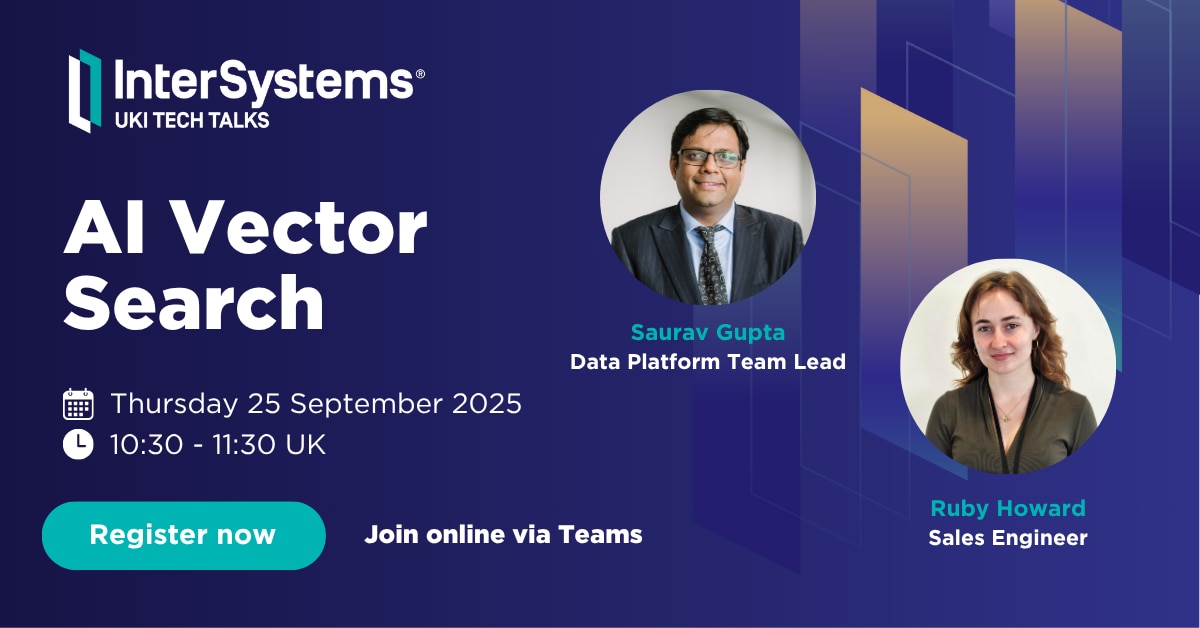
We're excited to invite you to the next InterSystems UKI Tech Talk webinar:
👉AI Vector Search Technology in InterSystems IRIS
⏱ Date & Time: Thursday, September 25, 2025 10:30-11:30 UK
Speakers:
👨🏫 @Saurav Gupta, Data Platform Team Leader, InterSystems
👨🏫 @Ruby Howard, Sales Engineer, InterSystems
Hey Community!
We're happy to share the next video in the "Code to Care" series on our InterSystems Developers YouTube:
In the previous article, we saw how to build a customer service AI agent with smolagents and InterSystems IRIS, combining SQL, RAG with vector search, and interoperability.
In that case, we used cloud models (OpenAI) for the LLM and embeddings.
This time, we’ll take it one step further: running the same agent, but with local models thanks to Ollama.
Using LLMs in the cloud is the simplest option to get started:
On the other hand, running models locally gives us:
That’s where Ollama comes into play.
Ollama is a tool that makes it easy to run language models and embeddings on your own computer with a very simple experience:
ollama pullIn short: the same API you’d use in the cloud, but running on your laptop or server.
First, install Ollama from its website and verify that it works:
ollama --version
Then, download a couple of models:
# Download an embeddings model
ollama pull nomic-embed-text:latest

# Download a language model
ollama pull llama3.1:8b

# See all available models
ollama list
You can test embeddings directly with a curl:
curl http://localhost:11434/api/embeddings -d '{
  "model": "nomic-embed-text:latest",
  "prompt": "Ollama makes it easy to run LLMs locally."
}'
The Customer Support Agent Demo repository already includes the configuration for Ollama. You just need to:
Download the models needed to run them in Ollama I used nomic-embed-text for vector search embeddings and devstral as the LLM.
Configure IRIS to use Ollama embeddings with the local model:
INSERT INTO %Embedding.Config (Name, Configuration, EmbeddingClass, VectorLength, Description)
  VALUES ('ollama-nomic-config',
          '{"apiBase":"http://host.docker.internal:11434/api/embeddings",
            "modelName": "nomic-embed-text:latest"}',
          'Embedding.Ollama',
          768,
          'embedding model in Ollama');
ALTER TABLE Agent_Data.Products DROP COLUMN Embedding;
ALTER TABLE Agent_Data.Products ADD COLUMN Embedding VECTOR(FLOAT, 768);

ALTER TABLE Agent_Data.DocChunks DROP COLUMN Embedding;
ALTER TABLE Agent_Data.DocChunks ADD COLUMN Embedding VECTOR(FLOAT, 768);
.env environment file to specify the models we want to use:OPENAI_MODEL=devstral:24b-small-2505-q4_K_M
OPENAI_API_BASE=http://localhost:11434/v1
EMBEDDING_CONFIG_NAME=ollama-nomic-config
Since we have a different embedding model than the original, we need to update the embeddings using the local nomic-embed-text:
python scripts/embed_sql.py
The code will now use the configuration so that both embeddings and the LLM are served from the local endpoint.
With this configuration, you can ask questions such as:
And the agent will use:
Thanks to Ollama, we can run our Customer Support Agent with IRIS without relying on the cloud:
The challenge? You need a machine with enough memory and CPU/GPU to run large models. But for prototypes and testing, it’s a very powerful and practical option.
Article to announce pre-built pattern expressions are available from demo application.
AI deducing patterns require ten and more sample values to get warmed up.
The entry of a single value for a pattern has therefore been repurposed for retrieving pre-built patterns.
Paste an sample value for example an email address in description and press "Pattern from Description".
The sample is tested against available built-in patterns and any matching patterns and descriptions are displayed.
#InterSystems Demo Games entry
A text-to-sql demo on mqtt data analytics with RAG.
🗣 Presenter: @Jeff Liu, Sales Engineer, InterSystems
#InterSystems Demo Games entry
This demo introduces an AI-powered clinical decision support tool built on InterSystems IRIS. The use case addresses clinician burnout by unlocking the wisdom trapped in 30,000 unstructured clinical notes. We showcase IRIS's powerful vector search to perform hybrid (semantic + keyword) queries for complex diagnostic challenges. The highlight is our multi-modal Retrieval-Augmented Generation (RAG) assistant, which analyzes clinical video content in real-time to find similar past cases and synthesize evidence-based recommendations, transforming how clinicians access and utilize institutional knowledge.
🗣 Presenter: @Vishal Pallerla, Sales Architect, InterSystems
Hey Community!
We're happy to share the next video in the "Code to Care" series on our InterSystems Developers YouTube:
#InterSystems Demo Games entry
The Co-Pilot enables you to leverage InterSystems BI without deep knowledge in InterSystems BI. You can create new cube, modify existing cubes or leverage existing cubes to plot charts and pivots just by speaking to the copilot.
Presenters:
🗣 @Michael Braam, Sales Engineer Manager, InterSystems
🗣 @Andreas Schuetz, Sales Engineer, InterSystems
🗣 @Shubham Sumalya, Sales Engineer, InterSystems
#InterSystems Demo Games entry
Shows how IRIS for Health can supercharge AI development with a Smart Data Fabric to train and feed their AI Models.
Presenters:
🗣 @Kevin Kindschuh, Senior Sales Engineer, InterSystems
🗣 @Jeffrey Semmens, Sales Engineer, InterSystems
Customer support questions span structured data (orders, products 🗃️), unstructured knowledge (docs/FAQs 📚), and live systems (shipping updates 🚚). In this post we’ll ship a compact AI agent that handles all three—using:
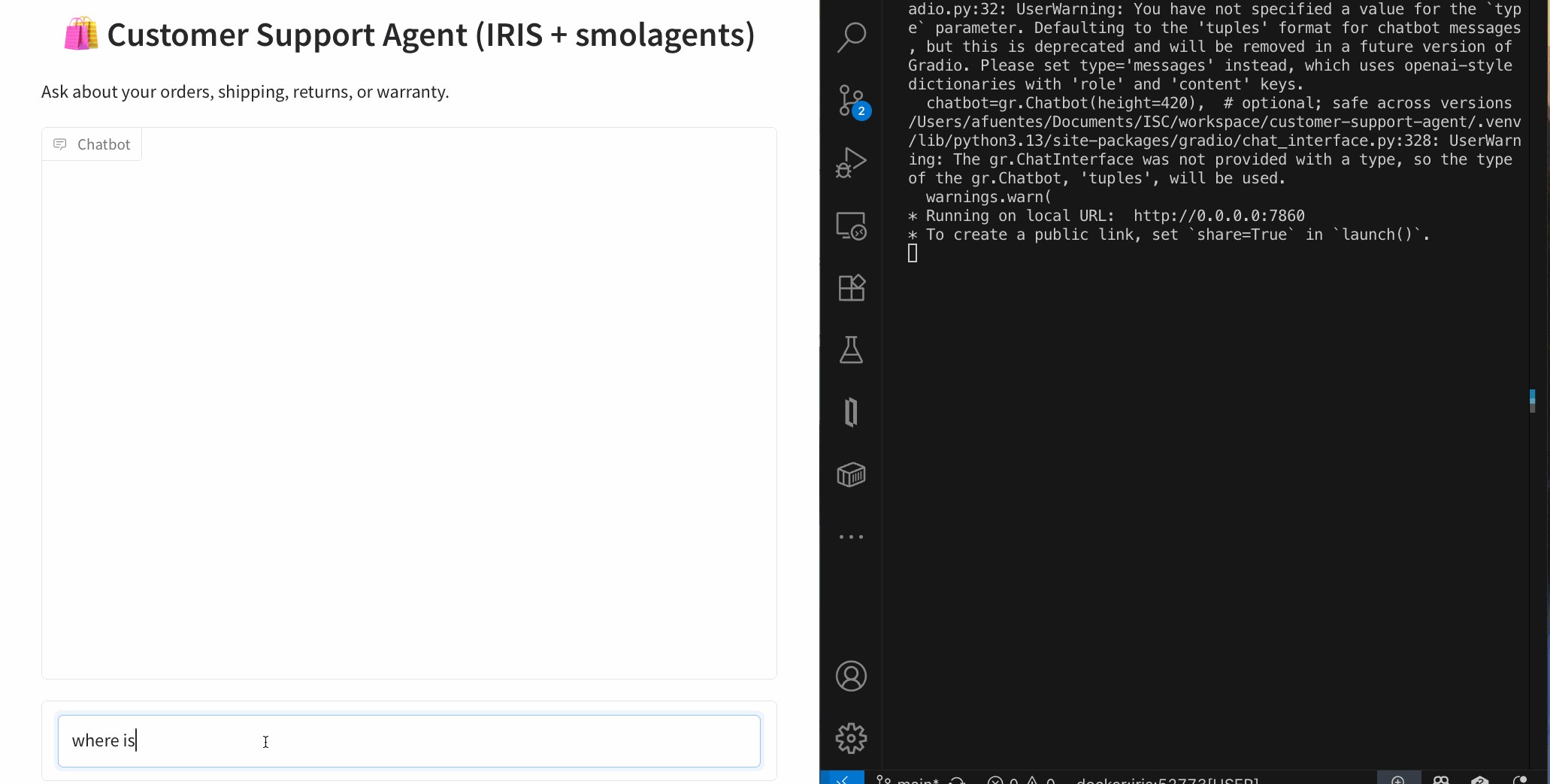
An AI Customer Support Agent that can:
Architecture (at a glance)
User ➜ Agent (smolagents CodeAgent)
               ├─ SQL Tool ➜ IRIS tables
               ├─ RAG Tool ➜ IRIS Vector Search (embeddings + chunks)
               └─ Shipping Tool ➜ IRIS Interoperability (mock shipping) ➜ Visual Trace
New to smolagents? It’s a tiny agent framework from Hugging Face where the model plans and uses your tools—other alternatives are LangGraph and LlamaIndex.
git clone https://github.com/intersystems-ib/customer-support-agent-demo
cd customer-support-agent-demo

python -m venv .venv
# macOS/Linux
source .venv/bin/activate
# Windows (PowerShell)
# .venv\Scripts\Activate.ps1

pip install -r requirements.txt
cp .env.example .env   # add your OpenAI key
docker compose build
docker compose up -d
Open the Management Portal (http://localhost:52773 in this demo).
From SQL Explorer (Portal) or your favorite SQL client:
LOAD SQL FROM FILE '/app/iris/sql/schema.sql' DIALECT 'IRIS' DELIMITER ';';
LOAD SQL FROM FILE '/app/iris/sql/load_data.sql' DIALECT 'IRIS' DELIMITER ';';
This is the schema you have just loaded:

Run some queries and get familiar with the data. The agent will use this data to resolve questions:
-- List customers
SELECT * FROM Agent_Data.Customers;

-- Orders for a given customer
SELECT o.OrderID, o.OrderDate, o.Status, p.Name AS Product
FROM Agent_Data.Orders o
JOIN Agent_Data.Products p ON o.ProductID = p.ProductID
WHERE o.CustomerID = 1;

-- Shipment info for an order
SELECT * FROM Agent_Data.Shipments WHERE OrderID = 1001;
✅ If you see rows, your structured side is ready.
Create an embedding config (example below uses an OpenAI embedding model—tweak to taste):
INSERT INTO %Embedding.Config
  (Name, Configuration, EmbeddingClass, VectorLength, Description)
VALUES
  ('my-openai-config',
   '{"apiKey":"YOUR_OPENAI_KEY","sslConfig":"llm_ssl","modelName":"text-embedding-3-small"}',
   '%Embedding.OpenAI',
   1536,
   'a small embedding model provided by OpenAI');
Need the exact steps and options? Check the documentation
Then embed the sample content:
python scripts/embed_sql.py
Check the embeddings are already in the tables:
SELECT COUNT(*) AS ProductChunks FROM Agent_Data.Products;
SELECT COUNT(*) AS DocChunks     FROM Agent_Data.DocChunks;
EMBEDDING()A major advantage of IRIS is that you can perform semantic (vector) search right inside SQL and mix it with classic filters—no extra microservices needed. The EMBEDDING() SQL function generates a vector on the fly for your query text, which you can compare against stored vectors using operations like VECTOR_DOT_PRODUCT.
Example A — Hybrid product search (price filter + semantic ranking):
SELECT TOP 3
    p.ProductID,
    p.Name,
    p.Category,
    p.Price,
    VECTOR_DOT_PRODUCT(p.Embedding, EMBEDDING('headphones with ANC', 'my-openai-config')) score
FROM Agent_Data.Products p
WHERE p.Price < 200
ORDER BY score DESC
Example B — Semantic doc-chunk lookup (great for feeding RAG answers):
SELECT TOP 3
    c.ChunkID  AS chunk_id,
    c.DocID      AS doc_id,
    c.Title         AS title,
    SUBSTRING(c.ChunkText, 1, 400) AS snippet,
    VECTOR_DOT_PRODUCT(c.Embedding, EMBEDDING('warranty coverage', 'my-openai-config')) AS score
FROM Agent_Data.DocChunks c
ORDER BY score DESC
Why this is powerful: you can pre-filter by price, category, language, tenant, dates, etc., and then rank by semantic similarity—all in one SQL statement.
The project exposes a tiny /api/shipping/status endpoint through IRIS Interoperability—perfect to simulate “real world” calls:
curl -H "Content-Type: application/json" \
  -X POST \
  -d '{"orderStatus":"Processing","trackingNumber":"DHL7788"}' \
  http://localhost:52773/api/shipping/status
Now open Visual Trace in the Portal to watch the message flow hop-by-hop (it’s like airport radar for your integration ✈️).
Peek at these files:
agent/customer_support_agent.py — boots a CodeAgent and registers toolsagent/tools/sql_tool.py — parameterized SQL helpersagent/tools/rag_tool.py — vector search + doc retrievalagent/tools/shipping_tool.py — calls the Interoperability endpointThe CodeAgent plans with short code steps and calls your tools. You bring the tools; it brings the brains using a LLM model
One-shot (quick tests)
python -m cli.run --email alice@example.com --message "Where is my order #1001?"
python -m cli.run --email alice@example.com --message "Show electronics that are good for travel"
python -m cli.run --email alice@example.com --message "Was my headphones order delivered, and what’s the return window?"
Interactive CLI
python -m cli.run --email alice@example.com
Web UI (Gradio)
python -m ui.gradio
# open http://localhost:7860
The agent’s flow (simplified):
🧭 Plan how to resolve the question and what available tools must be used: e.g., “check order status → fetch returns policy ”.
🛤️ Call tools as needed
EMBEDDING() + vector ops as shown above)🧩 Synthesize: stitch results into a friendly, precise answer.
Add or swap tools as your use case grows: promotions, warranties, inventory, you name it.
You now have a compact AI Customer Support Agent that blends:
EMBEDDING() lets you do hybrid + vector search directly from SQL#InterSystems Demo Games entry
Our Autonomous Business Intelligent Clerk, or ABiC for short, is a prototype revolutionizing how companies process data and make decisions. Normally, to get insights from data, you’d need IT knowledge or expertise in statistics. But with ABiC, that’s no longer necessary. All you have to do is ask your question in plain language. ABiC understands your interests and intentions, then shows a clear dashboard to guide your decisions. With ABiC, complex data is autonomously analyzed and turned into answers that support users, helping to accelerate business processes. This demo sends the metadata of InterSystems BI cubes to LLM. How does it work? Check out the video for more details!
Presenters:
🗣 @Tomo Okuyama, Sales Engineer, InterSystems
🗣 @Nobuyuki Hata, Sales Engineer, InterSystems
🗣 @Tomoko Furuzono, Sales Engineer, InterSystems
🗣 @Mihoko Iijima, Training Sales Engineer, InterSystems
#InterSystems Demo Games entry
For venture capitalists (VCs), evaluating research can be challenging. While researchers typically possess years of training and deep expertise in their field, the VCs tasked with assessing their work often lack domain-specific knowledge. This can lead to incomplete understanding of scientific data and an inability to direct organizational initiatives. To solve this problem, we have designed a solution that empowers VCs with AI-driven due diligence: ResearchExplorer. ResearchExplorer is powered by InterSystems IRIS and GPT-4o to help analyze private biomedical research alongside public sources like PubMed using Retrieval-Augmented Generation (RAG). Users submit natural language queries, and the system returns structured insights, head-to-head research comparisons, and AI-generated summaries. This allows users to bridge expertise gaps while securely protecting proprietary data.
Presenters:
🗣 @Jesse Reffsin, Senior Sales Engineer, InterSystems
🗣 @Lynn Wu, Sales Engineer, InterSystems
Hi Community,
Enjoy the new video on InterSystems Developers YouTube:
#InterSystems Demo Games entry
The Trial AI platform leverages InterSystems cloud services including the FHIR Transformation Service and IRIS Cloud SQL to assist with clinical trial recruitment, an expensive and prevalent problem. It does this by ingesting structured and unstructured healthcare data, then uses AI to help identify eligible patients.
Presenters:
🗣 @Vic Sun, Sales Engineer, InterSystems
🗣 @Mohamed Oukani, Senior Sales Engineer, InterSystems
🗣 @Bhavya Kandimalla, Sales Engineer, InterSystems
I am brand new to using AI. I downloaded some medical visit progress notes from my Patient Portal. I extracted text from PDF files. I found a YouTube video that showed how to extract metadata using an OpenAI query / prompt such as this one:
ollama-ai-iris/data/prompts/medical_progress_notes_prompt.txt at main · oliverwilms/ollama-ai-iris
I combined @Rodolfo Pscheidt Jr https://github.com/RodolfoPscheidtJr/ollama-ai-iris with some files from @Guillaume Rongier https://openexchange.intersystems.com/package/iris-rag-demo.
I attempted to run
Hey Community!
We're happy to share the next video in the "Code to Care" series on our InterSystems Developers YouTube:
Those curious in exploring new GenerativeAI usecases.
Shares thoughts and rationale when training generative AI for pattern matching.
A developer aspires to conceive an elegant solution to requirements.
Pattern matches ( like regular expressions ) can be solved for in many ways. Which one is the better code solution?
Can an AI postulate an elegant pattern match solution for a range of simple-to-complex data samples?
Consider the three string values:
