Hey Community,
Enjoy the new video on InterSystems Developers YouTube:
⏯ Operations & Scalability with InterSystems IRIS - From Zero to Hero @ Ready 2025
Innovations in Data - #Ready2025
InterSystems READY 2025 is the premier event for the InterSystems technology community – a gathering of industry leaders and developers at the forefront of their respective industries. This event attracts a wide range of attendees, from C-level executives, top subject matter experts and visionary leaders, managers, directors and developers. Attendees gather to network with peers, connect with InterSystems partners, learn best practices and get a firsthand look at upcoming features and future innovations from InterSystems.
Date: June 22-25, 2025
Location: Signia Hilton Bonnet Creek, Orlando, FL, USA
Hey Community,
Enjoy the new video on InterSystems Developers YouTube:
⏯ Operations & Scalability with InterSystems IRIS - From Zero to Hero @ Ready 2025
Hey Community!
We're happy to share a new video from our InterSystems Developers YouTube:
⏯ Document Server: Improving Performance While Reducing Stored Data @ Ready 2025
Hey Community!
We're happy to share a new video from our InterSystems Developers YouTube:
Hey Community,
Enjoy the new video on InterSystems Developers YouTube:
⏯ Analytics and AI with InterSystems IRIS - From Zero to Hero @ Ready 2025
Hey Community!
We're happy to share a new video from our InterSystems Developers YouTube:
⏯ Source Control Interoperability Productions in a Decomposed Format @ Ready 2025
Hey Community,
Enjoy the new video on InterSystems Developers YouTube:
⏯ A Day in the Life of a Developer - Data Platforms Roundup @ Ready 2025
Hey Community,
Enjoy the new video on InterSystems Developers YouTube:
Hi Community,
Enjoy the new video on InterSystems Developers YouTube:
Hey Community!
We're happy to share a new video from our InterSystems Developers YouTube:
⏯ Advanced SQL join table cardinality estimates @ Ready 2025
Hey Community,
Enjoy the new video on InterSystems Developers YouTube:
Hey Community!
We're happy to share a new video from our InterSystems Developers YouTube:
Hey Community,
Enjoy the new video on InterSystems Developers YouTube:
Hey Community,
Enjoy the new video on InterSystems Developers YouTube:
Hey Community,
Enjoy the new video on InterSystems Developers YouTube:
We are excited to announce the general availability of JediSoft IRISsync®, our new synchronization and comparison solution built on InterSystems IRIS technology. IRISsync makes it easy to synchronize and compare IRIS instances.
IRISsync was voted runner-up in the "Most Likely to Use" category at InterSystems READY 2025 Demos and Drinks.
A huge thanks to everyone who supported us — we’re thrilled to see IRISsync resonating with the InterSystems user community!
Hi Community,
We're super excited to start sharing with you the recordings from the recent Ready 2025. And, of course, we're going to begin with the most important session of all - the one about Developer Ecosystem, highlighting the latest resources and tools available to our developer community..
🤩 InterSystems Developer Ecosystem - New Resources and Tools You Need to Know @ Ready 2025
Hey Community!
Here's the recap of the final half-day of the InterSystems Ready 2025! It was the last chance to see everyone and say farewell until next time.
It was a warm and energetic closing, with great conversations, smiles, and unforgettable memories!
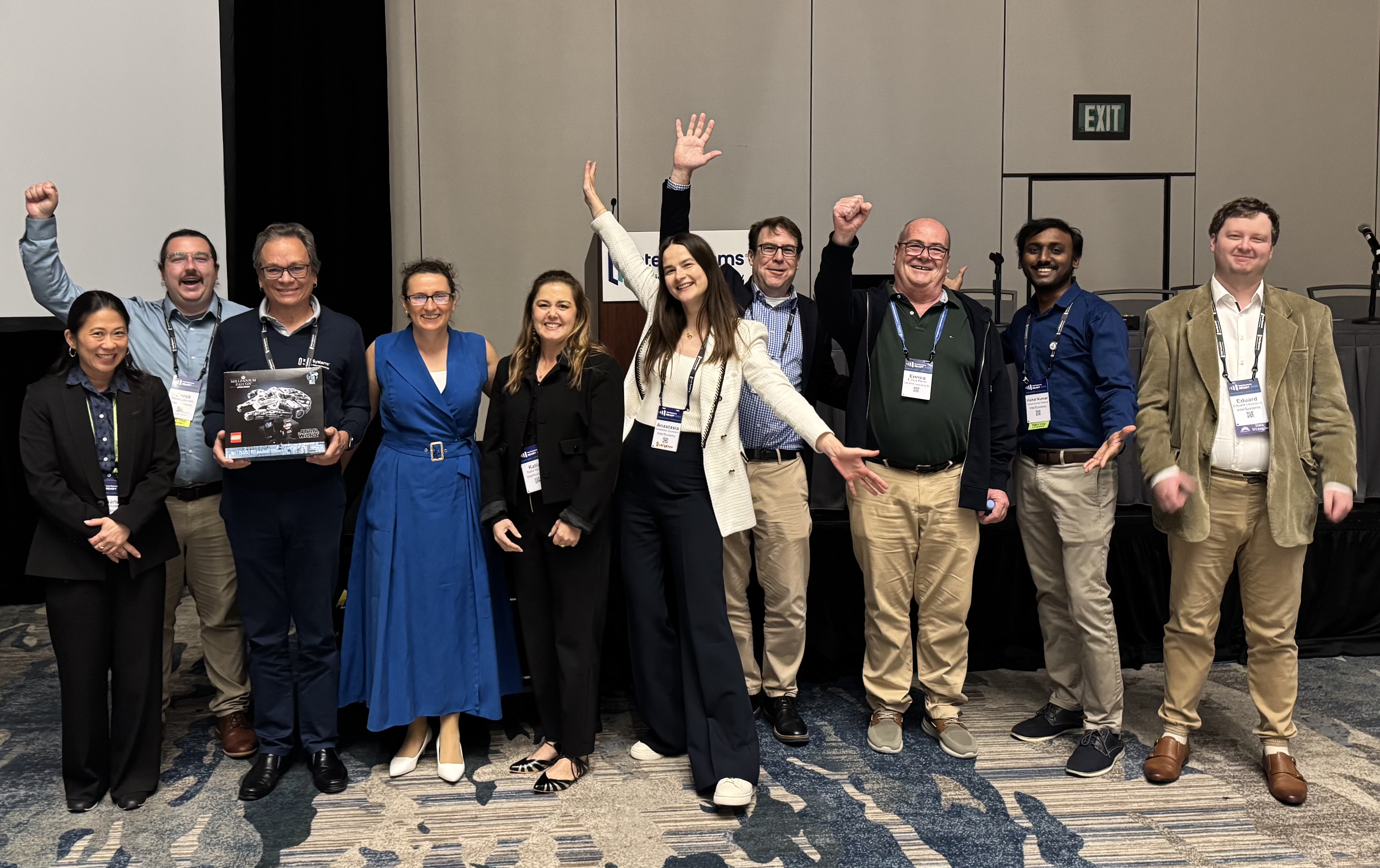
The final Ready 2025 moment with our amazing team!
How was your READY experience?
We’ve prepared a bingo card — take a look and see how many boxes you can check off!
Cross off the ones that match your experience or list them in the comments.
And if something memorable happened that’s not on the card — we’d love to hear about it! ✨

You’ve been dropping memes into our inbox — here's our top 20!
Get ready to laugh, nod in agreement, and maybe spot the one you created! 👀Let us know in the comments which meme is your favorite!
Hi Community,
While writing an article yesterday, I realized I was so busy with people who came to the Developer Community table at the Tech Exchange that I forgot to take photos for you. Luckily, I realized the error of my ways and corrected my behavior accordingly 😉
So, let's look at what happened on Tuesday at the InterSystems Ready 2025! It began with a speech of Scott Gnau about the approach and architecture of InterSystems Data Platform and how it is different from all other DBMSs:

Hi Community!
We have super awesome news for you! We're going to try to broadcast our Developer Ecosystem session from the InterSystems Ready 2025:
👥 InterSystems Developer Ecosystem: New Resources and Tools You Need to Know
📅 Wednesday, June 25, 2025
🕑 14:25 - 14:45 EDT
.jpg)
Hi Community!
I'm super excited to be your on-the-ground reporter for the biggest developer event of the year - InterSystems Ready 2025!
As you may know from previous years, our global summits are always exciting, exhilarating, and packed with valuable knowledge, innovative ideas, and exciting news from InterSystems. This year is no different. But let's not get ahead of ourselves and start from the beginning.
Pre-summit day was, as usual, filled with fun and educational experiences. Those who enjoy playing golf (I among them) got up at the crack of dawn to tee off before the sun got too high up. Here's our dream team in action:




@sween, @Mark Bolinsky, @Anzelem Sanyatwe, @Iryna Mykhailova
All,
At READY 2025 we will have a CCR User Group Breakfast for HealthShare and TrakCare customers on Wednesday at 7:30am (presentation starts at 7:45am). Topics will include:
We will meet in the Jackson meeting room. Visit the Meeting Counter to have it added to your schedule or comment below to request an invite.
Barricade is a tool developed by ICCA Ops to streamline and scale support for FHIR-to-OMOP transformations for InterSystems OMOP. Our clients will be using InterSystems OMOP to transform FHIR data to this OMOP structure. As a managed service, our job is to troubleshoot any issues that come with the transformation process. Barricade is the ideal tool to aid us in this process for a variety of reasons. First, effective support demands knowledge across FHIR standards, the OHDSI OMOP model, and InterSystems-specific operational workflows—all highly specialized areas. Barricade helps bridge knowledge gaps by leveraging large language models to provide expertise regarding FHIR and OHDSI. In addition to that, even when detailed explanations are provided to resolve specific transformation issues, that knowledge is often buried in emails or chats and lost for future use. Barricade can capture, reuse, and scale that knowledge across similar cases. Lastly, we often don’t have access to the source data, which means we must diagnose issues without seeing the actual payload—relying solely on error messages, data structure, and transformation context. This is exactly where Barricade excels: by drawing on prior patterns, domain knowledge, and contextual reasoning to infer the root cause and recommend solutions without direct access to the underlying data.
Barricade is built off of Vanna.AI. So, while I use Barricade a lot in this article to refer to the AI agent we created, the underlying model is really a Vanna model. At its core, Vanna is a Python package that uses retrieval augmentation to help you generate accurate SQL queries for your database using LLMs. We customized our vanna model to not only generate SQL queries, but to also be able to answer conceptual questions. Setting up vanna is extremely easy and quick. For our setup, we used chatgpt as the LLM, ChromaDB as our vector database, and Postgres as the database that stores the data we want to query (our run data -- data related to the transformation from FHIR-to-OMOP). You can choose from many different options for your LLM, vector database, and Postgres. Valid options are detailed here: Quickstart with your own data.
ChatGPT is a standalone large language model (LLM) that generates responses based solely on patterns learned during its training. It does not access external data at inference time. Barricade, on the other hand, is built on Vanna.ai, a Retrieval-Augmented Generation (RAG) system. RAG enhances LLMs by layering dynamic retrieval over the model, which allows it to query external sources for real-time, relevant information and incorporate those results into its output. By integrating our Postgres database directly with Vanna.ai, Barricade can access:
This step creates all the files that make up Vanna.
virtualenv --python="/usr/bin/python3.10" barricade
source barricade/bin/activate
pip install ipykernel
python -m ipykernel install --user --name=barricade
jupyter notebook --notebook-dir=.
For barricade, we will be editing many of these files to customize our experience. Notable files include:
barricade/lib/python3.13/site-packages/vanna/base/base.pybarricade/lib/python3.13/site-packages/vanna/openai/openai_chat.pybarricade/lib/python3.13/site-packages/vanna/flask/__init__.pybarricade/lib/python3.13/site-packages/vanna/flask/assets.pyThis step includes importing the packages needed and initializing the model. The minimum imports needed are:
from vanna.chromadb import ChromaDB_VectorStore from vanna.openai import OpenAI_Chat
NOTE: Each time you create a new model, make sure to remove all remnants of old training data or vector dbs. To use the code we used below, import os and shutil.
if os.path.exists("chroma.sqlite3"):
    os.remove("chroma.sqlite3")
    print("Unloading Vectors...")
else:
    print("The file does not exist")
base_path = os.getcwd()
for root, dirs, files in os.walk(base_path, topdown=False):
    if "header.bin" in files:
        print(f"Removing directory: {root}")
        shutil.rmtree(root)
Now, it's time to initialize our model:
class MyVanna(ChromaDB_VectorStore, OpenAI_Chat):
    def __init__(self, config=None):
        # initialize the vector store (this calls VannaBase.__init__)
        ChromaDB_VectorStore.__init__(self, config=config)
        # initialize the chat client (this also calls VannaBase.__init__ but more importantly sets self.client)
        OpenAI_Chat.__init__(self, config=config)
        self._model = "barricade"
vn = MyVanna(config={'api_key': CHAT GPT API KEY, 'model': 'gpt-4.1-mini'})
This is where the customization begins. We begin my connecting to the Postgres tables. This has our run data. Fill in the arguments with your host, dbname, username, password, and port for the Postgres database.
vn.connect_to_postgres(host='POSTGRES DATABASE ENDPOINT', dbname='POSTGRES DB NAME', user='', password='', port='')
From there, we trained the model on the information schemas.
df_information_schema = vn.run_sql("SELECT * FROM INFORMATION_SCHEMA.COLUMNS")
plan = vn.get_training_plan_generic(df_information_schema)
vn.train(plan=plan)
After that, we went even further and decided to send Barricade to college. We loaded all of Chapters 4-7 from the book of OHDSI to give barricade a good understanding of OMOP core principals. We loaded FHIR documentation, specifically explanations of various FHIR resource types, which describe how healthcare data is structured, used, and interrelated so barricade understood FHIR resources. We loaded FHIR-to-OMOP mappings, so barricade understood which FHIR resource mapped to which OMOP table(s). And finally, we loaded specialized knowledge regarding edge cases that need to be understood for FHIR-to-OMOP transformations. Here is a brief overview of how that training looked:
FHIR resource example:
def load_fhirknowledge(vn):
    url = "https://build.fhir.org/datatypes.html#Address"
    response = requests.get(url)
    soup = BeautifulSoup(response.text, "html.parser")
    text_only = soup.get_text(separator="\n", strip=True)
    vn.train(documentation=text_only)
MAPPING example:
def load_mappingknowledge(vn):
    # Transform
    url = "https://docs.intersystems.com/services/csp/docbook/DocBook.UI.Page.cls?KEY=RDP_transform"
    response = requests.get(url)
    soup = BeautifulSoup(response.text, "html.parser")
    text_only = soup.get_text(separator="\n", strip=True)
    vn.train(documentation=text_only)
The book of OHDSI example:
def load_omopknowledge(vn):
    # Chapter 4
    url = "https://ohdsi.github.io/TheBookOfOhdsi/CommonDataModel.html"
    response = requests.get(url)
    soup = BeautifulSoup(response.text, "html.parser")
    text_only = soup.get_text(separator="\n", strip=True) vn.train(documentation=text_only)
Specialized knowledge example:
def load_opsknowledge(vn):
    vn.train(documentation="Our business is to provide tools for generating evidence for the transformation Runs")
Finally, we train barricade to understand the SQL queries that are commonly used. This will help the system understand the context of the questions that are being asked:
cdmtables = ["conversion_warnings","conversion_issues","ingestion_report","care_site", "cdm_source", "cohort", "cohort_definition", "concept", "concept_ancestor", "concept_class", "concept_relationship", "concept_synonym", "condition_era", "condition_occurrence", "cost", "death", "device_exposure", "domain", "dose_era", "drug_era", "drug_exposure", "drug_strength", "episode", "episode_event", "fact_relationship", "location", "measurement", "metadata", "note", "note_nlp", "observation", "observation_period", "payer_plan_period", "person", "procedure_occurrence", "provider", "relationship", "source_to_concept_map", "specimen", "visit_detail", "visit_occurrence", "vocabulary"]
for table in cdmtables: vn.train(sql="SELECT * FROM WHERE omopcdm54." + table)
Barricade is quite different from the Vanna base model, and these customizations are a big reason for that.
UI CUSTOMIZATIONS
To customize anything related to the UI (what you see when you spin up the flask app and barricade comes to life), you should edit the barricade/lib/python3.13/site-packages/vanna/flask/__init__.py and barricade/lib/python3.13/site-packages/vanna/flask/assets.py paths. For barricade, we customized the suggested questions and the logos. To edit the suggested questions, modify the generate_questions function in barricade/lib/python3.13/site-packages/vanna/flask/__init__.py.
We added this:
if hasattr(self.vn, "_model") and self.vn._model == "barricade":
                return jsonify(
                    {
                        "type": "question_list",
                        "questions": [
                           "What are the transformation warnings?",
                           "What does a fhir immunization resource map to in omop?",
                           "Can you retrieve the observation period of the person with PERSON_ID 61?",
                           "What are the mappings for the ATC B03AC?",
                           "What is the Common Data Model, and why do we need it for observational healthcare data?"
                        ],
                        "header": "Here are some questions you can ask:",
                    }
                )
Note that these suggested questions will only come up if you set self._model= barricade in STEP 2.
To change the logo, you must edit assets.py. This is tricky, because assets.py contains the compiled js and css code. To find the logo you want to replace, go to your browser that has the flask app running, and inspect element. Find the SVG block that corresponds to the logo, and replace that block in assets.py with the SVG block of the new image you want.
We also customized the graph response. In relevant questions, a graph is generated using plotly. The default prompts were generating graphs that were almost nonsensical. To fix this, we edited the generate_plotly_figure function in barricade/lib/python3.13/site-packages/vanna/flask/__init__.py. We specifically changed the prompt:
def generate_plotly_figure(user: any, id: str, df, question, sql):
            table_preview = df.head(10).to_markdown()  # or .to_string(), or .to_json()
            prompt = (
                f"Here is a preview of the result table (first 10 rows):\n{table_preview}\n\n"
                "Based on this data, generate Plotly Python code that produces an appropriate chart."
            )
            try:
                question = f"{question}. When generating the chart, use these special instructions: {prompt}"
                code = vn.generate_plotly_code(
                    question=question,
                    sql=sql,
                    df_metadata=f"Running df.dtypes gives:\n {df.dtypes}",
                )
                self.cache.set(id=id, field="plotly_code", value=code)
                fig = vn.get_plotly_figure(plotly_code=code, df=df, dark_mode=False)
                fig_json = fig.to_json()
                self.cache.set(id=id, field="fig_json", value=fig_json)
                return jsonify(
                    {
                        "type": "plotly_figure",
                        "id": id,
                        "fig": fig_json,
                    }
                )
            except Exception as e:
                import traceback
                traceback.print_exc()
                return jsonify({"type": "error", "error": str(e)})
The last UI customization we did was we chose to provide our own index.html. You specify the path to your index.html file when you initialize the flask app (otherwise it will use the default index.html).
PROMPTING/MODEL/LLM CUSTOMIZATIONS:
We made many modifications in barricade/lib/python3.13/site-packages/vanna/base/base.py. Notable modifications include setting the temperature for the LLM dynamically (depending on the task), creating different prompts based on if the question was conceptual or one that required sql generation, and adding a check for hallucinations in the SQL generated by the LLM.
Temperature controls the randomness of text that is generated by LLMs during inference. A lower temperature essentially makes those tokens with the highest probability more likely to be selected; a higher temperature increases a model's likelihood of selecting less probable tokens. For tasks such as generating SQL, we want the temperature to be lower to prevent hallucinations. Hallucinations are when the LLM makes up something that doesn't exist. In SQL generation, a hallucination may look like the LLM querying a column that doesn't exist. This renders the query unusable, and throws an error. Thus, we edited the generate_sql function to change the temperature dynamically. The temperature is between 0 - 1. For questions deemed to be conceptual, we set the temperature to be 0.6, and for questions that require generating sql, we set the temperature to be 0.2. Furthermore, for tasks such as generating sql, the temperature is 0.2, while for tasks such as generating graphs and summaries, the default temperature is 0.5. We decided on 0.5 for the graph and summary tasks, because they require more creativity.
We added two helper functions: decide_temperature and is_conceptual.
the keyword to indicate a conceptual question is if the user says "barricade" in their question.
def is_conceptual(self, question:str):
        q = question.lower()
        return (
            "barricade" in q and
            any(kw in q for kw in ["how", "why", "what", "explain", "cause", "fix", "should", "could"])
        )

def decide_temperature(self, question: str) -> float:
        if "barricade" in question.lower():
            return 0.6  # Conceptual reasoning
        return 0.2  # Precise SQL generation
If a question is conceptual, sql is not generated, and the LLM response is returned. We specified this in the prompt for the LLM. The prompt is different depending on if the question requires sql generation or if the question is conceptual. We do this in get_sql_prompt, which is called in generate_sql:
def get_sql_prompt(self, initial_prompt : str, question: str, question_sql_list: list, ddl_list: list, doc_list: list, conceptual: bool = False, **kwargs):
        if initial_prompt is None:
            if not conceptual:
                initial_prompt = f"You are a {self.dialect} expert. " + \
                "Please help to generate a SQL query to answer the question. Your response should ONLY be based on the given context and follow the response guidelines and format instructions. "
            else:
                initial_prompt = "Your name is barricade. If someone says the word barricade, it is not a part of the question, they are just saying your name. You are an expert in FHIR to OMOP transformations. Do not generate SQL. Your role is to conceptually explain the issue, root cause, or potential resolution. If the user mentions a specific table or field, provide interpretive guidance — not queries. Focus on summarizing, explaining, and advising based on known documentation and transformation patterns."
        initial_prompt = self.add_ddl_to_prompt(
            initial_prompt, ddl_list, max_tokens=self.max_tokens
        )
        if self.static_documentation != "":
            doc_list.append(self.static_documentation)
        initial_prompt = self.add_documentation_to_prompt(
            initial_prompt, doc_list, max_tokens=self.max_tokens
        )
        if not conceptual:
            initial_prompt += (
                "===Response Guidelines \n"
                "1. If the provided context is sufficient, please generate a valid SQL query without any explanations for the question. \n"
                "2. If the provided context is almost sufficient but requires knowledge of a specific string in a particular column, please generate an intermediate SQL query to find the distinct strings in that column. Prepend the query with a comment saying intermediate_sql \n"
                "3. If the provided context is insufficient, please explain why it can't be generated. \n"
                "4. Please use the most relevant table(s). \n"
                "5. If the question has been asked and answered before, please repeat the answer exactly as it was given before. \n"
                f"6. Ensure that the output SQL is {self.dialect}-compliant and executable, and free of syntax errors. \n"
            )
        else:
            initial_prompt += (
                "===Response Guidelines \n"
                "1. Do not generate SQL under any circumstances. \n"
                "2. Provide conceptual explanations, interpretations, or guidance based on FHIR-to-OMOP transformation logic. \n"
                "3. If the user refers to warnings or issues, explain possible causes and common resolutions. \n"
                "4. If the user references a table or field, provide high-level understanding of its role in the transformation process. \n"
                "5. Be concise but clear. Do not make assumptions about schema unless confirmed in context. \n"
                "6. If the question cannot be answered due to lack of context, state that clearly and suggest what additional information would help. \n"
                )
        message_log = [self.system_message(initial_prompt)]
        for example in question_sql_list:
            if example is None:
                print("example is None")
            else:
                if example is not None and "question" in example and "sql" in example:
                    message_log.append(self.user_message(example["question"]))
                    message_log.append(self.assistant_message(example["sql"]))
        message_log.append(self.user_message(question))
        return message_log

def generate_sql(self, question: str, allow_llm_to_see_data=True, **kwargs) -> str:
        temperature = self.decide_temperature(question)
        conceptual = self.is_conceptual(question)
        question = re.sub(r"\bbarricade\b","",question,flags=re.IGNORECASE).strip()
        if self.config is not None:
            initial_prompt = self.config.get("initial_prompt", None)
        else:
            initial_prompt = None
        question_sql_list = self.get_similar_question_sql(question, **kwargs)
        ddl_list = self.get_related_ddl(question, **kwargs)
        doc_list = self.get_related_documentation(question, **kwargs)
        prompt = self.get_sql_prompt(
            initial_prompt=initial_prompt,
            question=question,
            question_sql_list=question_sql_list,
            ddl_list=ddl_list,
            doc_list=doc_list,
            conceptual=conceptual,
            **kwargs,
        )
        self.log(title="SQL Prompt", message=prompt)
        llm_response = self.submit_prompt(prompt, temperature, **kwargs)
        self.log(title="LLM Response", message=llm_response)
        if 'intermediate_sql' in llm_response:
            if not allow_llm_to_see_data:
                return "The LLM is not allowed to see the data in your database. Your question requires database introspection to generate the necessary SQL. Please set allow_llm_to_see_data=True to enable this."
            if allow_llm_to_see_data:
                intermediate_sql = self.extract_sql(llm_response,conceptual)
                try:
                    self.log(title="Running Intermediate SQL", message=intermediate_sql)
                    df = self.run_sql(intermediate_sql,conceptual)
                    prompt = self.get_sql_prompt(
                        initial_prompt=initial_prompt,
                        question=question,
                        question_sql_list=question_sql_list,
                        ddl_list=ddl_list,
                        doc_list=doc_list+[f"The following is a pandas DataFrame with the results of the intermediate SQL query {intermediate_sql}: \n" + df.to_markdown()],
                        **kwargs,
                    )
                    self.log(title="Final SQL Prompt", message=prompt)
                    llm_response = self.submit_prompt(prompt, **kwargs)
                    self.log(title="LLM Response", message=llm_response)
                except Exception as e:
                    return f"Error running intermediate SQL: {e}"
        return self.extract_sql(llm_response,conceptual)
Even with a low temperature, the LLM would still generate hallucinations sometimes. To further prevent hallucinations, we added a check for them before returning the sql. We created a helper function, clean_sql_by_schema, which takes the generated SQL, and finds any columns that do not exist. It then removes that SQL, and returns the cleaned version with no hallucinations. For cases where the SQL is something like "SELECT cw.id FROM omop.conversion_issues", it uses the extract_alias_mapping to map cw to the conversion_issues table.
Here are those functions for reference:
def extract_alias_mapping(self,sql: str) -> dict[str,str]:
        """
        Parse the FROM and JOIN clauses to build alias → table_name.
        """
        alias_map = {}
        # pattern matches FROM schema.table alias  or  FROM table alias
        for keyword in ("FROM", "JOIN"):
            for tbl, alias in re.findall(
                rf'{keyword}\s+([\w\.]+)\s+(\w+)', sql, flags=re.IGNORECASE
            ):
                # strip schema if present:
                table_name = tbl.split('.')[-1]
                alias_map[alias] = table_name
        return alias_map

def clean_sql_by_schema(self, sql: str,
                            schema_dict: dict[str,list[str]]
                        ) -> str:
        """
        Returns a new SQL where each SELECT-line is kept only if its alias.column
        is in the allowed columns for that table.
        schema_dict: { 'conversion_warnings': [...], 'conversion_issues': [...] }
        """
        alias_to_table = self.extract_alias_mapping(sql)
        lines = sql.splitlines()
        cleaned = []
        in_select = False
        for line in lines:
            stripped = line.strip()
            # detect start/end of the SELECT clause
            if stripped.upper().startswith("SELECT"):
                in_select = True
                cleaned.append(line)
                continue
            if in_select and re.match(r'FROM\b', stripped, re.IGNORECASE):
                in_select = False
                cleaned.append(line)
                continue
            if in_select:
                # try to find alias.column in this line
                m = re.search(r'(\w+)\.(\w+)', stripped)
                if m:
                    alias, col = m.group(1), m.group(2)
                    table = alias_to_table.get(alias)
                    if table and col in schema_dict.get(table, []):
                        cleaned.append(line)
                    else:
                        # drop this line entirely
                        continue
                else:
                    # no alias.column here (maybe a comma, empty line, etc)
                    cleaned.append(line)
            else:
                cleaned.append(line)
        # re-join and clean up any dangling commas before FROM
        out = "\n".join(cleaned)
        out = re.sub(r",\s*\n\s*FROM", "\nFROM", out, flags=re.IGNORECASE)
        self.log("RESULTING SQL:" + out)
        return out
Now we are ready to bring Barricade to life! The code below will spin up a flask app, which lets you communicate with the AI agent, barricade. As you can see, we specified our own index_html_path, subtitle, title, and more. This is all optional. These arguments are defined here: web customizations
from vanna.flask import VannaFlaskApp
app = VannaFlaskApp(vn,
                    chart=True,
                    sql=False,
                    allow_llm_to_see_data=True,ask_results_correct=False,
                    title="InterSystems Barricade",
                    subtitle="Your AI-powered Transformation Cop for InterSystems OMOP",
                    index_html_path=current_dir + "/static/index.html"
                    )
Once your app is running, you will see barricade:
.png)
Barricade can help you gain a deeper understanding about omop and fhir, and it can also help you debug transformation issues that you run into when you are trying to transform your fhir data to omop. To showcase Barricade's ability, I will show a real life example. A few months ago, we got an iService ticket, with the following description:
.png)
To test Barricade, I copied this description into Barricade, and here is the response:
First, Barricade gave me a table documenting the issues:
.png)
Then, Barricade gave me a graph to visualize the issues:
.png)
And, most importantly, Barricade gave me a description of the exact issue that was causing problems AND told me how to fix it:
.png)
Here is a link to download the handout from our READY 2025 demo:
Hi Community!
We have great news for those of you who are interested in what's happening at the InterSystems Ready 2025 but couldn't attend in person. All the keynotes are being streamed! Moreover, you can watch them afterwards if they happen at an inopportune time.
Keynotes from Day 1 are already ready 😉
Welcome everyone!
Hope to meet you here.
Let's have a dedicated discussion thread about Ready 2025. Please post your impressions! Ideas! Inspiration! Photos!
Keynotes are streamed live so even if you're not in Orlando, you can still join!
This year I will go to the READY 2025 event (https://community.intersystems.com/post/registration-open-intersystems-ready-2025). See my plans:
60% of my topics are covered by developer sessions and the other 40% I will reach using 1:1 meetings, tech exchange and focus groups. I know, it is not possible stay at all sessions, but I will to try 30-40% of sessions. See it:

Our community is speaking — and you're invited to the READY 2025!
Members of the InterSystems Developer Community are getting Ready — and they’ve recorded short video messages just for you.
Find out why InterSystems READY 2025 is a must-attend event, what they're most excited about, and what makes this summit special — straight from the voices of our engineers, developers, tech advocates, and Community moderators.
▶️ Watch their stories. Get inspired. Join us in-person.
Kicking things off, hear from:
Okay, it's officially going to be an outstanding Developer Zone this year at InterSystems READY 2025!
Tech Exchange — a special space filled with developer-tailored content — is back this year, better than ever!

Here's what to explore at Tech Exchange:
Hi Community,
Are you READY to test your InterSystems technology skills?

