0 Followers · 498 Posts

Fast Healthcare Interoperability Resources (FHIR, pronounced "fire") is a draft standard describing data formats and elements (known as "resources") and an application programming interface (API) for exchanging electronic health records

Official site

InterSystems staff + admins Hide everywhere
Hidden post for admin
Question Ilenia Centonze · Jan 15, 2025

While working with GET request I encountered this situation where FHIR Server return a responseStatusHTTP "HTTP/1.1 200 200" instead of "HTTP/1.1 200 OK" (as highlighted in the attached screenshot).

Although the response code seems valid, these bundles have a total value of 0.

Could anyone clarify what "200 200" signifies in this context? Is there an issue with my setup, or does this indicate a specific condition related to the empty bundle search?

Thank you in advance for your help!

0
0 86
Question Lee Butcher · Dec 3, 2024

I'm attempting to build a fairly complicated object graph, with nested objects and collections, in order to create a FHIR bundle.

In its most basic form there is a <bundle></bundle> element that represents the root, and there can be a number of nested <entry></entry> child elements.

I'm attempting to represent this as such:

class Bundle (%RegisteredObject, %XML.Adaptor)
{
    Property Entries As List Of Entry;
}
8
0 202
Question Dmitrii Baranov · Dec 25, 2024

Hello,

I'm trying to customize error handling in the overriden HS.FHIRServer.Storage.JsonAdvSQL.Interactions::Search method. It is clear how to add to the resultset a valid FHIR resource (pseudocode):

Method Search(pResourceType As %String, pCompartment As %String, pCompartmentId As %String, pParameters As HS.FHIRServer.API.Data.QueryParameters = "", ByRef pSortKeys = "") As HS.FHIRServer.Util.SearchResult
{
    #Dim resultSet as HS.FHIRServer.Util.SearchResult
    Set resultSet = ##class(HS.FHIRServer.Util.SearchResult).Create()

    If (pResourceType = "Patient")
    {
        Set patientDynamicObject = ..MethodWhichLoadsPatient()
        Do resultSet.AddRow(somePatientId, "Patient", somePatientId, "1", "match",,patientDynamicObject)
        Return resultSet
    }
}

But, what should be done to add an error to the resultset? E.g.:

{
  "resourceType": "Bundle",
  "type": "searchset",
  "entry":
  [
    {
      // the `resource` property should be omitted
      "response": 
      {
         "status": 500,
         "outcome":
         {
           "resourceType": "OperationOutcome",
           ...
         }
      }
    }
  ]
}
1
1 111
Article Oliver Wilms · Dec 15, 2024 3m read

I have started working on utilizing Epic on FHIR about a month ago.

Creating a Public Private Key Pair

mkdir /home/ec2-user/path_to_key
openssl genrsa -out ./path_to_key/privatekey.pem 2048

For backend apps, you can export the public key to a base64 encoded X.509 certificate named publickey509.pem using this command...

openssl req -new -x509 -key ./path_to_key/privatekey.pem -out ./path_to_key/publickey509.pem -subj '/CN=medbank'

where '/CN=medbank' is the subject name (for example the app name) the key pair is for. The subject name does not have a functional impact in this case but it is required for creating an X.509 certificate.

Epic on FHIR is a free resource for developers who create apps

I registered my app “medbank” so that I could obtain a Client ID Screenshot I cut out Client IDs and edited Non-Production JWK Set URL to protect the real IP address. Screenshot

Epic's documentation stated, your application makes a HTTP POST request to the authorization server's OAuth 2.0 token endpoint to obtain access token. I tried to write code, but I never succeeded in obtaining an access token.

I called InterSystems WRC for help.

We set up an OAuth2 client using the "JWT Authorization" grant type and "private key JWT" for authentication.

We then tried running this on the terminal using IsAuthorized() and GetAccessTokenJWT(), but it responded saying "invalid client ID".

A couple days later, we saw that the grant_type was actually supposed to be client_credentials, so we switched to using that by switching from GetAccessTokenJWT() to GetAccessTokenClient() and that made it work.

I want to implement Epic on FHIR as a use case for iris-http-calls

I used Docker to deploy iris-http-calls in AWS.

sudo docker build --no-cache --progress=plain . -t oliverwilms/iris-http-calls 2>&1 | tee build.log
sudo docker run -d -p57700:52773 oliverwilms/iris-http-calls

I copied private and public key files with read access for IRIS

chmod 644 privatekey.pem
sudo docker cp ./privatekey.pem container_name:/home/irisowner/dev/ 
sudo docker cp ./publickey509.pem container_name:/home/irisowner/dev/
chmod 600 privatekey.pem

I created X509 credentials in IRIS

Set oX509Credentials = ##class(%SYS.X509Credentials).%New()
Set oX509Credentials.Alias = "medbank"
Set tSC = oX509Credentials.LoadCertificate("/home/irisowner/dev/publickey509.pem")
Do $System.Status.DisplayError(tSC)
Set tSC = oX509Credentials.LoadPrivateKey("/home/irisowner/dev/privatekey.pem")
Do $System.Status.DisplayError(tSC)
Set tSC = oX509Credentials.%Save()
Do $System.Status.DisplayError(tSC)

Set up an OAuth2 Client

http://localhost:57700/csp/sys/sec/%25CSP.UI.Portal.OAuth2.Client.ServerList.zen

Screenshot

Click on Create Server Description

Create Server Description

Screenshot Fill in Issuer Endpoint, choose SSL/TLS Configuration and click on Discover and Save
https://fhir.epic.com/interconnect-fhir-oauth/oauth2
Screenshot

I clicked Cancel and returned to

http://localhost:57700/csp/sys/sec/%25CSP.UI.Portal.OAuth2.Client.ServerList.zen

Screenshot

Click on Client Configurations link.

Create Client Configuration

Screenshot

Click on Create Client Configuration

Screenshot

Under General Tab, fill in Application Name:

medbank

Choose Client Type Confidential

Choose SSL Configuration

Under Client redirect URL, fill in Host name

localhost

Port

57700

Uncheck Use TLS/SSL checkbox

Under Required grant types, check Client credentials

Under Authentication type, choose private key JWT

Under Authentication signing algorithm, choose RS384

Fill in Audience

https://fhir.epic.com/interconnect-fhir-oauth/oauth2/token
Screenshot

Under JWT Settings tab, check Create JWT Settings from X509 credentials checkbox. Choose your credentials from the dropdown. In the Signing column of the Access token algorithms row, choose RS384.

Screenshot

Under Client Credentials tab, I pasted the Non-Production Client ID I had received from Epic on FHIR. Client secret is required. I filled it in as x.

Screenshot

Important: Do not forget to click Save

2
3 479
Question Oliver Wilms · Dec 15, 2024

I am trying to work with Epic on FHIR. Epic's documentation stated, your application makes a HTTP POST request to the authorization server's OAuth 2.0 token endpoint to obtain access token.

Set tSC = ##class(%SYS.OAuth2.Authorization).GetAccessTokenClient(pClient,pScopes,.prop,.err) returns

ERROR #9761: No key in provided JWKS for alg ES512 and kid  

I check this /csp/sys/oauth2/OAuth2.JWTServer.cls?client_name=medbank and I see this:

1
0 100
Question Dmitrii Baranov · Dec 12, 2024

My IRIS instance is connected to a Postgres database using SQL Gateway and linked tables. One of these tables is projected to the Patient class. I want to select a record from this table by ID and convert it to a FHIR resource using the %ExistsId and %OpenId methods. I noticed that if I call these two methods from the console, the record is always found. But, if I do the same from the FHIR Facade layer, the %OpenId method returns NULL. The error is intermittent - yesterday FHIR Facade didn't work at first, then it worked, this morning when I try to select a patient record from the FHIR facade layer using the %OpenId method it returns NULL again. I also checked the context of the current user using the $USERNAME function, in both cases the current user is _SYSTEM. How can this be explained?

1
0 109
Question Oliver Wilms · Nov 22, 2024

I finally figured out how to get JWT token using set x = ##class(%SYS.OAuth2.Authorization).GetAccessTokenClient("medbank","openid fhirUser",.prop,.err).

I also found iris-fhir-client app on Open Exchange. I registered Epic sandbox server, but I cannot list resources. I suspect I need to integrate authorization / authentication. How do I do this with irisfhirclient py?

1
0 135
Question Jim Lyons · Oct 16, 2024

Working on a project where I'm needing to make FHIR calls from my HealthConnect Interop production to Epic. 

My issue is I'm not able to construct a valid JWT for the OAuth token retrieval that Epic will accept. I have the below code where I'm able to create a valid header and payload that I'm base64URL encoding and then trying to sign with my .pem private key file. However, Epic is not liking the signature portion of my JWT.

1
0 187
Question Oliver Wilms · Nov 19, 2024

I need to create a JWT to connect to EPIC FHIRserver sandbox.

https://fhir.epic.com/Documentation?docId=oauth2&section=BackendOAuth2G…

You will generate a one-time use JSON Web Token (JWT) to authenticate your app to the authorization server and obtain an access token that can be used to authenticate your app's web service calls. There are several libraries for creating JWTs. See jwt.io for some examples.

The header and payload are then base64 URL encoded, combined with a period separating them, and cryptographically signed using the private key to generate a signature.

5
0 239
Article Jeff Morgan · Aug 6, 2024 10m read

When building a bundle from legacy data, I (and others) wanted to be able to control whether or not the resources were generated with a FHIR Request Method of PUT instead of the hard coded POST.  I have extended the two classes responsible for transforming SDA to FHIR in an Interoperability Production to accomodate a setting that lets the user control the Request Method.

2
1 363
Question Dmitrii Baranov · Nov 17, 2024

I'm playing with some anayltic queries against FHIR server tables. The HSFHIR_X0002_S_Patient.addressCity table contains a lot of cities which names contain german charachers such as ä, ö and ü.

The following query works fine:

select value from HSFHIR_X0002_S_Patient.addressCity

But this one converts city names to uppercase, and characters with umlauts are lost, so instead of "Köln" or "München" I see KOLN and MUNCHEN:

select ac.value, count(ac.value) as cnt
  from HSFHIR_X0002_S_Patient.addressCity ac
  group by ac.value
  order by 2 desc

I'm using DBeaver with IRIS official JDBC driver.

UPD: distinct also makes city names malformed:

select distinct(value) from HSFHIR_X0002_S_Patient.addressCity
2
0 114
Question Anthony Breen · Oct 12, 2020

Hi,

I've successfully installed and configured the custom MESH API supplied by intersystems. I'm able to send HTML rendered documents directly to GP's using Kettering.xml. 

Ideally, I'd like to be able to send PDF/RTF files rather than HTML. Is this possible and if so can I still use Kettering xml? I know FHIR is the preferred method of transmission but i've tried sending a test FHIR message through MESH to EMIS but it's not displaying so I'm not sure if EMIS is able to display FHIR formatted messages. 

Thanks.

Anthony Breen

21
0 1405
Article Nicky Zhu · Oct 10, 2024 9m read

This demo program is used to show how a custom FHIR profile can be employed to validate data compliance. The custom FHIR implementation guide was developed based on FHIR Version R4, and in this example implements the Organization resource extension to validating data compliance.

Installation

  1. Download the project via Git clone.
  2. Execute docker-compose up -d to build and start the container, the initial execution will download required container images and executing the script will take another 5 to 10 minutes (depending on the machine). InterSystems IRIS for Health image will be built, then FHIR server will be installed, and the custom FHIR specification will be imported so that it can be used to validate the data.
  3. Import the test case files from TestCases in Postman to see how the various FHIR constraints are validated
  4. After the container is started, you can view the contents of the Custom IG.

Code Structure

FHIRValidation
├─ ExampleIG                        
│  ├─ ig.ini
│  ├─ input
│  │  ├─ fsh
│  │  │  ├─ alias.fsh
│  │  │  ├─ codesystems.fsh
│  │  │  ├─ organization.fsh
│  │  │  └─ valuesets.fsh
│  │  └─ pagecontent
│  │     └─ index.md
│  └─ sushi-config.yaml
├─ README.md
├─ README_zh.md
├─ TestCases
│  └─ FHIR Profile-based Validation  testcases.postman_collection.json
├─ docker-compose.yml
└─ image-iris
   ├─ Dockerfile
   └─ src
      ├─ FullIG
      ├─ IGPackages
      │  ├─ hl7.fhir.uv.extensions.r4#5.1.0.tgz
      │  ├─ hl7.terminology.r4#6.0.2.tgz
      │  └─ package.tgz
      └─ init
         └─ init.sh

ExampleIG

All files in this subdirectory are SUSHI source codes of the customized FHIR specification.

TestCases

This subdirectory holds test case scripts based on the FHIR REST API, which need to be imported into Postman.

image-iris

This subdirectory holds the files required for InterSystems IRIS for Health image: └─ src ├─ FullIG This directory stores the custom FHIR IG generated by SUSHI ├─ IGPackages This directory holds the package files for custom FHIR IGs └─ init This directory holds the IRIS Docker image initialization scripts

FHIR package introduction

The HL7 organization recommends the use of implementation guides (Implementation Guild) to explain how to use the FHIR specification. In addition to instructions for developers to read (e.g., html), implementation guides typically include artifacts that are directly machine-readable and applicable and can be used to drive tasks such as code generation and data validation.
The FHIR Implementation Guide uses the NPM Package specification to manage dependencies. All StructureDefinition, ValueSet, and other resources covered by the guide are packaged together in a single package that can be used by FHIR Server to read the specification, generate client code, or perform data quality checks.
The implementation guide generated by the SUSHI tool contains several package files. In this example, image-iris/src/IGPackages/package.tgz is the generated package, which can be directly imported by IRIS FHIR Server. It should be noted that in addition to the core resource packages (e.g., hl7.fhir.r4.core), the complete FHIR specification needs to refer to additional resource packages such as terminology, extensions, and so on.
The current documentation of the FHIR specification referencing mechanism is not yet complete. For example, based on the R4 version of the FHIR specification in addition to referencing hl7.fhir.r4.core, it also needs to reference [hl7.fhir.uv.extensions.r4#5.1.0](https://simplifier.net/packages/hl7.fhir.uv.extensions.r4/ 5.1.0) and hl7.terminology.r4#6.0.2, these references are documented in the R5 versionbut not declared in the R4 version, so the developer needs to add them during the development process.
In this case these packages have been downloaded in the image-iris/src/IGPackages folder and will be loaded as dependencies before customizing the FHIR implementation guide.

FHIR validation introduction

See the Validating Resources section of the FHIR specification. The FHIR specification has been designed with data quality checking mechanisms for a range of mechanisms including data structures, attribute bases, value fields, code bindings, and constraints, etc. The HL7 organization in the FHIR specification does not mandate what intensity of quality control to follow, but recommends that the principle of leniency be applied to FHIR data.
For FHIR repositories that hold FHIR resources, guaranteeing the data quality of FHIR resources is a prerequisite for making the healthcare industry valuable and guaranteeing the safety of healthcare practices. Therefore, when building a data sharing and exchange scheme based on FHIR repositories, even if data that does not meet data quality requirements has to be saved, it should be calibrated to mark non-conformities and promote data governance activities to safeguard healthcare security and the interests of data consumers.
Of the multiple data validation methods indicated by the FHIR specification, FHIR Validator and FHIR Operations provide the most comprehensive coverage of data quality validation.
This example will use the $validate operation provided by InterSystems IRIS for Health to validate FHIR data that has not yet been saved via the profile parameter. Users can also modify the test case to construct an HTTP POST parameter to validate the stock FHIR resource.
It should also be noted that the $validate operation, if called correctly, will return the validation result via Http 200, and if there are any non-conformities, an error message will be wrapped in the returned OperationOutcome resource instead of identifying the error via the Http code.

Extensions to FHIR R4

The following extensions were made to the Organization resource based on FHIR R4:

1. Modify the binding strength of language

Change the binding strength of the organization's primary language to required

2. Active field cardinality changed from 0...1 to 1...1

This makes the status of active field a required field, with one and only one element

3. Name field cardinality changed from 0..1 to 1..1

The name of the organization becomes a required field with one and only one element. For reference, hospitals in China may have more than one name in addition to the hospital name if they have licenses as an Emergency Center, an Chest Pain Center, and so on. However, it is noted that these licenses usually identify the capacity of the services provided by the healthcare institution rather than the legal name it has in the organization registration system, and the life cycle of such licenses does not coincide with the life cycle of the healthcare institution itself. Therefore, the name obtained from the license is appropriately considered to be the service capability of the healthcare organization rather than the unique name of the organization. In FHIR, the name derived from the service capability can be provided through the resource HealthcareService, which can be more appropriately used to express the above concept by establishing a many-to-one referencing relationship with the Organization resource.

4. Increase in the type of organization of medical institutions

According to the Chinese national standard GB/T 20091-2021 organization types, CodeSystem organizationtype-code-system and ValueSet organizationtype-vs are added respectively, and the extension mdm-organizationTypeExtension is added to the Organization resource through Extension. Extension mdm-organizationTypeExtension is added to the Organization resource so that the resource can be used to represent the organization type that identifies Chinese organization types.
The extension is implemented by slicing the Extension with a cardinality of 1..1 so that the Healthcare Organization resource must have an organization type element.

5. Constraints on healthcare organization identification numbers

The FHIR base standard does not include the type of the unified social credit code for Chinese organizations, for this reason the CodeSystem cs-identifierType-code-system is added and the Identifier is sliced according to its type, so that it must be able to express the social credit code. And the format of the social credit code follows the following constraints:

  1. identifier.use must take the value official, i.e. official/official use
  2. identifier.type MUST follow cs-identifierType-code-system, system MUST be the uri of the codesystem, and code MUST be “USCC”.
  3. identifier.value must follow the custom constraint uscc-length-18, the field must be 18 digits long, of which the first 17 digits must be numeric and the last 1 digit must be numeric or alpha

Test Case List

1. Without profile - All OK

The resource's corresponding profile is not declared, so FHIR Server will not validate the values of the attributes in the resource and will only return All OK.

2. Unknow field

An undefined attribute isNational was added to the resource, so the validation engine returned an Unrecognized element error.

3. Wrong cardinality - less

In this IG, the cardinality of the Organization resource name attribute was modified to 1..1, which means that there should be and only one organization name. The name is not filled in this test case and hence the data validation fails. In addition, it can be observed that Identifier.type has been extended to include the Uniform Social Credit Code as an identifier type, which is not included in the FHIR R4 specification, but the strength of the code binding for this field is only EXAMPLE, which does not force constraints. Therefore, the validation engine returns the information level value field code non-conformance information without reporting an error.

4. Binding strength

In this IG, the code binding strength of the organization's language attribute is changed to required, then the field value field must conform to http://hl7.org/fhir/ValueSet/languages, therefore, when the field takes the value of 'wrong language', it is not in the required value value, which will result in an error level error

5. Wrong value

In this IG, the value field for the organization type comes from organizationtype-code-system, so when the value of code in the extension element of type mdm-organizationTypeExtension, which has a value of “999 ”, which is not in the value field, will result in an error-level error

6. Failing invariant

In this IG, the social credit code of an organization must follow the custom constraint uscc-length-18 (the field must be 18 digits long, where the first 17 digits must be numeric, and the last 1 digit must be numeric or alphabetic), and therefore violating this constraint when the last digit is the character “%” will result in an error

7. Failing profile

A single profile for a resource definition contains multiple constraints, so all issues that do not satisfy the profile will be detected during validation, such as the following issues in this example:

  1. wrong language code
  2. wrong organization type
  3. missing name field
0
1 326
Question Mike.W · Mar 15, 2023

Hi.

We are going to have basic patient demographic data coming in to Cache via a webservice. I thought that I should define the input as XML something like the FHIR format (with UK extensions).

In the past we've input XML streams and used the %XML.Reader to convert them to matching classes successfully, so I thought it would be easy. However, I've found that the FHIR format stores everything in attributes like:

  <gender value="male"/>
  <birthDate value="1982-01-23"/>

6
1 437
Question Theo Stolker · Sep 20, 2024

I am trying to use IRIS for Health as a Facade for an external FHIR Server, where IRIS provides the proper authentication. The client authenticates using a bearer token obtained from the IRIS OAuth2 server via a jwt client assertion. The IRIS endpoint, however, returns a 401 as soon as I remove the Unauthenticated access

Is there w way to make this work through configuration?

1
0 112
Question Evgeny Shvarov · Mar 2, 2023

Hi folks!

Examining FHIR profile validation with InterSystems FHIR server. FHIR profiles is a very useful feature of FHIR standard that helps an organization or solution to establish constraints to a very disperse FHIR standards that are relevant to a particular business solution. Learn more on FHIR profiles.

I created a very simple FHIR profile with the following JSON:

9
0 778
Article Luis Angel Pérez Ramos · Feb 16, 2024 6m read

In the last article we presented the architecture of our SMART On FHIR project, so it's time to get down to business and start configuring all the elements that we are going to need.

We will first start with Auth0.

AUTH0 configuration

We will start by creating an Auth0 account with a valid email, once registered we will have to create our first application, and we will do it from the menu on the left:

In our example, the application will be of the Single Page Web Application type as it is an application developed in Angular 16. We select this option and click Create.

1
2 583
Question Scott Roth · Aug 23, 2024

I thought I knew how to return a Response from a Business Process back to the Source Config Name, but I guess not. 

I am working on a Proof of Concept, that the Request Message Class would determine a "Route" within a Business Process to make a FHIR call (search, read) to our External FHIR repository, and return back the HS.FHIR.DTL.vR4.Model.Resource.xxxxxxx as a Response to the Source Config Name.

0
0 114
Article Mihoko Iijima · Feb 23, 2024 5m read

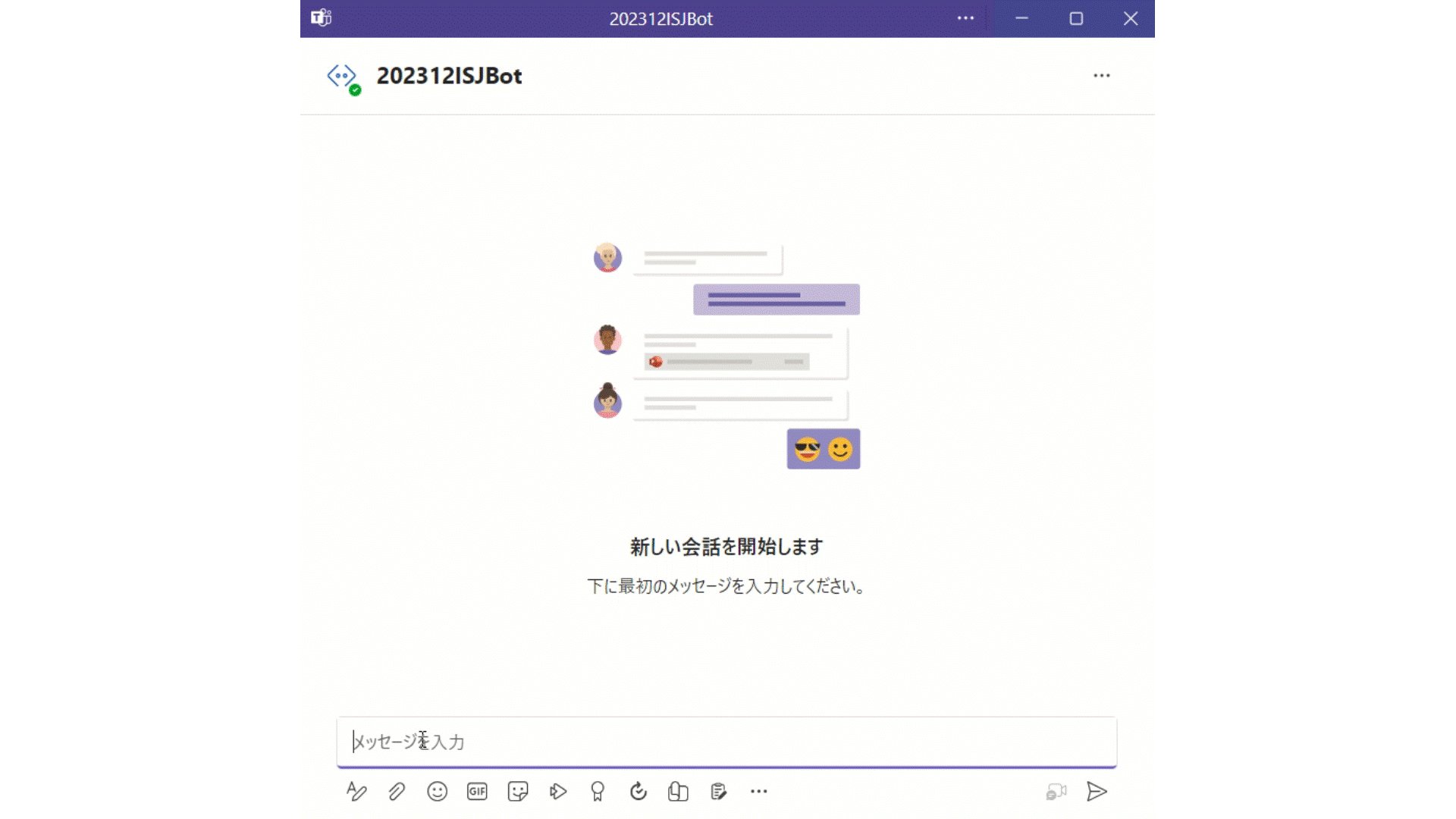
I have challenged to create a bot application using Azure Bot that can retrieve and post data to IRIS for Health.


A patient's data has already been registered in the FHIR repository of IRIS for Health.

The patient's MRN is 1001. His name is Taro Yamada. (in Japanese :山田 太郎)

This bot can post new pulse oximeter readings as an observation resource linked to the patient.

2
2 483
Question Scott Roth · Aug 9, 2024

I was looking for an easier way to build the FHIR Query String, given the Record Map request that is passed into the DTL.

I built this Function, but when I run a message through it, my Query String that is passed back into the DTL is a Reference Pointer and not the String I am looking for. 

3
1 151