#PID^TOO||

0 Followers · 4 Posts

PID^TOO|| is an active de-duplication engine for FHIR® Repositories that scans entities and identities and provides remediation tasks for resolution. PID^TOO provides a lightweight EMPI process, Machine Learning Model and Remediation Workflow for mastering your FHIR® Data.
https://www.pidtoo.com/about

InterSystems staff + admins Hide everywhere
Hidden post for admin
Article sween · Oct 20, 2023 6m read

image

This article will cover turning over control of provisioning the InterSystems Kubernetes Operator, and starting your journey managing your own "Cloud" of InterSystems Solutions through Git Ops practices. This deployment pattern is also the fulfillment path for the PID^TOO||| FHIR Breathing Identity Resolution Engine.

Git Ops

I encourage you to do your own research or ask your favorite LLM about Git Ops, but I can paraphrase it here for you as we understand it. Git Ops is an alternative deployment paradigm, where the Kubernetes Cluster itself is "pulling" updates from manifests that reside in source control to manage the state of your solutions, making "Git" an integral part of the name.

Prerequisites

  • Provision a Kubernetes Cluster , this has been tested on EKS, GKE, and MicroK8s Clusters
  • Provision a GitLab, GitHub, or other Git Repo that is accessible by your Kubernetes Cluster

Argo CD

The star of our show here is ArgoCD, which provides a declarative approach to continuous delivery with a ridiculously well done UI. Getting the chart going on your cluster is a snap with just a couple of strokes on your cluster.

kubectl create namespace argocd
kubectl apply -n argocd -f \
https://raw.githubusercontent.com/argoproj/argo-cd/stable/manifests/install.yaml

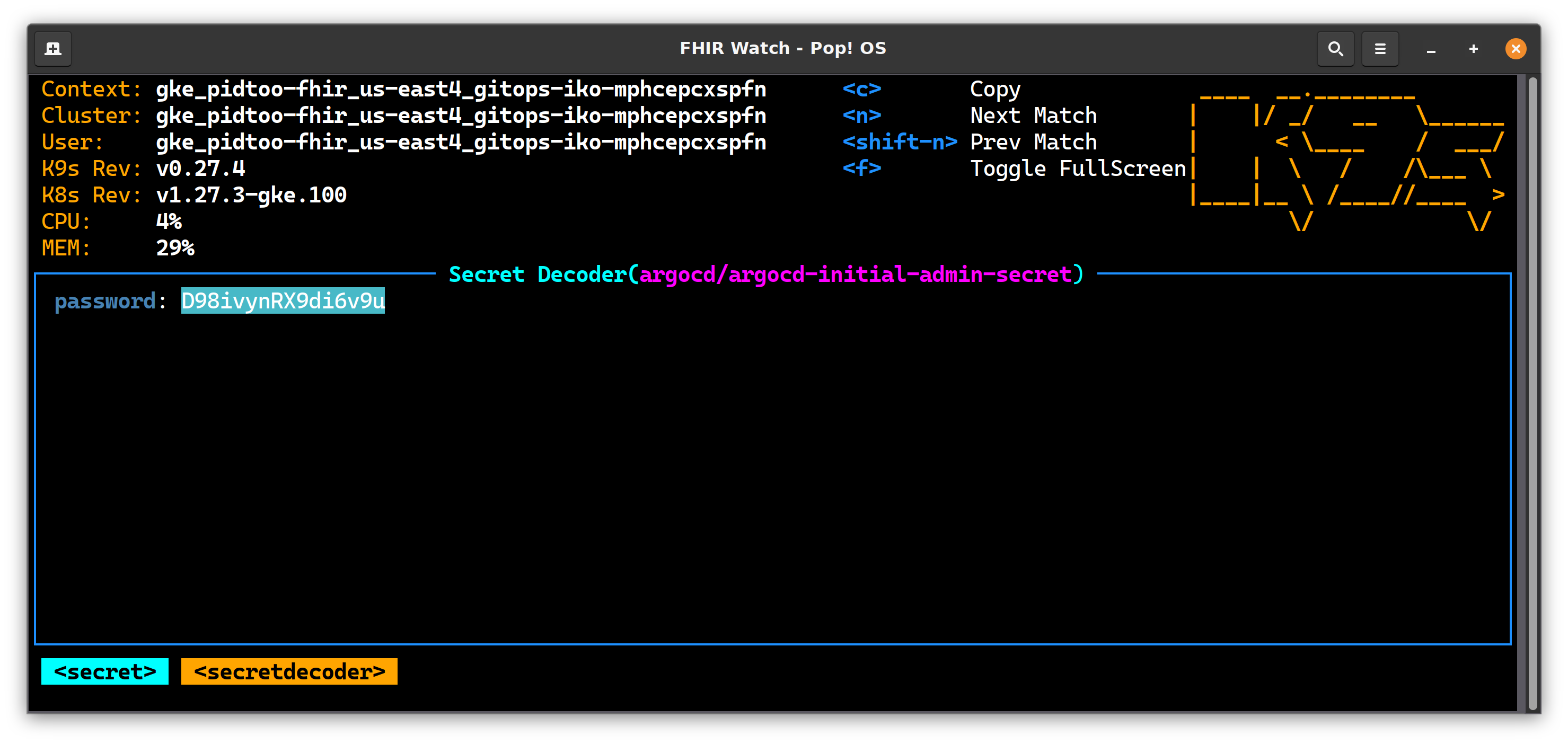
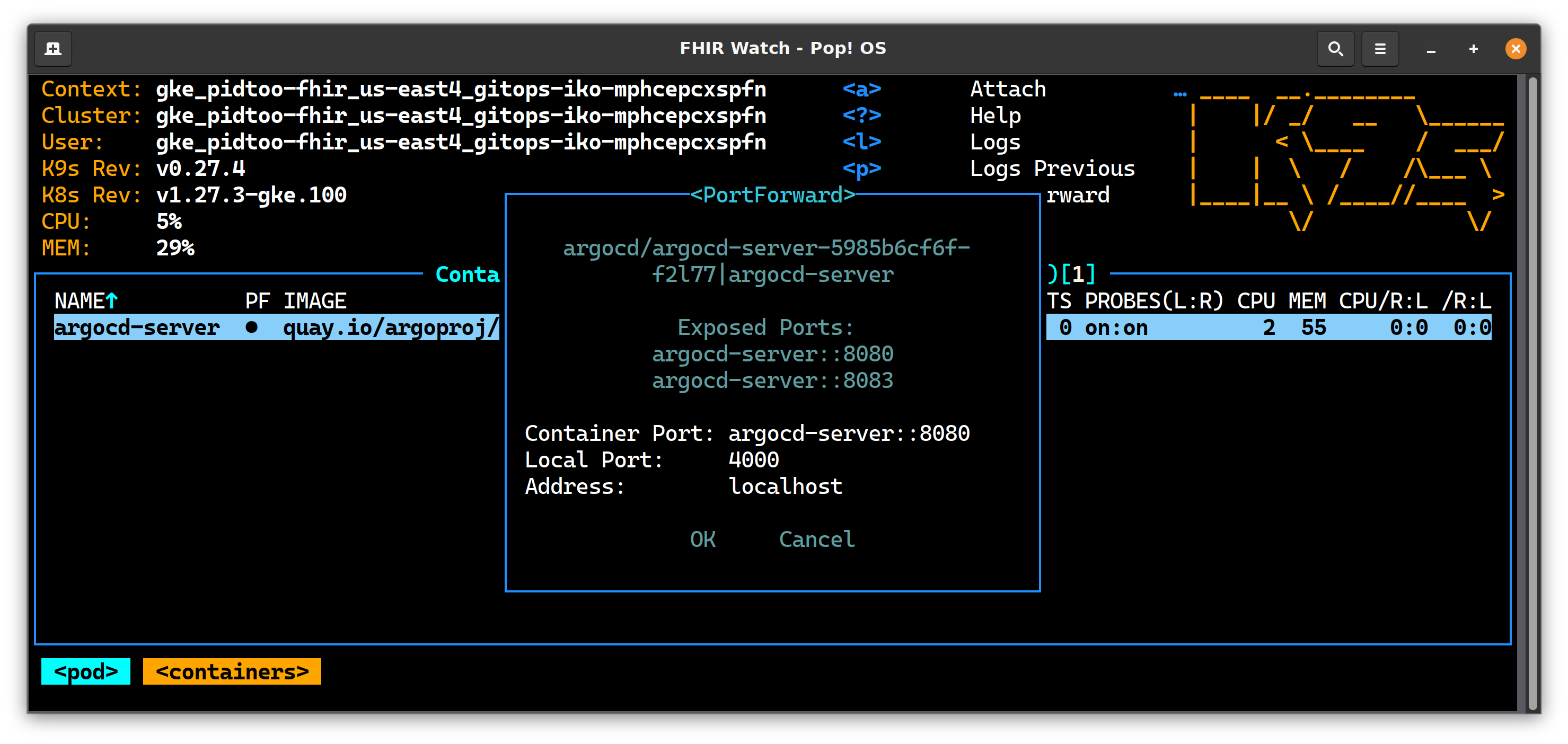
Let's go get logged into the UI for ArgoCD on your Kubernetes Cluster, to do this, you need to grab the secret that was created for the UI, and setup a port forward to make it accessible on your system.

Grab Secret
Decrypt it and put it on your clipboard. image
Port Forward
Redirect port 4000 (or whatever) to your local host
image

UI
Navigate to https://0.0.0.0:4000 and supply the secret to the login screen and login.

image

InterSystems Kubernetes Operator (IKO)

Instructions for obtaining the IKO Helm chart in the documentation itself, once you get it, check it in to your git repo in a feature branch. I would provide a sample repo for this, but unfortunately cant do it without violating a re-distribution as it does not appear the chart is available in a public repository.

Create yourself a feature branch in your git repository and unpack the IKO Helm chart into a single directory. As below, this is iko/iris_operator_amd-3.5.48.100 off the root of the repo.

On feature/iko branch as an example:

├── iko
│   ├── AIKO.pdf
│   └── iris_operator_amd-3.5.48.100
│       ├── chart
│       │   └── iris-operator
│       │       ├── Chart.yaml
│       │       ├── templates
│       │       │   ├── apiregistration.yaml
│       │       │   ├── appcatalog-user-roles.yaml
│       │       │   ├── cleaner.yaml
│       │       │   ├── cluster-role-binding.yaml
│       │       │   ├── cluster-role.yaml
│       │       │   ├── deployment.yaml
│       │       │   ├── _helpers.tpl
│       │       │   ├── mutating-webhook.yaml
│       │       │   ├── service-account.yaml
│       │       │   ├── service.yaml
│       │       │   ├── user-roles.yaml
│       │       │   └── validating-webhook.yaml
│       │       └── values.yaml

IKO Setup
Create isc namespace, and add secret for containers.intersystems.com into it.

kubectl create ns isc

kubectl create secret docker-registry \
pidtoo-pull-secret --namespace isc \
--docker-server=https://containers.intersystems.com \
--docker-username='ron@pidtoo.com' \
--docker-password='12345'

This should conclude the setup for IKO, and enable it's delegate it entirely through Git Ops to Argo CD.

Connect Git to Argo CD

This is a simple step in the UI for Argo CD to connect the repo, this step ONLY "connects" the repo, further configuration will be in the repo itself.

image

Declare Branch to Argo CD

Configure Kubernetes to poll branch through Argo CD values.yml in the Argo CD chart. It is up to you really for most of these locations in the git repo, but the opinionated way to declare things in your repo can be in an "App of Apps" paradigm.

Consider creating the folder structure below, and the files that need to be created as a table of contents below:

├── argocd
│   ├── app-of-apps
│   │   ├── charts
│   │   │   └── iris-cluster-collection
│   │   │       ├── Chart.yaml  ## Chart
│   │   │       ├── templates
│   │   │       │   ├── iris-operator-application.yaml  ## IKO As Application
│   │   │       └── values.yaml ## Application Chart Values
│   │   └── cluster-seeds
│   │       ├── seed.yaml  ## Cluster Seed

Chart

apiVersion: v1
description: 'pidtoo IRIS cluster'
name: iris-cluster-collection
version: 1.0.0
appVersion: 3.5.48.100
maintainers:
  - name: intersystems
    email: support@intersystems.com  

IKO As Application

apiVersion: argoproj.io/v1alpha1
    kind: Application
    metadata:
      name: iko
      namespace: argocd
    spec:
      destination:
        namespace: isc
        server: https://kubernetes.default.svc
      project: default
      source:
        path: iko/iris_operator_amd-3.5.48.100/chart/iris-operator
        repoURL: {{ .Values.repoURL }}
        targetRevision: {{ .Values.targetRevision }}
      syncPolicy:
        automated: {}
        syncOptions:
        - CreateNamespace=true  

IKO Application Chart Values

targetRevision: main
repoURL: https://github.com/pidtoo/gitops_iko.git

Cluster Seed

apiVersion: argoproj.io/v1alpha1
kind: Application
metadata:
  name: gitops-iko-seed
  namespace: argocd
  labels:
    isAppOfApps: 'true'
spec:
  destination:
    namespace: isc
    server: https://kubernetes.default.svc
  project: default
  source:
    path: argocd/app-of-apps/charts/iris-cluster-collection
    repoURL: https://github.com/pidtoo/gitops_iko.git
    targetRevision: main
  syncPolicy:
    automated: {}
    syncOptions:
    - CreateNamespace=true

Seed the Cluster!

This is the final on interacting with your Argo CD/IKO Cluster applications, the rest is up to Git!

kubectl apply -n argocd -f argocd/app-of-apps/cluster-seeds/seed.yaml

Merge to Main

Ok, this is where we see how we did in the UI, you should immediately start seeing in Argo CD applications starting coming to life.

The apps view:
image

InterSystems Kubernetes Operator View
imageimage

Welcome to GitOps with the InterSystems Kubernetes Operator!

Git Demos are the Best! - Live October 19, 2023

Ron Sweeney, Principal Architect Integration Required, LLC (PID^TOO) Dan McCracken, COO, Devsoperative, INC

3
1 821
Announcement Anastasia Dyubaylo · Oct 6, 2023

Hi Community,

We're super excited to invite you to the webinar on How GitOps can use the InterSystems Kubernetes Operator prepared as a part of the Community webinars program.

Join this webinar to learn how the FHIR Breathing Identity and Entity Resolution Engine for Healthcare (better known as PID^TOO||) was created.

⏱ Date & Time: Thursday, October 19, 12:00 PM EDT | 6:00 PM CEST

👨‍🏫 Speakers

4
0 583
Article sween · Aug 21, 2023 6m read

image

Summary

A Quick start to include InterSystems IRIS Tables in Data Build Tool using Python.

It uses the sqlalchemy plugin with sqlalchemy-iris which enables the iris strategy for duckdb as a source for a dbt project.

EDIT: If you stumbled here on Google Geuse for "iris dbt", your best bet is to checkout dbt-iris for the native adapter implementation that follows dbt guidelines.

Im out of town for the Python meetup in Cambridge, but will submit to the InterSystems Python Programming Contest starting in September. Sucks I will miss it, wanted to connect with Thomas Dyer and see how close I got, but this is my virtual hail to the event through the community.

It is a quick start at best, for those perusing it, and even for myself to build upon in the upcoming months.

Disclaimers

I am unsure this is solution is the best path to accomplish things, but it is a tested path.

I am not a dbt expert, but use dbt-core in cicd pipelines and its apparent in bash history on a daily basis, so I walk around like I eventually will be.

Props

Made possible by SQLAlchemy-iris by Dmitry Maslennikov and a follow up post by Heloisa Paiva to express in a few lines how great it is.

Also, duckdb is fun software, wicked fast, and a data lake for your /tmp folder. Ducks are cool, Geese are not.

Setup

  • Deploy IRIS Cloud SQL
  • Pythons
  • Github
  • dbt Configuration
  • Validate Setup

So we used InterSystems IRIS Cloud SQL through the Early Access Program to demonstrate things, it provisioned super fast and anything to avoid local docker these days makes for a happy brogrammer.

image

Looks like I got a roll of 112 ones left on my trial.

For purposes of the tables referenced in the below, I used DBeaver to create a Table "Persons" in the "SQLUser" schema and loaded it up with a bunch of worthless data.

image

Pythons

Install the following python stuff, I am running python3.8, and everything seems to work fine.

pip install dbt-core
pip install dbt-duckdb
pip install sqlalchemy-iris

Github

Optional, but not really if you are serious about things.

https://github.com/sween/dbt-duckdb-iris

dbt Configuration

Inside the git repository folder:

dbt init iris_project

Setup your profile, if you are familiar with .aws credentials for your system, this is similar, but for the secrets connecting to your sources.

In ~/.dbt/profiles.yml

Construct your sqlalchemy URI from you connectivity details in IRIS SQL, and populate it like so:

image

dbt_iris_profile:
  target: dev
  outputs:
    dev:
      type: duckdb
      database: dbt 
      schema: dev 
      path: /tmp/dbt.duckdb
      plugins:
        - module: sqlalchemy
          alias: sql
          config:
            connection_url: "iris://SQLAdmin:PineapplePercussions@k8s-dbt-iris-afc6f28b-09bf882dfc-12345.elb.us-east-1.amazonaws.com:1972/USER"

Modify the dbt_project.yml in the root of the dbt project.

name: 'iris_project'
version: '1.0.0'
config-version: 2

# This setting points to the "profile" we built from previous step.
profile: 'dbt_iris_profile'

model-paths: ["models"]
analysis-paths: ["analyses"]
test-paths: ["tests"]
seed-paths: ["seeds"]
macro-paths: ["macros"]
snapshot-paths: ["snapshots"]

clean-targets:
  - "target"
  - "dbt_packages"

models:
  iris_project:
    example:
      +materialized: view

vars:
  db_name: sql

Two more files to go, lets declare our models\schema.yml first:

version: 2

models:
  - name: my_first_dbt_model
    description: "A starter dbt model"
    columns:
      - name: id
        description: "The primary key for this table"
        tests:
          - unique
          - not_null

  - name: my_second_dbt_model
    description: "A starter dbt model"
    columns:
      - name: id
        description: "The primary key for this table"
        tests:
          - unique
          - not_null

sources:
  - name: dbt_iris_source
    database: dbt
    schema: SQLUser 
    tables:
      - name: Persons
        identifier: Persons
        config:
          plugin: sql
          save_mode: overwrite
          query: "SELECT * FROM SQLUser.Persons"

And last but not least, a Python model in models/Persons.py

def model(dbt, session):
    dbt.config(materialized="table")

    persons_df = dbt.source("dbt_iris_source", "Persons")
    return persons_df

dbt Shampoo

Now let's test and see if we can reach IRIS out there in us-east-1 of sorts.

dbt debug

If all goes well, and we are able to connect to IRIS Sql Cloud, you should see something like the following:

image

Next up, is to actually run the project.

dbt run

image

Lets generate the clown suit and take a look at our work.

dbt generate docs
dbt serve docs

On http://0.0.0.0:8080, you'll see the auto generated docs.

image

BOOM!!!!

Need some proof we connected to IRIS Sql Cloud and pulled down the Persons data?

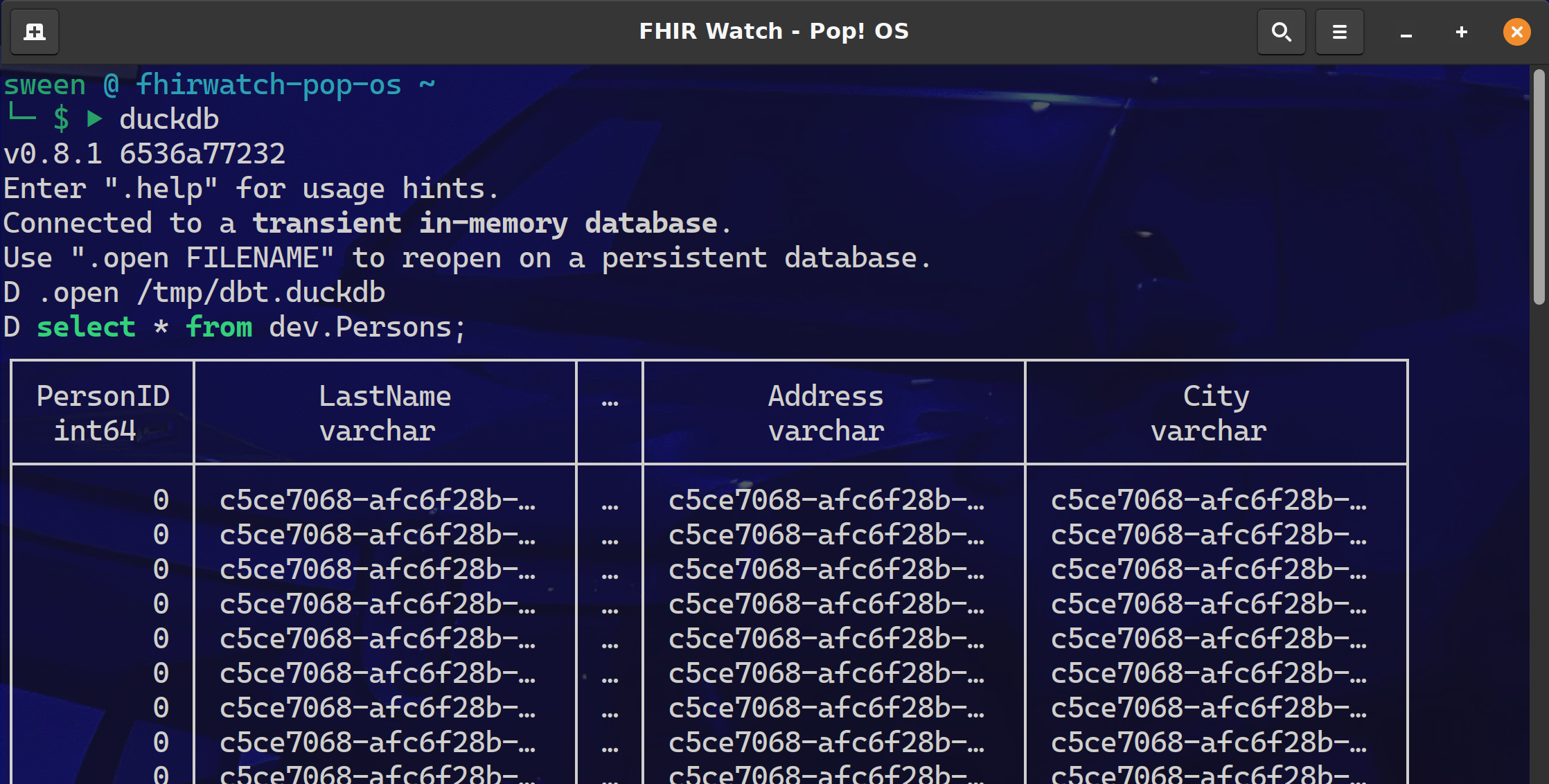
Fire up the duckdb cli and query the dev.Persons table. image

dbt

I am currently down with dbt (yeah you know me) using dbt-core to about 25% of its full potential and pretty much all in and most likely headed to dbt cloud. After a project that implemented Single Table DynamoDB, with a transform to BigQuery, it became apparent that there MUST be a better way to:

  • Share the project Github was not enough, there needed to be more ways to share the tribal knowledge and just not show up that day for somebody else to check it out and run. dbt shines here with dbt shampoo, dbt run && dbt test in pipelines.

  • Changes and Tribal Knowledge Source control gave us the code lineage, but dbt kept the tribal knowledge right there along side of it, so changes and additions could be made without fear of breaking things.

  • Testing My experience with some data projects is they get handled with the testing rigor of teams that build web apps and it is not a fit. Though the target data powers the UI (where the testing occurred), it only surfaced a fraction of the data complexity and raised a ton of bugs from the datawarehouse side of the project.

Very Helpful Stuff:

127.0.0.1

Ron Sweeney, Integration Required/PID^TOO||

3
1 583
Article sween · Jun 7, 2023 15m read
This post backs the demonstration at Global Summit 2023 "Demos and Drinks" with details most likely lost in the noise of the event.
This is a demonstration on how to use the FHIR SQL Capabilities of InterSystems FHIR Server along side the Super Awesome Identity and Resolution Solution, Zingg.ai to detect duplicate records in your FHIR repository, and the basic idea behind remediation of those resources with the under construction PID^TOO|| currently enrolled in the InterSystems Incubator program.  If you are into the "Compostable CDP" movement and want to master your FHIR Repository in place
0
1 440