Unable to connect remote server in Atelier
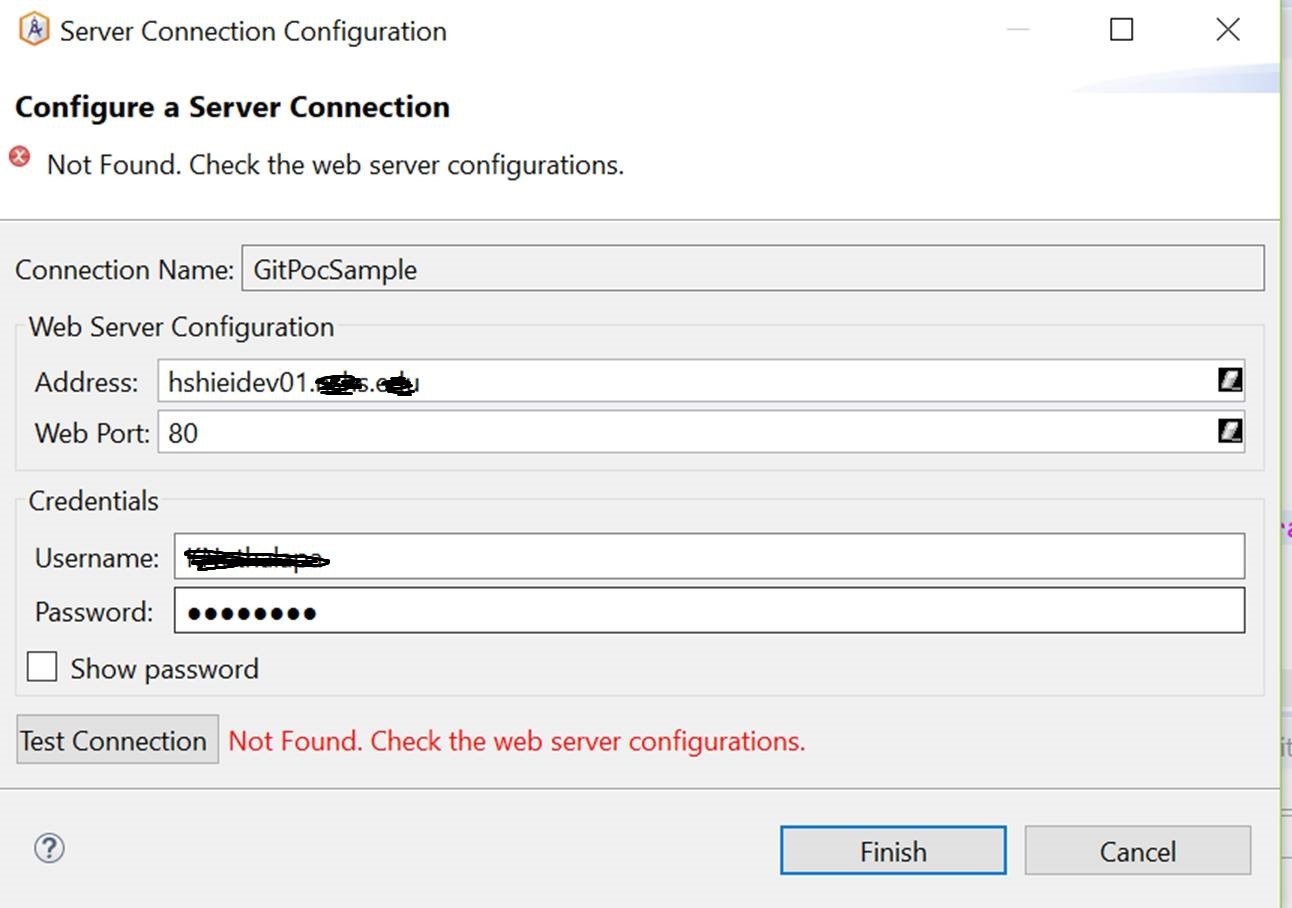 Working fine in localhost. While connecting to remote server getting the above error. Tried with Web Port 1972 and 80 both. Also there is no log in audit viewer.
Comments
Try port 57772.
In other words, use the same port number as you use when accessing InterSystems Management Portal.
Port 57772 is for local host. The remote hosted instance runs on port 80(xyz.x.edu)
It's 2017.1.1 Build 111
Vivek, if Fabian's suggestion is the solution that works for you can you mark that as the correct answer here? Thanks!
So does the following URL (or similar) give you access to Portal on the remote server?
Yes
What is the $ZVERSION string of the remote server?
IM Renderer Page
|
Cache for Windows (x86-64) 2017.1.1 (Build 111_0_17521U) Wed Jul 26 2017 13:08:05 EDT |
api/atelier is not accessible.
That'll be the problem, because /api/atelier is how Atelier talks to the server.
Yes seems like this.
Able to browse: http://localhost:57772/api/atelier/
but not
http://xyxz.x.edu/instance/api/atelier/
It's enabled on the server.
What sort of webserver is at http://xyzx.x.edu ?
How was it set up and configured to use CSP Web Gateway?
I suggest you contact InterSystems Support (a.k.a WRC) for help resolving your issue.
Already raised WRC. No resolution so far.
you need to add a mapping for api/atelier to the csp gateway in your webserver. see also this previous discussion: https://community.intersystems.com/post/atelier-and-external-web-server
OK, I've just seen your version info in a comment on another answer.
Given you're using accessing port 80 on server xyz.x.edu I assume a regular webserver (e.g. IIS or Apache) has been set up on that server and the CSP Web Gateway added to it, then configured to connect to an InterSystems instance (perhaps on the same server, or perhaps elsewhere).
In that case, is your webserver set up to dispatch /api/atelier to the 2017.1 instance?
Still investigation on the reference post.
Still investigation on the reference post.
Are you sure that:
The host is running HealthShare 2016.2 or later?
The web server for HS/Caché is actually running on port 80? 57772 is the default for "stock" installations.
Fabian's comment is the correct solution. The Atelier client makes REST requests to the server, and those requests start with /api/atelier. So you need to set up a mapping for "/api/atelier*" on the web server listening on port 80 to route those requests to the Caché server.